01
NotionOffiziell
173,4 Mio./Monat
Der KI-Workspace, in dem Teams und Agenten gemeinsam Arbeit erledigen
AI AgentRedaktionswert: 4.8Freemium78% direkt
 #1
DragBin verzeichnet 27.758 monatliche Besuche mit +30,7 % Wachstum gegenüber dem Vormonat und einem Preismodell „Freemium“. VEED.IO verzeichnet 8.011.728 monatliche Besuche mit +1,8 % Wachstum und einem Preismodell „Freemium, Kostenlose Testversion, Kostenpflichtig, Preise auf Anfrage“.
Zero-Knowledge-Cloudspeicher mit Post-Quanten-Verschlüsselung
VEED is a browser-based AI video creation platform that takes an idea to a finished, on-brand video without a camera or editing suite. It combines an online editor with text-to-video, AI avatars and lip sync, voice cloning, text to speech, auto subtitles, translation, dubbing and a large library of social ad templates.
| Dimension / Kennzahl | ||
|---|---|---|
| Offizielle Domain | dragbin.com | veed.io |
| Preismodell | Freemium | Freemium, Kostenlose Testversion, Kostenpflichtig, Preise auf Anfrage |
| Monatliche Besuche | 27.758 (27.758) | 8,01 Mio. (8.011.728) |
| MoM-Traffic-Delta |
| +6514 (+30,7 %) |
| +138.177 (+1,8 %) |
| Primärmarkt und Anteil | 🇮🇳 Indien (19,7 %) | 🇮🇳 Indien (14,6 %) |
|---|
| Direkte Besuche / Monat | 11.114 | 2,98 Mio. |
|---|
| Nutzerbewertung | 4,2 | 4,2 |
|---|
| Unterstützte Plattformen | Website | Website |
|---|
Zero-Knowledge-Cloudspeicher mit Post-Quanten-Verschlüsselung
Die App verschlüsselt Dateien vor dem Upload mit ML-KEM in Kombination mit AES-256, sodass der Server nur Chiffretext hält.
Freigabelinks mit Passwort, Ablaufdatum, Aufruf- und Download-Obergrenzen, Geo- und Domain-Beschränkungen sowie Wasserzeichen für Dokumente.
Sehen Sie, wer einen Link geöffnet hat, wie weit gelesen wurde und wann jemand zurückkehrte – ohne Rückfragen.
Bündeln Sie Dokumente in berechtigungsgesteuerten Datarooms für Transaktionen, Due Diligence oder Kundenübergaben.
VEED is a browser-based AI video creation platform that takes an idea to a finished, on-brand video without a camera or editing suite. It combines an online editor with text-to-video, AI avatars and lip sync, voice cloning, text to speech, auto subtitles, translation, dubbing and a large library of social ad templates.
Turn a script or idea into a talking-head, explainer or product video using text-to-video, image-to-video, AI avatars, lip sync and eye-contact correction — no filming required.
Auto-generate styled captions, translate videos into other languages and dub them with AI voices, with unlimited subtitle generation on paid plans under a 50-hour fair-use limit.
Save colours, fonts, logos and voice so every generated or edited video comes out looking like your brand rather than generic AI output.
Start from templates and ad formats tuned for Instagram, TikTok and YouTube, then resize and repurpose the same asset across channels.
Der KI-Workspace, in dem Teams und Agenten gemeinsam Arbeit erledigen
#1Bietet eine ähnlich robuste Multitrack-Video-Timeline und KI-Tools, hat jedoch stärkere Mobil-Apps und Templates.
Bietet leistungsstarke Videobearbeitung auf Desktop-Niveau mit umfangreichen KI-Funktionen, erfordert im Gegensatz zur Browser-Plattform von VEED jedoch eine Softwareinstallation.
 #3

SpezialisiertKonzentriert sich stark auf generative KI-Videomodelle der nächsten Generation und Kinoeffekte statt auf alltägliche Bildschirmaufnahmen und Untertitel.


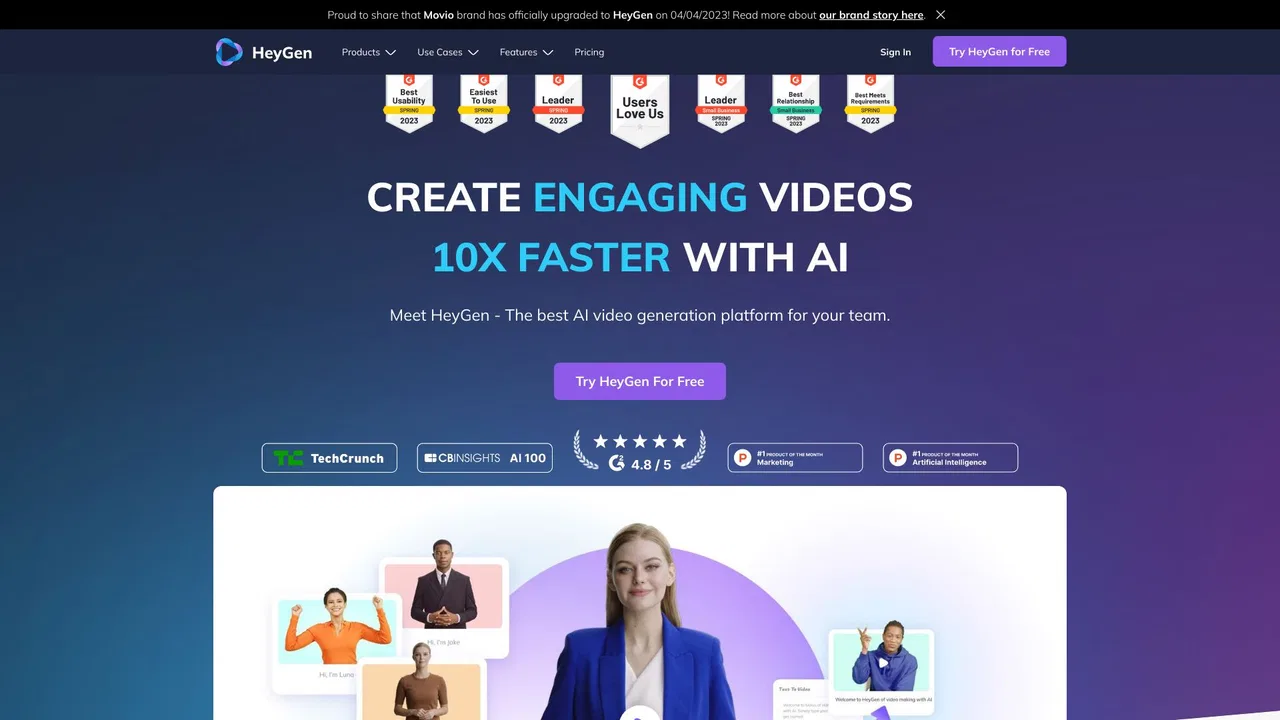
SpezialisiertExcels at generating photorealistic AI avatar presenter videos, but offers less comprehensive general video editing suites than VEED.
Setzt auf automatisierte Prompt-zu-Video-Skripterstellung und Stock-Medien-Zusammenstellung, während VEED mehr auf manuelle Bearbeitung setzt.

Bietet intuitive Online-Videobearbeitungs- und Kollaborationstools, lässt jedoch einige der erweiterten KI-Avatar-Funktionen von VEED vermissen.

SpezialisiertPodcast- und Videoaufnahmen in Studioqualität direkt im Browser aufnehmen, schneiden und veröffentlichen

Bearbeitet Videos hauptsächlich über ein Texttranskript statt einer herkömmlichen Zeitleiste und bietet erstklassige Audio-Bereinigungstools.
Domänenspezifische KI für Kanzleien, Inhouse-Rechtsabteilungen und Professional Services
SpezialisiertSpecializes in corporate training videos via talking AI avatars, while VEED provides a broader suite of editing tools.

SpezialisiertVizard is an AI video editor and clipping tool that turns long-form videos, webinars, podcasts, and interviews into short, social-ready clips for TikTok, Instagram Reels, and YouTube Shorts. It auto-detects highlights, reframes to vertical, generates subtitles, and lets you edit by deleting transcript text.
Bietet eine ähnlich robuste Multitrack-Video-Timeline und KI-Tools, hat jedoch stärkere Mobil-Apps und Templates.
Bietet leistungsstarke Videobearbeitung auf Desktop-Niveau mit umfangreichen KI-Funktionen, erfordert im Gegensatz zur Browser-Plattform von VEED jedoch eine Softwareinstallation.
SpezialisiertKonzentriert sich stark auf generative KI-Videomodelle der nächsten Generation und Kinoeffekte statt auf alltägliche Bildschirmaufnahmen und Untertitel.
SpezialisiertExcels at generating photorealistic AI avatar presenter videos, but offers less comprehensive general video editing suites than VEED.
Setzt auf automatisierte Prompt-zu-Video-Skripterstellung und Stock-Medien-Zusammenstellung, während VEED mehr auf manuelle Bearbeitung setzt.
Bietet intuitive Online-Videobearbeitungs- und Kollaborationstools, lässt jedoch einige der erweiterten KI-Avatar-Funktionen von VEED vermissen.
SpezialisiertPodcast- und Videoaufnahmen in Studioqualität direkt im Browser aufnehmen, schneiden und veröffentlichen
Bearbeitet Videos hauptsächlich über ein Texttranskript statt einer herkömmlichen Zeitleiste und bietet erstklassige Audio-Bereinigungstools.
Domänenspezifische KI für Kanzleien, Inhouse-Rechtsabteilungen und Professional Services
SpezialisiertSpecializes in corporate training videos via talking AI avatars, while VEED provides a broader suite of editing tools.
SpezialisiertVizard is an AI video editor and clipping tool that turns long-form videos, webinars, podcasts, and interviews into short, social-ready clips for TikTok, Instagram Reels, and YouTube Shorts. It auto-detects highlights, reframes to vertical, generates subtitles, and lets you edit by deleting transcript text.