01
1 Mio./Monat
Bildschirmaufnahme, die die Dokumentation gleich mitschreibt
KI-VideoaufnahmeRedaktionswert: 4.5Freemium+4,9 %

1 Mio./Monat+4,9 %
Bildschirmaufnahme, die die Dokumentation gleich mitschreibt
Freemium
Dubble verzeichnet 14.661 monatliche Besuche mit -48 % Wachstum gegenüber dem Vormonat und einem Preismodell „Freemium, Kostenlose Testversion, Preise auf Anfrage“. Kroto (InstantDocs) verzeichnet 0 monatliche Besuche mit — Wachstum und einem Preismodell „Freemium“.
Jeden Ablauf am Bildschirm in eine schriftliche Anleitung verwandeln

Einmal den Bildschirm aufnehmen – in Minuten ein fertiges How-to-Video und einen Artikel erhalten.
| Dimension / Kennzahl | | |
|---|---|---|
| Offizielle Domain | dubble.so | chromewebstore.google.com |
| Preismodell | Freemium, Kostenlose Testversion, Preise auf Anfrage | Freemium |
| Monatliche Besuche | 14.661 (14.661) | 0 (0) |
| MoM-Traffic-Delta | -13.543 (-48 %) | 0 (—) |
| Primärmarkt und Anteil | 🇧🇷 Brasilien (26,1 %) | 🌐 Global (—) |
| Direkte Besuche / Monat | 6814 | 0 |
| Nutzerbewertung | 4,2 | 3,9 |
| Unterstützte Plattformen | Website | Browser-Erweiterung |
Jeden Ablauf am Bildschirm in eine schriftliche Anleitung verwandeln
Aufnahme starten, Ablauf normal durchführen – Dubble erzeugt das Schritt-für-Schritt-Dokument automatisch.
Beschreibungen ändern, Markierungen setzen, Inhalte unkenntlich machen oder Screenshots austauschen – auch neue Bilder aus der Originalaufnahme.
Anleitung per Link teilen oder Kollegen einladen, im selben Dokument eigene aufgenommene Schritte zu ergänzen.
Export als Rich Text oder Markdown, der direkt in Notion, Confluence, Google Docs, Trainual und ähnliche Wissensdatenbanken passt.
Einmal den Bildschirm aufnehmen – in Minuten ein fertiges How-to-Video und einen Artikel erhalten.
Starte die Aufnahme direkt aus der Browser-Erweiterung, während du ein Produktfeature, einen Prozess oder einen Workflow durchgehst – ohne separate Capture-Suite.
Die KI liest Transkript und Klicks und baut eine strukturierte Anleitung, wählt passende Screenshots und ordnet die Schritte automatisch.
Erzeuge How-to-Videos mit KI-Voiceover in mehreren wählbaren Akzenten passend zu jedem geschriebenen Artikel.
Poliere das Ergebnis in einem WYSIWYG-Editor im Notion-Stil: Screenshots hinzufügen oder bearbeiten, Video-Hintergrund und BGM ändern und Formulierungen anpassen.
Bildschirmaufnahme, die die Dokumentation gleich mitschreibt
Bildschirmaufnahme, die die Dokumentation gleich mitschreibt

Bildschirmaufnahmen werden zu KI-Schulungsvideos, Prozesslandkarten und Dokumenten für Menschen und Agenten
Bildschirmaufnahmen werden zu KI-Schulungsvideos, Prozesslandkarten und Dokumenten für Menschen und Agenten

Jeden Workflow in Minuten in professionelle Video-Dokumentation verwandeln
Jeden Workflow in Minuten in professionelle Video-Dokumentation verwandeln
Agentische Videoerstellung, die jede Eingabe in ein fertiges Video verwandelt
Agentische Videoerstellung, die jede Eingabe in ein fertiges Video verwandelt

Trainn is an AI-powered product video and guide creation platform for customer education. Record any workflow and its AI agent edits the footage into a polished product video, guide, or interactive walkthrough with narration in 100+ voices — no editing skills or studio required.
Trainn is an AI-powered product video and guide creation platform for customer education. Record any workflow and its AI agent edits the footage into a polished product video, guide, or interactive walkthrough with narration in 100+ voices — no editing skills or studio required.

Einmal aufnehmen und eine schriftliche SOP mit Screenshots, Video und KI-Vertonung erhalten
Einmal aufnehmen und eine schriftliche SOP mit Screenshots, Video und KI-Vertonung erhalten

Jeden Browser-Workflow automatisch in eine vertonte Anleitung verwandeln
Jeden Browser-Workflow automatisch in eine vertonte Anleitung verwandeln
WowTo is a platform for creating how-to and instructional videos with AI. Record or import a workflow, add multilingual AI voiceovers and avatars, then host everything in a searchable, branded video knowledge base that you can embed in your product, help center or support tools.
WowTo is a platform for creating how-to and instructional videos with AI. Record or import a workflow, add multilingual AI voiceovers and avatars, then host everything in a searchable, branded video knowledge base that you can embed in your product, help center or support tools.

Produkt in Minuten in interaktive Demos, Videos und Guides verwandeln
Produkt in Minuten in interaktive Demos, Videos und Guides verwandeln
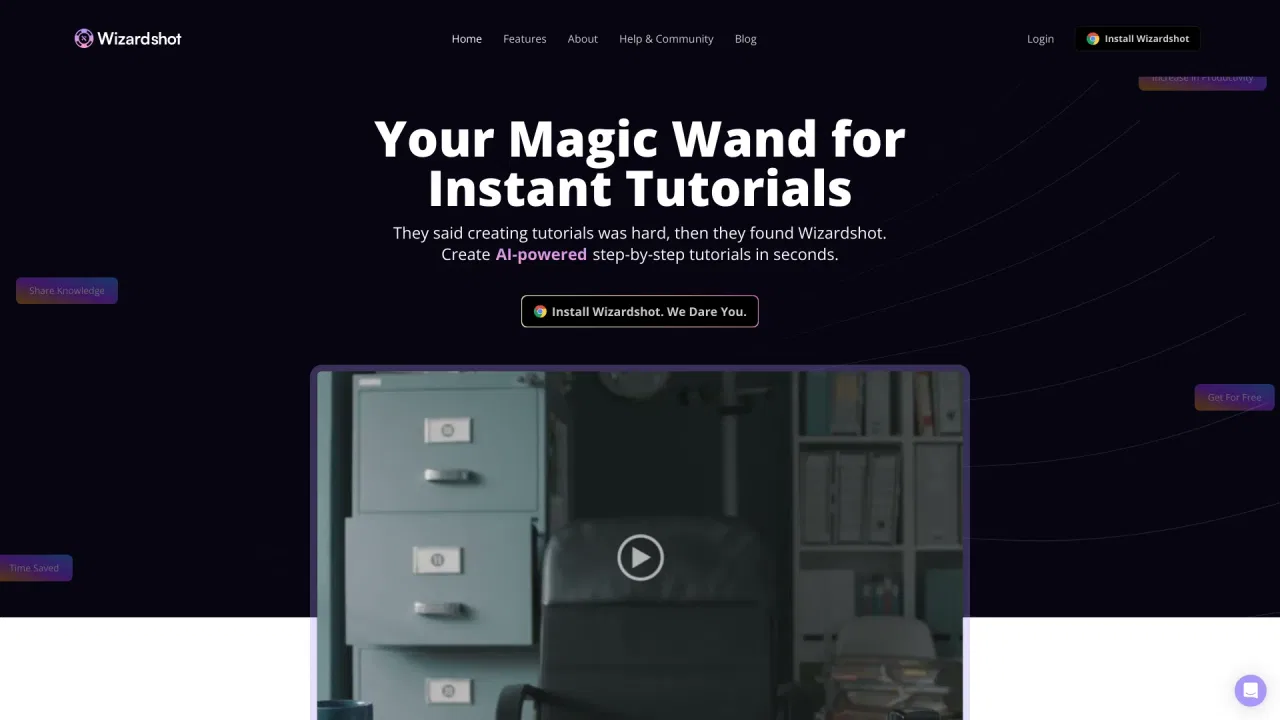
Wizardshot is a free Chrome extension and web app that captures your screen and instantly turns your actions into step-by-step AI tutorials. Click capture, perform a task, and Wizardshot generates an illustrated guide you can export or share.
Wizardshot is a free Chrome extension and web app that captures your screen and instantly turns your actions into step-by-step AI tutorials. Click capture, perform a task, and Wizardshot generates an illustrated guide you can export or share.

Workflow einmal aufzeichnen und die KI erstellt daraus ausgefeilte Schritt-für-Schritt-Anleitungen
Workflow einmal aufzeichnen und die KI erstellt daraus ausgefeilte Schritt-für-Schritt-Anleitungen

Einmal aufnehmen – automatisch eine vollständige Schritt-für-Schritt-Anleitung oder SOP erhalten
Einmal aufnehmen – automatisch eine vollständige Schritt-für-Schritt-Anleitung oder SOP erhalten