ClaudeSaveOpen Source
4.3Redaktionswert
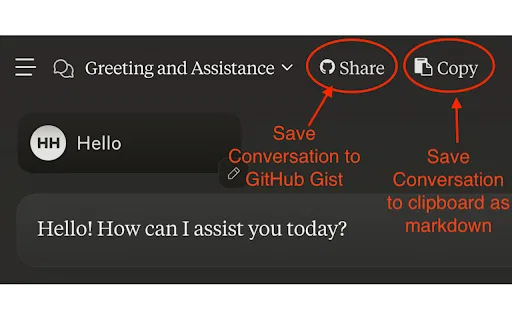
Claude-Unterhaltungen mit einem Klick in GitHub Gists sichern
KI-EntwicklertoolsKostenlos
KI-EntwicklertoolsRedaktionswert: 4.3
Kostenlos
Vergleiche KI-Produkte für 459 Workflows anhand von Traffic-Schätzungen, Funktionen und Alternativen.
“Source code export”·190 Ergebnisse
Neu startenClaude-Unterhaltungen mit einem Klick in GitHub Gists sichern

Claude-Chats mit wenigen Klicks als PDF, Markdown, CSV und JSON exportieren
Claude-Chats mit wenigen Klicks als PDF, Markdown, CSV und JSON exportieren

Ein GitHub-Repo in eine Datei bündeln und in Claude Projects einspeisen
Ein GitHub-Repo in eine Datei bündeln und in Claude Projects einspeisen

ChatGPT-, Grok- und Gemini-Chats als Typora-taugliches Markdown exportieren
ChatGPT-, Grok- und Gemini-Chats als Typora-taugliches Markdown exportieren

Claude-Codeschnipsel als sofort nutzbares Projekt herunterladen
Claude-Codeschnipsel als sofort nutzbares Projekt herunterladen

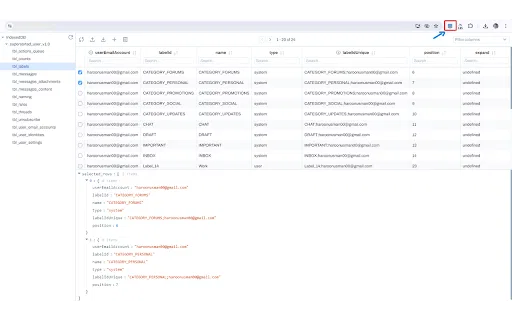
IndexedDB in einem aufgeräumten Drawer-Panel ansehen und bearbeiten
Verwandelt jedes Codeprojekt in eine saubere Markdown-Kontextdatei für LLMs
Verwandelt jedes Codeprojekt in eine saubere Markdown-Kontextdatei für LLMs

ChatGPT-Gespräche als Markdown exportieren – mit Tabellen, Code und LaTeX
ChatGPT-Gespräche als Markdown exportieren – mit Tabellen, Code und LaTeX
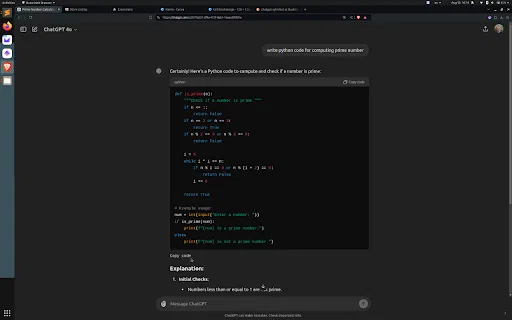
ChatGPT-Codeblöcke von unten kopieren, ganz ohne Scrollen
ChatGPT-Codeblöcke von unten kopieren, ganz ohne Scrollen

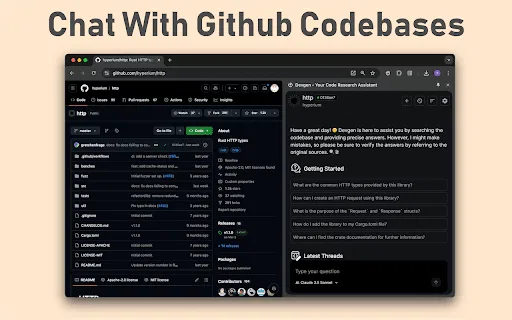
Chatte aus dem Browser mit GitHub-Codebasen, Issues und Pull Requests
Chatte aus dem Browser mit GitHub-Codebasen, Issues und Pull Requests

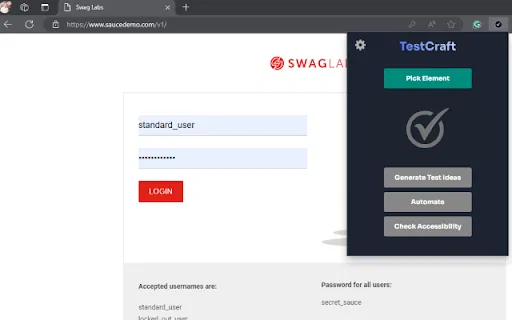
Testideen und Skripterstellung mit GPT direkt im Browser

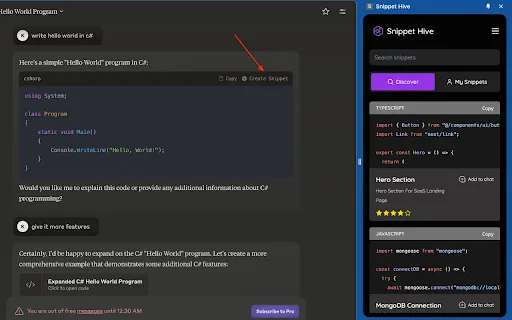
KI-generierte Code-Snippets direkt im Browser speichern, suchen und wiederverwenden.
KI-generierte Code-Snippets direkt im Browser speichern, suchen und wiederverwenden.

ChatGPT-Chats mit einem Klick als HTML oder TXT exportieren
ChatGPT-Chats mit einem Klick als HTML oder TXT exportieren

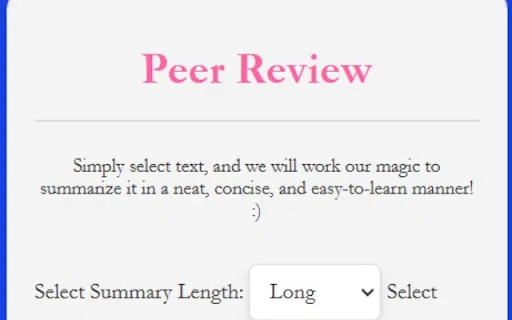
Text markieren und mit einem Klick zusammenfassen – über Geminis Browser-APIs
Text markieren und mit einem Klick zusammenfassen – über Geminis Browser-APIs

ChatGPT-Chats mit einem Klick als sauberes Markdown exportieren
ChatGPT-Chats mit einem Klick als sauberes Markdown exportieren

JDoodle for Chrome is a free browser extension that adds a lightweight IDE to any webpage. Highlight a code snippet, right-click, and run it through JDoodle's cloud execution service without opening a new tab — with AI-powered language detection and a searchable history of everything you have executed.
JDoodle for Chrome is a free browser extension that adds a lightweight IDE to any webpage. Highlight a code snippet, right-click, and run it through JDoodle's cloud execution service without opening a new tab — with AI-powered language detection and a searchable history of everything you have executed.

ChatGPT-Gespräche als Text, Markdown, JSON oder Code kopieren
ChatGPT-Gespräche als Text, Markdown, JSON oder Code kopieren

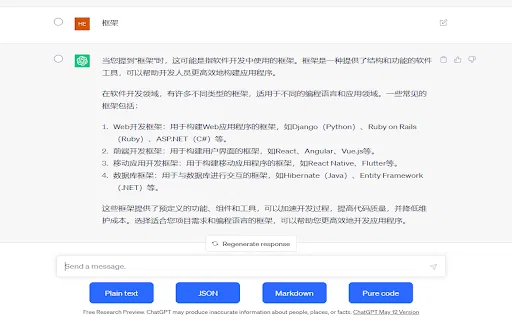
ChatGPT-Unterhaltungen mit einem Klick als PDF, Markdown, TXT oder JSON exportieren
ChatGPT-Unterhaltungen mit einem Klick als PDF, Markdown, TXT oder JSON exportieren

Jede ChatGPT-Unterhaltung als saubere, teilbare HTML-Datei speichern
Jede ChatGPT-Unterhaltung als saubere, teilbare HTML-Datei speichern

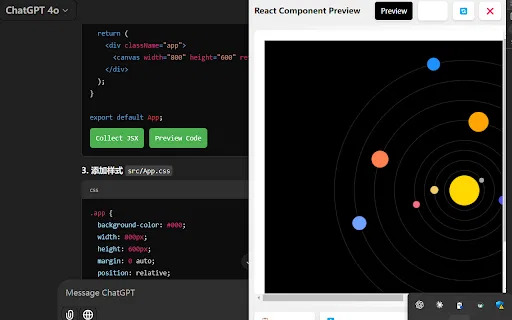
AI Code Preview is a free Chrome extension for developers who work with AI coding assistants. It detects code blocks in AI responses and renders them in a live preview supporting HTML, CSS, JavaScript, React components, and Vue single-file components, with one-click copy and download.
AI Code Preview is a free Chrome extension for developers who work with AI coding assistants. It detects code blocks in AI responses and renders them in a live preview supporting HTML, CSS, JavaScript, React components, and Vue single-file components, with one-click copy and download.

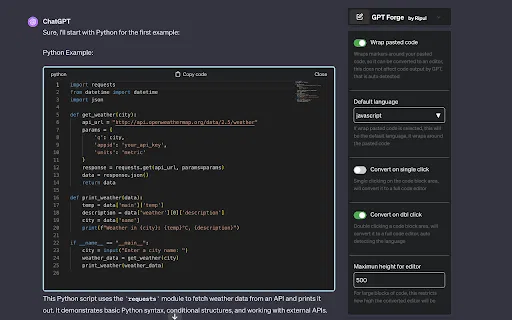
ChatGPT-Codeblöcke in echte, editierbare Code-Editoren verwandeln

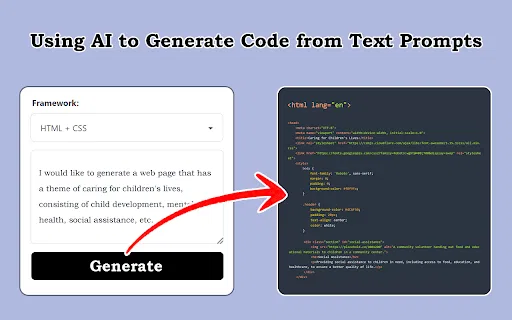
Screenshots, Designentwürfe und Prompts in Frontend-Code verwandeln
Screenshots, Designentwürfe und Prompts in Frontend-Code verwandeln

ChatGPT- und Gemini-Chats als saubere PDFs oder interaktives HTML speichern
ChatGPT- und Gemini-Chats als saubere PDFs oder interaktives HTML speichern

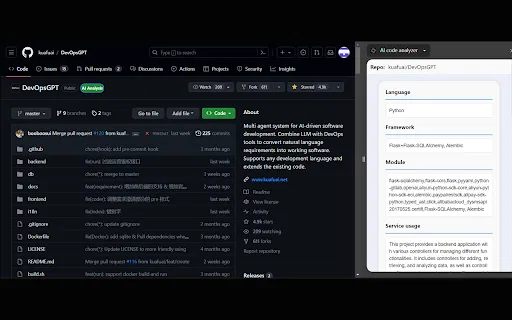
AI code analyzer is a free Chrome extension that uses KuaFuAI to break down unfamiliar code. Highlight or paste a snippet and it quickly tells you what the code does, which programming language and framework it uses, how its modules are organized, and how the overall structure fits together.
AI code analyzer is a free Chrome extension that uses KuaFuAI to break down unfamiliar code. Highlight or paste a snippet and it quickly tells you what the code does, which programming language and framework it uses, how its modules are organized, and how the overall structure fits together.