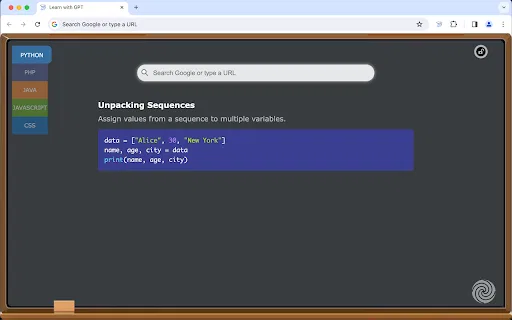
새 탭을 열 때마다 ChatGPT가 생성한 코딩 팁 한 줄
AI 브라우저에디터 평점: 4.0
무료
459개 워크플로에서 트래픽 추정치, 기능, 대안을 비교하세요.
“Programming tutorials” · 코딩 및 소프트웨어 개발·결과 101개
처음으로새 탭을 열 때마다 ChatGPT가 생성한 코딩 팁 한 줄

JDoodle for Chrome is a free browser extension that adds a lightweight IDE to any webpage. Highlight a code snippet, right-click, and run it through JDoodle's cloud execution service without opening a new tab — with AI-powered language detection and a searchable history of everything you have executed.
JDoodle for Chrome is a free browser extension that adds a lightweight IDE to any webpage. Highlight a code snippet, right-click, and run it through JDoodle's cloud execution service without opening a new tab — with AI-powered language detection and a searchable history of everything you have executed.

클릭 한 번으로 모든 동영상의 화면 텍스트 복사



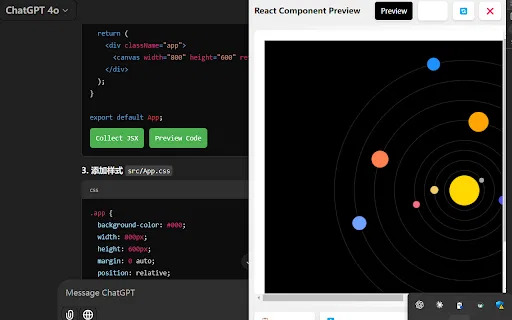
AI Code Preview is a free Chrome extension for developers who work with AI coding assistants. It detects code blocks in AI responses and renders them in a live preview supporting HTML, CSS, JavaScript, React components, and Vue single-file components, with one-click copy and download.
AI Code Preview is a free Chrome extension for developers who work with AI coding assistants. It detects code blocks in AI responses and renders them in a live preview supporting HTML, CSS, JavaScript, React components, and Vue single-file components, with one-click copy and download.

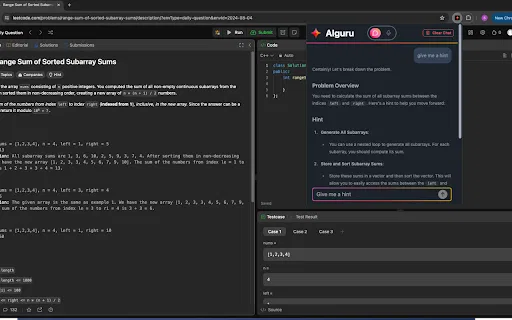
정답을 대신 풀어주는 대신 한 단계씩 이끌어 주는 AI 튜터
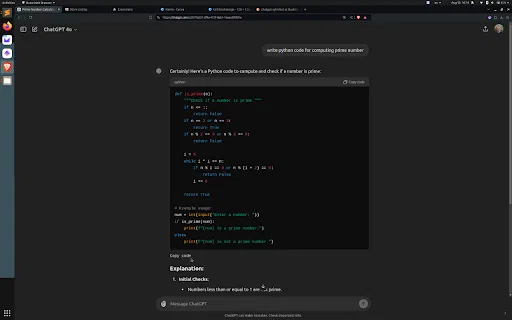
스크롤 없이 ChatGPT 코드 블록 아래쪽에서 바로 복사

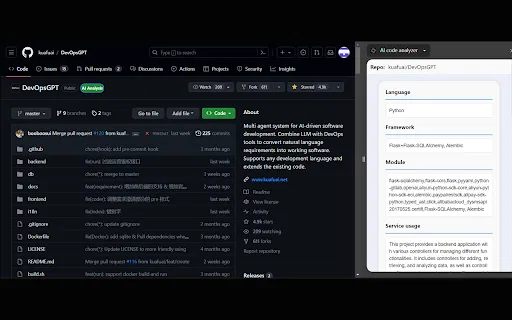
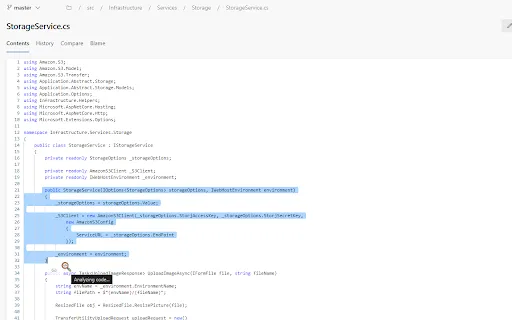
AI code analyzer is a free Chrome extension that uses KuaFuAI to break down unfamiliar code. Highlight or paste a snippet and it quickly tells you what the code does, which programming language and framework it uses, how its modules are organized, and how the overall structure fits together.
AI code analyzer is a free Chrome extension that uses KuaFuAI to break down unfamiliar code. Highlight or paste a snippet and it quickly tells you what the code does, which programming language and framework it uses, how its modules are organized, and how the overall structure fits together.

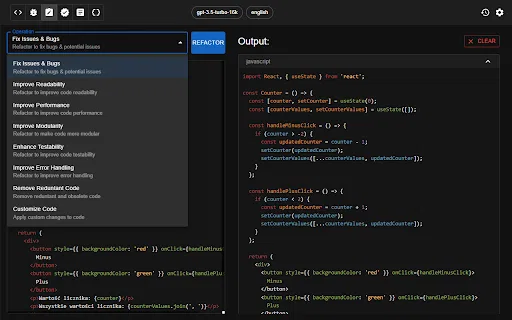
브라우저 안에서 끝내는 AI 코드 리뷰와 최적화

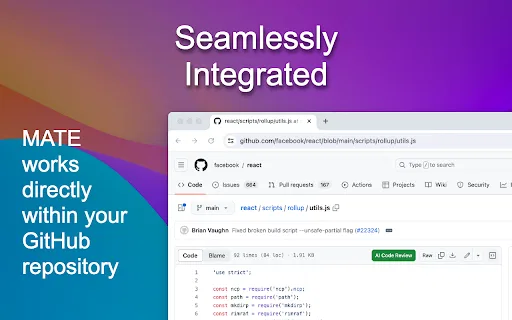
GitHub 파일 페이지에서 바로 쓰는 무료 AI 코드 리뷰

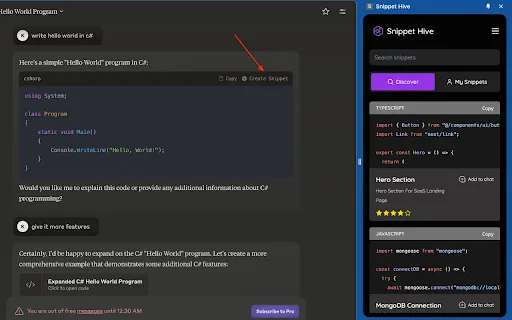
AI가 생성한 코드 스니펫을 브라우저에서 저장·검색·재사용하세요.

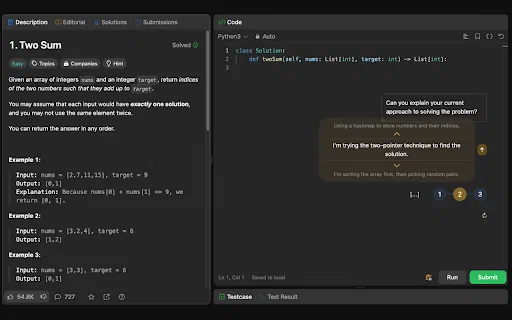
LeetCode 문제를 읽고 정답으로 이끄는 AI 코딩 면접 튜터

코드 생성·리뷰·리팩터링을 지원하는 ChatGPT 기반 Chrome 확장

Claude 코드 스니펫을 바로 실행 가능한 프로젝트로 다운로드

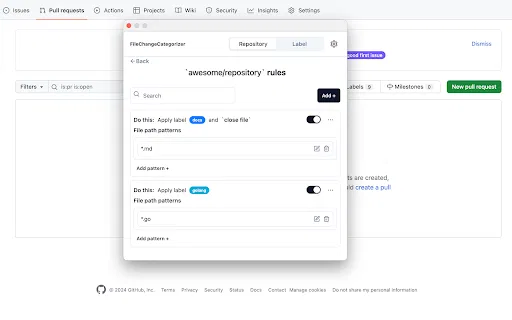
FileChangeCategorizer is a lightweight Chrome extension that adds automatic file categorization to GitHub commit histories and pull request diffs. You define the rules once, and every changed file gets grouped and labelled the moment you open a pull request, so large diffs stop looking like an undifferentiated wall of paths.
FileChangeCategorizer is a lightweight Chrome extension that adds automatic file categorization to GitHub commit histories and pull request diffs. You define the rules once, and every changed file gets grouped and labelled the moment you open a pull request, so large diffs stop looking like an undifferentiated wall of paths.

Pega 개발자를 위한 AI 코파일럿 — 브라우저에서 로직을 점검하고 주석을 제안하며 질문에 답합니다.
Pega 개발자를 위한 AI 코파일럿 — 브라우저에서 로직을 점검하고 주석을 제안하며 질문에 답합니다.


웹페이지 요소를 우클릭해 XPath를 즉시 복사

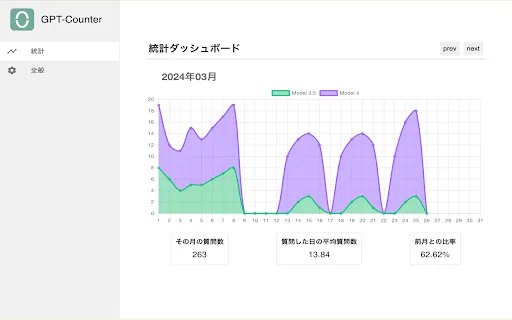
ChatGPT 의존도를 제한하고 시각화하는 Chrome 확장


더 빠르고 정확한 라벨링을 위한 AI 데이터 어노테이션 도우미

Minecraft Bedrock 문서, 검색, 치트시트를 클릭 한 번에 열 수 있는 무료 Chrome 확장 프로그램입니다.

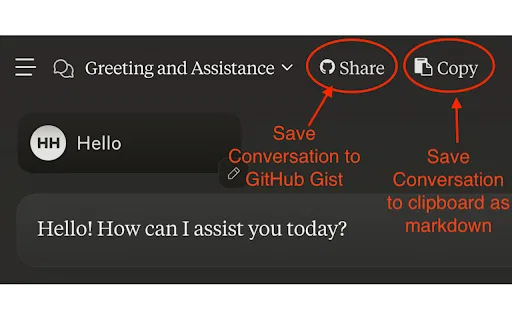
ChatExt is a free Chrome extension that adds file upload and download buttons to the ChatGPT interface, letting you attach up to 10 files at once and save generated code or CSV output.
ChatExt is a free Chrome extension that adds file upload and download buttons to the ChatGPT interface, letting you attach up to 10 files at once and save generated code or CSV output.