3.8điểm biên tập
Biến ảnh chụp, bản thiết kế và prompt thành mã front-end
AI tạo mã nguồnFreemium, Trả phí
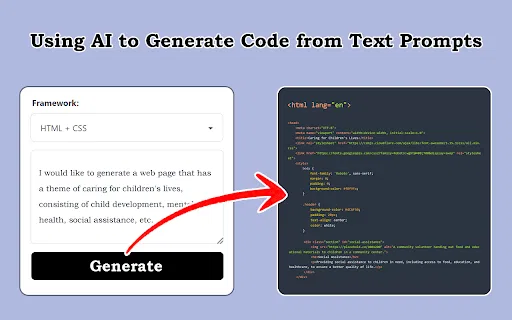
Biến ảnh chụp, bản thiết kế và prompt thành mã front-end
AI tạo mã nguồnĐiểm biên tập: 3.8
Freemium, Trả phí
So sánh sản phẩm AI trong 459 quy trình bằng lưu lượng ước tính, tính năng và các lựa chọn thay thế.
“Code Conversion”·43 kết quả
Bắt đầu lạiBiến ảnh chụp, bản thiết kế và prompt thành mã front-end
Biến ảnh chụp, bản thiết kế và prompt thành mã front-end

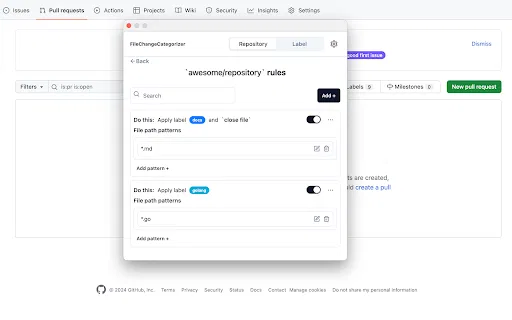
FileChangeCategorizer is a lightweight Chrome extension that adds automatic file categorization to GitHub commit histories and pull request diffs. You define the rules once, and every changed file gets grouped and labelled the moment you open a pull request, so large diffs stop looking like an undifferentiated wall of paths.
FileChangeCategorizer is a lightweight Chrome extension that adds automatic file categorization to GitHub commit histories and pull request diffs. You define the rules once, and every changed file gets grouped and labelled the moment you open a pull request, so large diffs stop looking like an undifferentiated wall of paths.

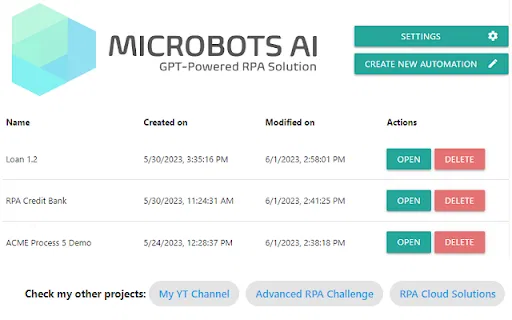
Biến các bước mô tả bằng lời thành mã tự động hóa chạy được

Chụp bất kỳ trang nào trong Chrome và nhận lại mã HTML sạch, dễ chỉnh sửa
Chụp bất kỳ trang nào trong Chrome và nhận lại mã HTML sạch, dễ chỉnh sửa

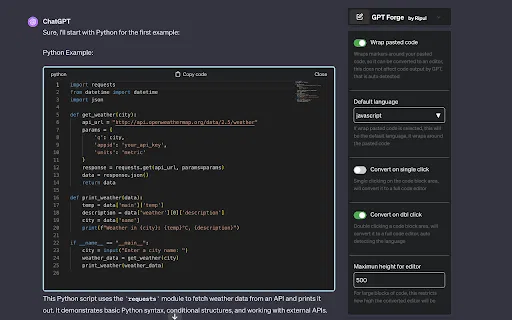
Biến khối mã ChatGPT thành trình soạn thảo code thực thụ

Xuất hội thoại Claude sang PDF, Markdown, CSV và JSON chỉ với vài cú nhấp
Xuất hội thoại Claude sang PDF, Markdown, CSV và JSON chỉ với vài cú nhấp

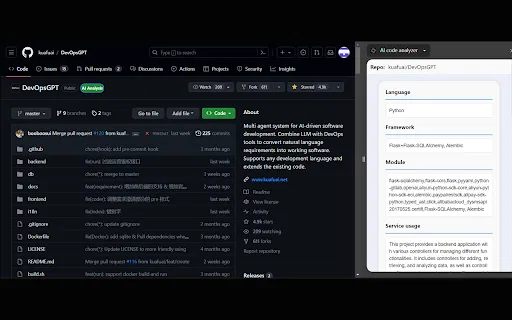
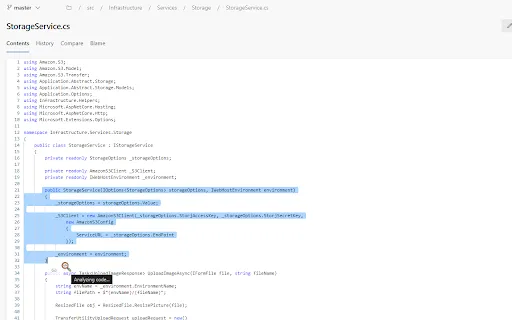
AI code analyzer is a free Chrome extension that uses KuaFuAI to break down unfamiliar code. Highlight or paste a snippet and it quickly tells you what the code does, which programming language and framework it uses, how its modules are organized, and how the overall structure fits together.
AI code analyzer is a free Chrome extension that uses KuaFuAI to break down unfamiliar code. Highlight or paste a snippet and it quickly tells you what the code does, which programming language and framework it uses, how its modules are organized, and how the overall structure fits together.

Đồng bộ cookie để tác nhân AI của Jsonify thu thập dữ liệu từ trang đã đăng nhập.
Đồng bộ cookie để tác nhân AI của Jsonify thu thập dữ liệu từ trang đã đăng nhập.

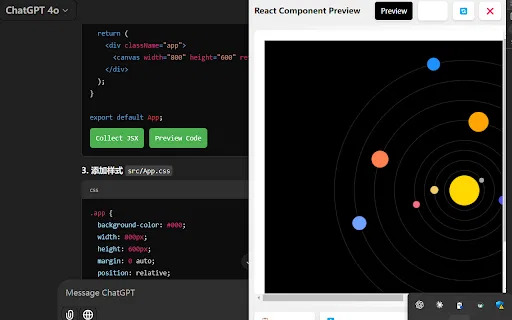
AI Code Preview is a free Chrome extension for developers who work with AI coding assistants. It detects code blocks in AI responses and renders them in a live preview supporting HTML, CSS, JavaScript, React components, and Vue single-file components, with one-click copy and download.
AI Code Preview is a free Chrome extension for developers who work with AI coding assistants. It detects code blocks in AI responses and renders them in a live preview supporting HTML, CSS, JavaScript, React components, and Vue single-file components, with one-click copy and download.

Tiện ích OCR bằng AI biến ảnh, PDF và video thành văn bản chỉnh sửa được với hơn 100 ngôn ngữ
Tiện ích OCR bằng AI biến ảnh, PDF và video thành văn bản chỉnh sửa được với hơn 100 ngôn ngữ

Hiển thị hình ảnh và video YouTube ngay trong ChatGPT và các GPT
Hiển thị hình ảnh và video YouTube ngay trong ChatGPT và các GPT

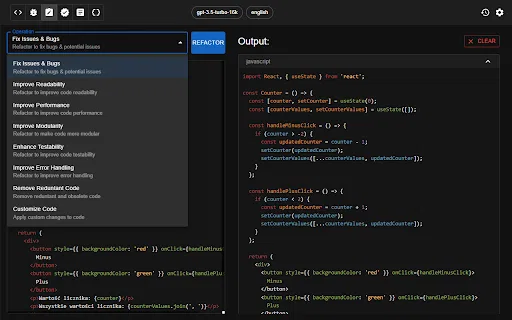
Tiện ích Chrome dùng ChatGPT để tạo, đánh giá và tái cấu trúc mã nguồn
Tiện ích Chrome dùng ChatGPT để tạo, đánh giá và tái cấu trúc mã nguồn

Map My Blog is a free Chrome extension from Proxi that scans a blog post, extracts the places it mentions, and converts them into an embeddable interactive map. The map can be refined in Proxi's no-code editor, branded to match your site, and embedded back into the article. Proxi also reports on engagement, time spent on the map and audience preferences so publishers can see whether the format is driving conversions.
Map My Blog is a free Chrome extension from Proxi that scans a blog post, extracts the places it mentions, and converts them into an embeddable interactive map. The map can be refined in Proxi's no-code editor, branded to match your site, and embedded back into the article. Proxi also reports on engagement, time spent on the map and audience preferences so publishers can see whether the format is driving conversions.

Tiện ích Chrome chuyển âm thanh và giọng nói từ mic thành văn bản bằng OpenAI
Tiện ích Chrome chuyển âm thanh và giọng nói từ mic thành văn bản bằng OpenAI

Xuất hội thoại ChatGPT sang Markdown, giữ nguyên bảng, code và LaTeX
Xuất hội thoại ChatGPT sang Markdown, giữ nguyên bảng, code và LaTeX

Rà soát và tối ưu mã bằng AI ngay trong trình duyệt
Rà soát và tối ưu mã bằng AI ngay trong trình duyệt

Biến mọi dự án mã nguồn thành một tệp Markdown ngữ cảnh gọn gàng cho LLM
Biến mọi dự án mã nguồn thành một tệp Markdown ngữ cảnh gọn gàng cho LLM

Trợ lý AI cho lập trình viên Pega — soi logic, gợi ý chú thích và giải đáp thắc mắc ngay trong trình duyệt.
Trợ lý AI cho lập trình viên Pega — soi logic, gợi ý chú thích và giải đáp thắc mắc ngay trong trình duyệt.

Trợ lý lập trình AI bổ sung khả năng hỗ trợ và tối ưu code cho trình duyệt
Trợ lý lập trình AI bổ sung khả năng hỗ trợ và tối ưu code cho trình duyệt

Trợ lý lập trình AI cho toàn bộ vòng đời DevOps, ngay trong Chrome

Tạo truy vấn SQL trong vài giây mà không cần rời trình duyệt
Tạo truy vấn SQL trong vài giây mà không cần rời trình duyệt

JDoodle for Chrome is a free browser extension that adds a lightweight IDE to any webpage. Highlight a code snippet, right-click, and run it through JDoodle's cloud execution service without opening a new tab — with AI-powered language detection and a searchable history of everything you have executed.
JDoodle for Chrome is a free browser extension that adds a lightweight IDE to any webpage. Highlight a code snippet, right-click, and run it through JDoodle's cloud execution service without opening a new tab — with AI-powered language detection and a searchable history of everything you have executed.

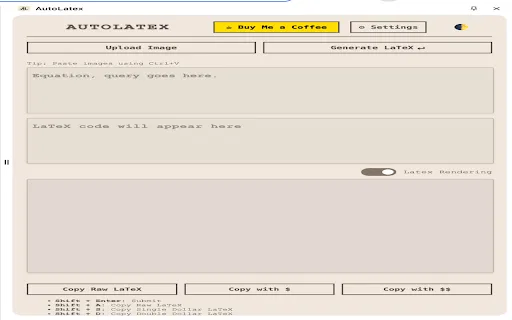
Biến ngôn ngữ tự nhiên và hình ảnh thành LaTeX cùng Markdown được kết xuất ngay trong trình duyệt.
Biến ngôn ngữ tự nhiên và hình ảnh thành LaTeX cùng Markdown được kết xuất ngay trong trình duyệt.

Biến mô tả ngôn ngữ tự nhiên thành sơ đồ UML ngay trong trình duyệt
Biến mô tả ngôn ngữ tự nhiên thành sơ đồ UML ngay trong trình duyệt