




4.1điểm biên tập
Biến đoạn mã Claude thành dự án tải về chạy được ngay
Công cụ cho lập trình viên AIMiễn phí

Biến đoạn mã Claude thành dự án tải về chạy được ngay
Công cụ cho lập trình viên AIĐiểm biên tập: 4.1
Miễn phí
So sánh sản phẩm AI trong 459 quy trình bằng lưu lượng ước tính, tính năng và các lựa chọn thay thế.
“Zip code analysis”·140 kết quả
Bắt đầu lạiBiến đoạn mã Claude thành dự án tải về chạy được ngay
Biến đoạn mã Claude thành dự án tải về chạy được ngay

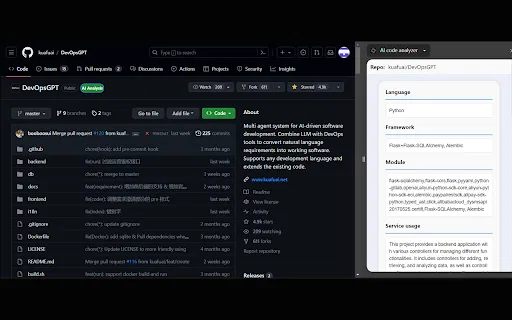
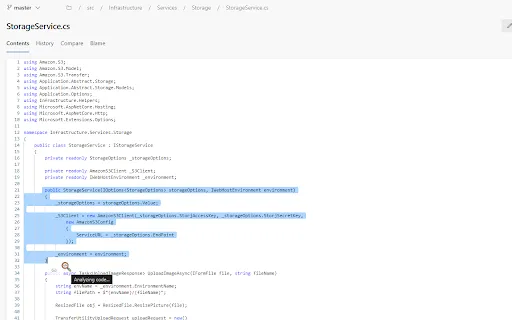
AI code analyzer is a free Chrome extension that uses KuaFuAI to break down unfamiliar code. Highlight or paste a snippet and it quickly tells you what the code does, which programming language and framework it uses, how its modules are organized, and how the overall structure fits together.
AI code analyzer is a free Chrome extension that uses KuaFuAI to break down unfamiliar code. Highlight or paste a snippet and it quickly tells you what the code does, which programming language and framework it uses, how its modules are organized, and how the overall structure fits together.

Rà soát và tối ưu mã bằng AI ngay trong trình duyệt
Rà soát và tối ưu mã bằng AI ngay trong trình duyệt

Đánh giá mã tự động cho các giải pháp canvas của Microsoft Power Apps
Đánh giá mã tự động cho các giải pháp canvas của Microsoft Power Apps

Nhìn website như một crawler và phát hiện mọi khác biệt
Nhìn website như một crawler và phát hiện mọi khác biệt

Gộp kho GitHub thành một tệp duy nhất rồi đưa vào Claude Projects
Gộp kho GitHub thành một tệp duy nhất rồi đưa vào Claude Projects

Diff pull request nhận diện thao tác và tóm tắt AI để đọc ít hơn 30% mã
Diff pull request nhận diện thao tác và tóm tắt AI để đọc ít hơn 30% mã

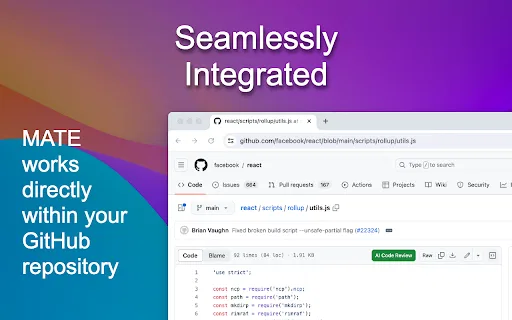
Đánh giá mã bằng AI miễn phí, ngay trong tệp GitHub của bạn
Đánh giá mã bằng AI miễn phí, ngay trong tệp GitHub của bạn

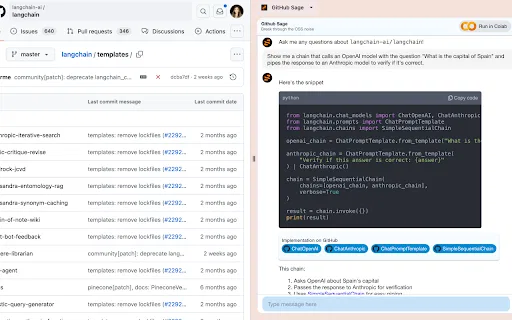
Bảng bên AI trả lời về bất kỳ kho lưu trữ GitHub nào
Bảng bên AI trả lời về bất kỳ kho lưu trữ GitHub nào

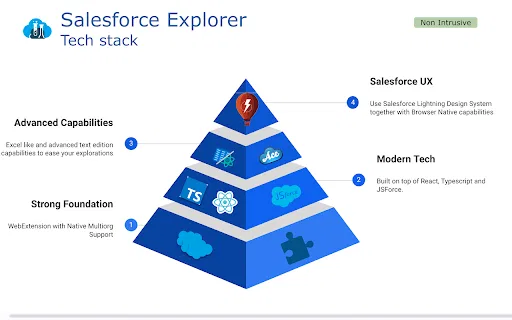
SF Explorer is a Chrome extension that overlays a rich analysis and productivity workspace on top of Salesforce. It bundles notebook-style querying, an enhanced object manager, record comparison, org security mapping and optional ChatGPT-powered assistance so admins and developers can explore metadata and data without leaving the org.
SF Explorer is a Chrome extension that overlays a rich analysis and productivity workspace on top of Salesforce. It bundles notebook-style querying, an enhanced object manager, record comparison, org security mapping and optional ChatGPT-powered assistance so admins and developers can explore metadata and data without leaving the org.

Trợ lý AI cho lập trình viên Pega — soi logic, gợi ý chú thích và giải đáp thắc mắc ngay trong trình duyệt.
Trợ lý AI cho lập trình viên Pega — soi logic, gợi ý chú thích và giải đáp thắc mắc ngay trong trình duyệt.

Biến mọi dự án mã nguồn thành một tệp Markdown ngữ cảnh gọn gàng cho LLM
Biến mọi dự án mã nguồn thành một tệp Markdown ngữ cảnh gọn gàng cho LLM

Kiểm toán đánh giá Amazon và tìm ngách sản phẩm bằng AI
Kiểm toán đánh giá Amazon và tìm ngách sản phẩm bằng AI

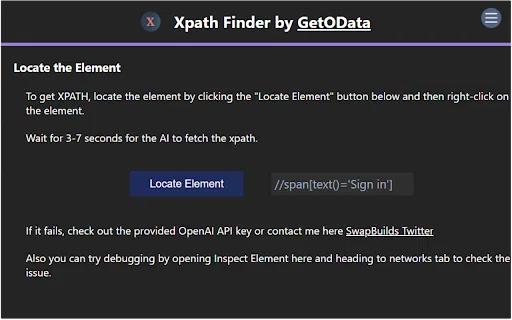
Nhấp chuột phải vào bất kỳ phần tử nào để sao chép XPath ngay lập tức
Nhấp chuột phải vào bất kỳ phần tử nào để sao chép XPath ngay lập tức

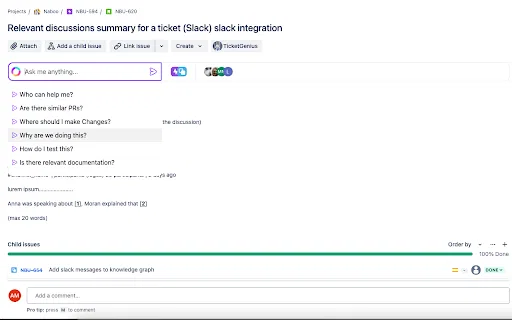
Chat AI hiểu ngữ cảnh ngay trong ticket của bạn
Chat AI hiểu ngữ cảnh ngay trong ticket của bạn

ChatExt is a free Chrome extension that adds file upload and download buttons to the ChatGPT interface, letting you attach up to 10 files at once and save generated code or CSV output.
ChatExt is a free Chrome extension that adds file upload and download buttons to the ChatGPT interface, letting you attach up to 10 files at once and save generated code or CSV output.

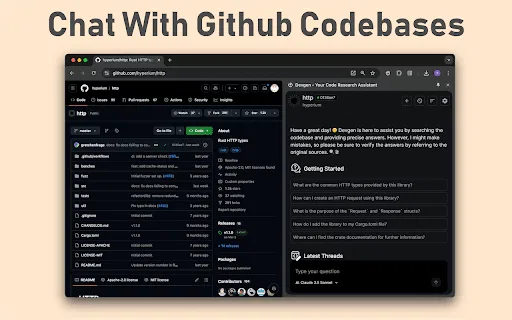
Trò chuyện với cơ sở mã, issue và pull request GitHub từ trình duyệt
Trò chuyện với cơ sở mã, issue và pull request GitHub từ trình duyệt

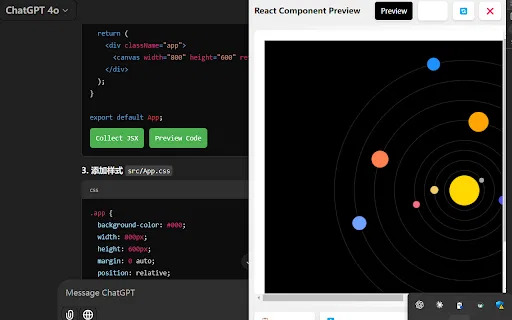
AI Code Preview is a free Chrome extension for developers who work with AI coding assistants. It detects code blocks in AI responses and renders them in a live preview supporting HTML, CSS, JavaScript, React components, and Vue single-file components, with one-click copy and download.
AI Code Preview is a free Chrome extension for developers who work with AI coding assistants. It detects code blocks in AI responses and renders them in a live preview supporting HTML, CSS, JavaScript, React components, and Vue single-file components, with one-click copy and download.

Chuyển thuật toán đặc tả TC39 thành giải thích dễ hiểu

Nền tảng BI tác tử đưa các AI agent vào làm việc trên ngăn xếp dữ liệu của bạn

JDoodle for Chrome is a free browser extension that adds a lightweight IDE to any webpage. Highlight a code snippet, right-click, and run it through JDoodle's cloud execution service without opening a new tab — with AI-powered language detection and a searchable history of everything you have executed.
JDoodle for Chrome is a free browser extension that adds a lightweight IDE to any webpage. Highlight a code snippet, right-click, and run it through JDoodle's cloud execution service without opening a new tab — with AI-powered language detection and a searchable history of everything you have executed.
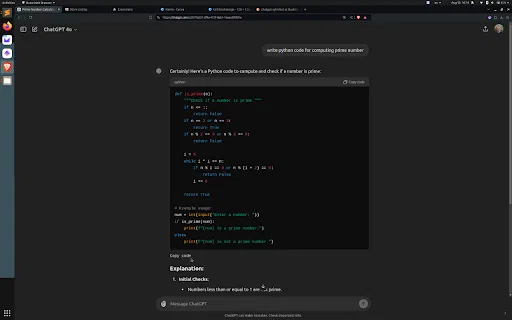
Sao chép khối mã ChatGPT từ phía dưới, không cần cuộn trang
Sao chép khối mã ChatGPT từ phía dưới, không cần cuộn trang

AI User Testing Agent is a Chrome extension that reviews a website's usability with AI and returns plain-language feedback plus suggested fixes, so designers, developers and marketers can spot friction without booking manual testers.
AI User Testing Agent is a Chrome extension that reviews a website's usability with AI and returns plain-language feedback plus suggested fixes, so designers, developers and marketers can spot friction without booking manual testers.

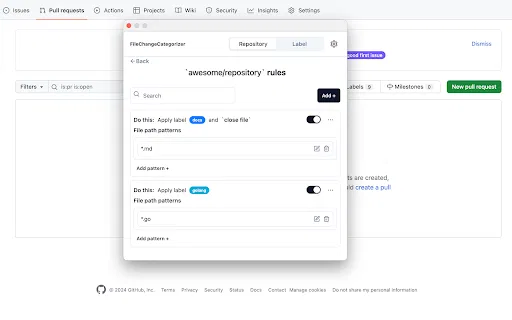
FileChangeCategorizer is a lightweight Chrome extension that adds automatic file categorization to GitHub commit histories and pull request diffs. You define the rules once, and every changed file gets grouped and labelled the moment you open a pull request, so large diffs stop looking like an undifferentiated wall of paths.
FileChangeCategorizer is a lightweight Chrome extension that adds automatic file categorization to GitHub commit histories and pull request diffs. You define the rules once, and every changed file gets grouped and labelled the moment you open a pull request, so large diffs stop looking like an undifferentiated wall of paths.