AI BlazeOfficial
781.1K/mo
Your free AI study and writing assistant that works on any website
AI Writing AssistantsEditorial score: 4.4Freemium75% direct

Freemium
Compare AI products across 459 workflows using traffic estimates, features, and alternatives.
“Annotation tools”·184 results
Start overYour free AI study and writing assistant that works on any website

Add and validate AI-predicted annotations inside Lexis360 and Sesame documents
Add and validate AI-predicted annotations inside Lexis360 and Sesame documents

AI-assisted data annotation companion for faster, smarter labeling
AI-assisted data annotation companion for faster, smarter labeling

Highlight, annotate and share the web, PDFs and YouTube

Clip, annotate and organize the web straight into your XCelsior account

Annotate, screenshot and organise notes on YouTube, Coursera and Udemy videos without leaving the player.
Annotate, screenshot and organise notes on YouTube, Coursera and Udemy videos without leaving the player.

Collect and annotate research side by side with your browser
Collect and annotate research side by side with your browser

Turn any browser process into a guide, instantly
Turn any browser process into a guide, instantly

Clip, highlight and read the web with an AI reading assistant

Scribe is a Chrome extension and platform that automatically turns any workflow you perform in the browser into step-by-step documentation, complete with annotated screenshots, SOPs, and how-to guides you can share with teammates or AI agents.
Scribe is a Chrome extension and platform that automatically turns any workflow you perform in the browser into step-by-step documentation, complete with annotated screenshots, SOPs, and how-to guides you can share with teammates or AI agents.

Highlight, tag and AI-summarize the best moments of any YouTube video.
Highlight, tag and AI-summarize the best moments of any YouTube video.

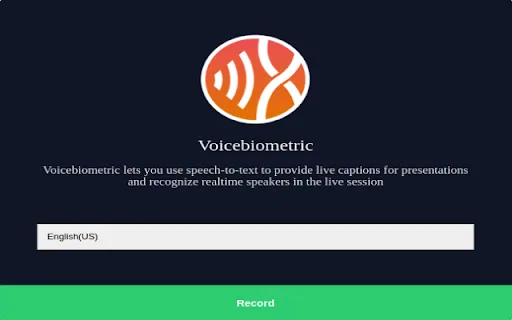
Live captions and real-time speaker recognition in your browser
Live captions and real-time speaker recognition in your browser

Turn any workflow into a step-by-step guide with screenshots
Turn any workflow into a step-by-step guide with screenshots

Chat with, summarize and edit PDFs, scans and web pages with AI
Chat with, summarize and edit PDFs, scans and web pages with AI

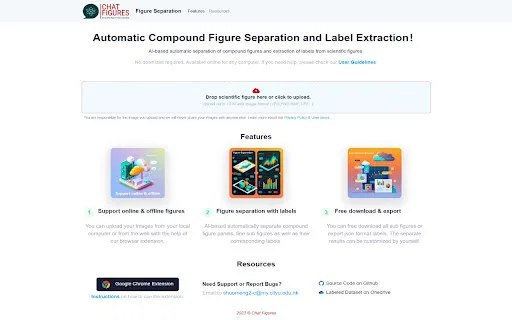
Extract and understand scientific figures with AI-powered chat
Extract and understand scientific figures with AI-powered chat

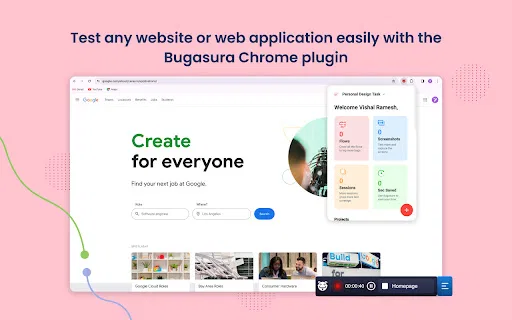
AI-powered bug reporting from your browser
AI-powered bug reporting from your browser

Upload a PDF, get instant summaries and ask questions in plain language
Upload a PDF, get instant summaries and ask questions in plain language

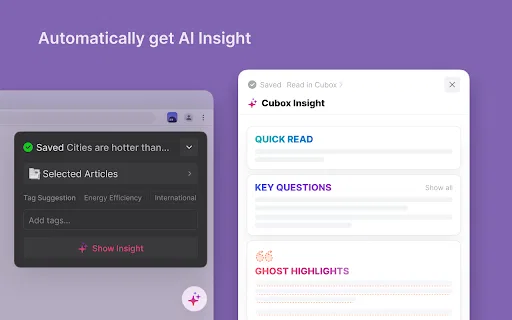
Save anything from the web, then find it instantly with AI
Save anything from the web, then find it instantly with AI

Capture any web process and turn it into an interactive how-to guide
Capture any web process and turn it into an interactive how-to guide

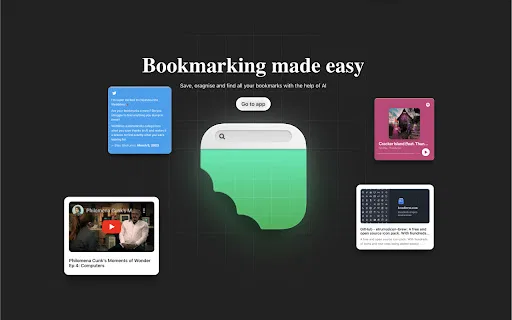
Save, organize and actually find your bookmarks with AI
Save, organize and actually find your bookmarks with AI

Save academic PDFs to your ReadPaper library straight from the browser
Save academic PDFs to your ReadPaper library straight from the browser

Grade essays where you already work — inside Google Docs, Classroom and Canvas
Grade essays where you already work — inside Google Docs, Classroom and Canvas

AI agent that turns any workflow into step-by-step guides and demo videos automatically
AI agent that turns any workflow into step-by-step guides and demo videos automatically

Record once, publish a clickable product demo
Record once, publish a clickable product demo