01
CapCutOfficial
54.7M/mo
Offers a similarly robust multi-track video timeline and AI tools, but with stronger mobile apps and templates.
AI Video EditorEditorial score: 4.5Freemium+13.2%
 #1
Scan2AI records 0 monthly visits with — month-over-month growth and Freemium pricing. VEED.IO records 8,011,728 monthly visits with +1.8% growth and Freemium, Free Trial, Paid, Contact for Pricing pricing.

Capture any part of your screen and send it straight to an AI API
Generate, edit, subtitle and dub on-brand videos in one browser workflow
| Dimension / Metric | | |
|---|---|---|
| Official Domain | chromewebstore.google.com | veed.io |
| Pricing Model | Freemium | Freemium, Free Trial, Paid, Contact for Pricing |
| Monthly Visits | 0 (0) | 8.01M (8,011,728) |
| MoM Traffic Delta |
|---|
| 0 (—) |
| +138.18K (+1.8%) |
| Primary Market & Share | 🌐 Global (—) | 🇮🇳 India (14.6%) |
|---|
| Direct Visits / mo | 0 | 2.98M |
|---|
| User Rating | 3.2 | 4.2 |
|---|
| Supported Platforms | Browser Extension | Website |
|---|
Capture any part of your screen and send it straight to an AI API
Draw a selection over any part of the page, panel or window and capture exactly the area you need without cropping afterwards.
Send the captured image to a connected AI API so text recognition, translation, extraction and analysis happen on a capable model rather than on local heuristics.
Use the same capture flow for several jobs — reading text out of images, translating foreign-language screens, and extracting data points from screenshots.
A roughly 2.6 MB extension that adds a toolbar capture action without slowing down browsing or bundling large offline models.
Generate, edit, subtitle and dub on-brand videos in one browser workflow
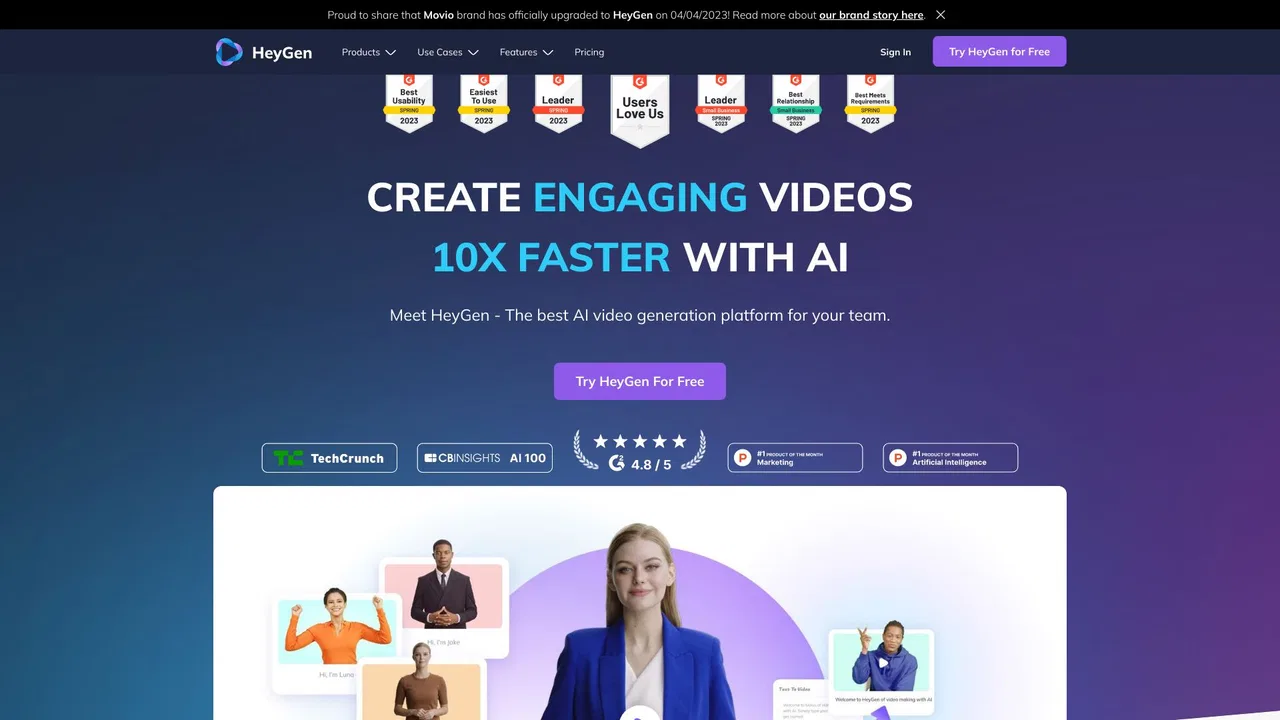
Turn a script or idea into a talking-head, explainer or product video using text-to-video, image-to-video, AI avatars, lip sync and eye-contact correction — no filming required.
Auto-generate styled captions, translate videos into other languages and dub them with AI voices, with unlimited subtitle generation on paid plans under a 50-hour fair-use limit.
Save colours, fonts, logos and voice so every generated or edited video comes out looking like your brand rather than generic AI output.
Start from templates and ad formats tuned for Instagram, TikTok and YouTube, then resize and repurpose the same asset across channels.
Offers a similarly robust multi-track video timeline and AI tools, but with stronger mobile apps and templates.
#1Delivers powerful desktop-class video editing with rich AI enhancements, but requires software installation unlike VEED's browser platform.
 #2

SpecialistFocuses heavily on cutting-edge generative AI video models and cinematic effects rather than everyday screen recording and subtitles.
 #3

SpecialistExcels at generating photorealistic AI avatar presenter videos, but offers less comprehensive general video editing suites than VEED.
Emphasizes automated prompt-to-video script generation and stock media assembly, whereas VEED leans more toward manual editing.
Free online OCR that turns any image into editable text in seconds

Provides intuitive online video editing and collaboration tools, but lacks some of VEED's advanced AI avatar features.

SpecialistStudio-quality podcast and video recording, editing, and publishing in your browser

Edits video primarily through a text transcript rather than a traditional timeline, offering superior audio cleanup tools.
SpecialistSpecializes in corporate training videos via talking AI avatars, while VEED provides a broader suite of editing tools.

SpecialistTurn long videos into viral short clips with AI, in one click.
Extract editable text from images, scans and handwriting with OCR
Offers a similarly robust multi-track video timeline and AI tools, but with stronger mobile apps and templates.
Delivers powerful desktop-class video editing with rich AI enhancements, but requires software installation unlike VEED's browser platform.
SpecialistFocuses heavily on cutting-edge generative AI video models and cinematic effects rather than everyday screen recording and subtitles.
SpecialistExcels at generating photorealistic AI avatar presenter videos, but offers less comprehensive general video editing suites than VEED.
Emphasizes automated prompt-to-video script generation and stock media assembly, whereas VEED leans more toward manual editing.
Free online OCR that turns any image into editable text in seconds
Provides intuitive online video editing and collaboration tools, but lacks some of VEED's advanced AI avatar features.
SpecialistStudio-quality podcast and video recording, editing, and publishing in your browser
Edits video primarily through a text transcript rather than a traditional timeline, offering superior audio cleanup tools.
SpecialistSpecializes in corporate training videos via talking AI avatars, while VEED provides a broader suite of editing tools.
SpecialistTurn long videos into viral short clips with AI, in one click.
Extract editable text from images, scans and handwriting with OCR