01
2,6 Mio./Monat
KI-Seitenleiste und Browser-Agent für Lesen, Schreiben und Recherche
KI-AssistentRedaktionswert: 4.5Freemium64% direkt

2,6 Mio./Monat
KI-Seitenleiste und Browser-Agent für Lesen, Schreiben und Recherche
Freemium

Kreaitor.AI is a lightweight Chrome extension that puts Kreaitor's AI tools into the browser context menu. Select text or a link on any page, right-click, and pick an AI-powered option under the Kreaitor.AI submenu to jump straight to the relevant action without copying anything manually.

Das ist die Einschätzung unserer Redaktion auf einer Skala bis 5, kein Durchschnitt von Nutzerbewertungen. Die Sichtweisen auf dieser Seite hat eine KI aus den bekannten Produktinformationen zusammengefasst. Es sind keine Kundenrezensionen.
Laut der am 2026-11-11 verifizierten Telemetrie von OpenAITools.app ist Kreaitor.AI (chromewebstore.google.com) eine KI-Plattform, die unter KI-Produktivitätstools indexiert ist und 0 monatliche Besuche mit einem Traffic-Delta von +0 (0.0%) gegenüber dem Vormonat generiert. Ihr primärer geografischer Markt ist Global (— Traffic-Anteil) und sie arbeitet mit einem Preismodell „Kostenlos“. Zu den wichtigsten konkurrierenden Alternativen nach monatlichem Volumen gehören Sider (2,64 Mio. Besuche/Monat), Kome AI (174.910 Besuche/Monat), Torq AI (1096 Besuche/Monat).
Praktische Abkürzung direkt im Kontextmenü.
Manchmal etwas langsam beim Laden der Antwort.
KI-synthetisierte Perspektiven auf Basis von Live-Prüfung, Preisstruktur und Kategorie-Benchmarks — keine echten Einzelkundenbewertungen.
Select text or a link on any page and access Kreaitor's AI actions from the right-click menu instead of switching tabs.
Runs on selected page content and on links, so both a paragraph and a URL are valid starting points.
The extension is a tiny 16.64 KB add-on, keeping installation and browser overhead minimal.
Routes your selection to the matching Kreaitor platform capability for content generation and related analysis.
A single-purpose utility that avoids toolbars and pop-ups and stays out of the way until you open the context menu.
Kreaitor.AI is a lightweight Chrome extension that puts Kreaitor's AI tools into the browser context menu. Select text or a link on any page, right-click, and pick an AI-powered option under the Kreaitor.AI submenu to jump straight to the relevant action without copying anything manually.
Highlight a passage while reading and launch a Kreaitor AI action through the context menu instead of copying it into another tab.
Right-click a link and hand it to Kreaitor for analysis without opening it and copying the address manually.
Quickly push selected page copy into Kreaitor for content generation while browsing source material.
Direkter Telemetrievergleich konkurrierender KI-Tools in derselben Hauptkategorie
| Rang | KI-Tool | Monatliche Besuche | MoM-Wachstum | Anteil direkter Zugriffe | Preise | Direktvergleich |
|---|---|---|---|---|---|---|
| ● | Kreaitor.AI | 0 | — | — | Kostenlos | Aktuell |
| 1 | Sider | 2,64 Mio. | -10,6 % | 64% direkt | Freemium | vs Sider |
| 2 | Kome AI | 174.910 | -6,5 % | 30% direkt | Freemium | vs Kome AI |
| 3 | Torq AI | 1096 | -19,2 % | 39% direkt | Kostenlos | vs Torq AI |
| 4 | Monica | 4,51 Mio. | -11,3 % | 55% direkt | Freemium | vs Monica |
| 5 | Merlin AI | 1,38 Mio. | +13,1 % | 50% direkt | Freemium | vs Merlin AI |
| 6 | GPT Workspace | 431.507 | +43,8 % | 41% direkt | Freemium, Kostenlose Testversion, Kostenpflichtig | vs GPT Workspace |
KI-Seitenleiste und Browser-Agent für Lesen, Schreiben und Recherche
KI-Seitenleiste und Browser-Agent für Lesen, Schreiben und Recherche
Zusammenfassen, speichern und schreiben mit KI direkt im Browser
Zusammenfassen, speichern und schreiben mit KI direkt im Browser
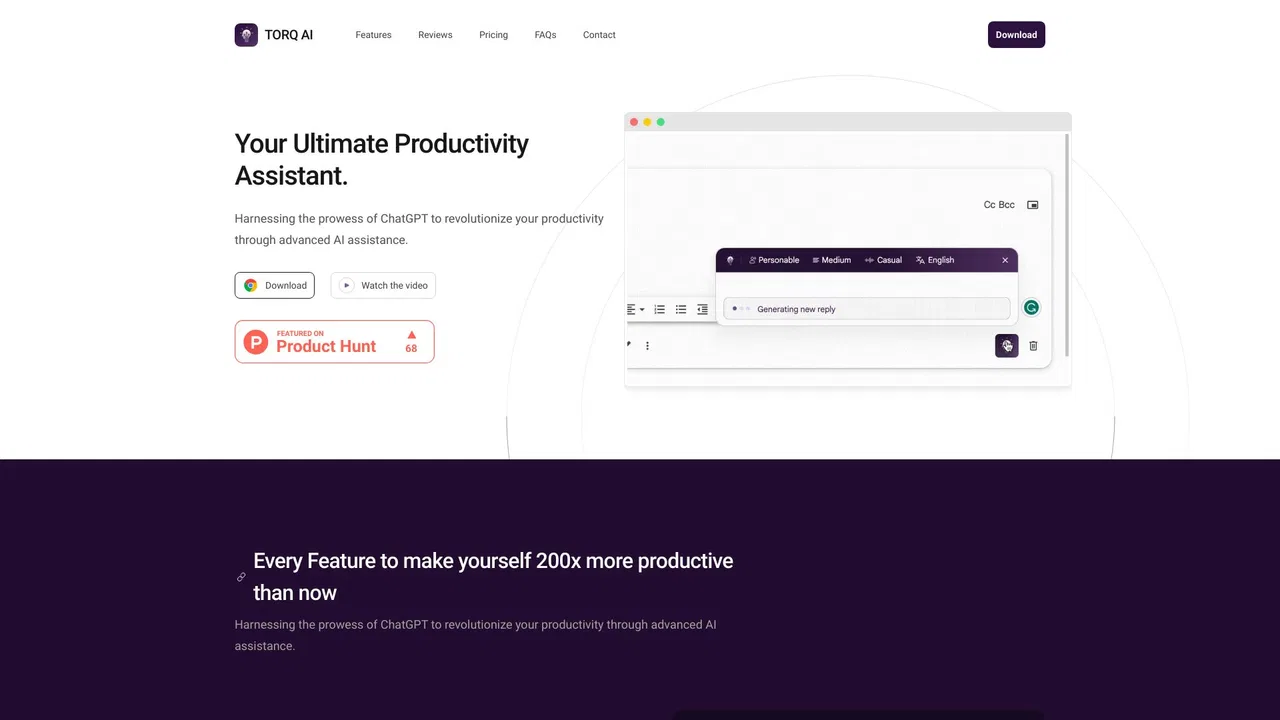
Torq AI is a free Chrome extension that brings ChatGPT-style assistance into everyday browsing. It generates emails and replies in one click, processes and analyzes selected text, translates page content into your preferred language, and combines chat with Google Search results — all without leaving the tab you are working in.
Torq AI is a free Chrome extension that brings ChatGPT-style assistance into everyday browsing. It generates emails and replies in one click, processes and analyzes selected text, translates page content into your preferred language, and combines chat with Google Search results — all without leaving the tab you are working in.

All-in-One-KI-Assistent für Web, Browser, Desktop und Mobilgeräte
All-in-One-KI-Assistent für Web, Browser, Desktop und Mobilgeräte

Ein KI-Assistent, der ChatGPT, Claude und Gemini in jeden Tab bringt
Ein KI-Assistent, der ChatGPT, Claude und Gemini in jeden Tab bringt

GPT Workspace is a Google Workspace extension that embeds leading AI assistants directly into Docs, Sheets, Slides, Gmail, Drive and Forms so you can write, analyze and automate without switching tabs.
GPT Workspace is a Google Workspace extension that embeds leading AI assistants directly into Docs, Sheets, Slides, Gmail, Drive and Forms so you can write, analyze and automate without switching tabs.
Ein Browser-Agent, der alle großen KI-Modelle mit Web-Automatisierung vereint
AI Toolbox (formerly ChatGPT Toolbox) is a browser extension that adds folders, global search, a prompt library and one-click exports to the AI chatbots you already use.
AI Toolbox (formerly ChatGPT Toolbox) is a browser extension that adds folders, global search, a prompt library and one-click exports to the AI chatbots you already use.
Voilà is an AI assistant that lives in your browser, desktop and phone, letting you chat with websites, documents and images, draft emails, write and research without switching tabs.
Voilà is an AI assistant that lives in your browser, desktop and phone, letting you chat with websites, documents and images, draft emails, write and research without switching tabs.

Prompt-Bibliothek und Verwaltung für ChatGPT und weitere KI-Modelle
Prompt-Bibliothek und Verwaltung für ChatGPT und weitere KI-Modelle
Der Chrome-Website-Blocker, der jede Seite an Ihrer Aufgabe misst
Der Chrome-Website-Blocker, der jede Seite an Ihrer Aufgabe misst
ChatGPT-Befehle im Rechtsklick-Menü deines Browsers
ChatGPT-Befehle im Rechtsklick-Menü deines Browsers