
Discutez vocalement avec GPT : dictez vos questions, écoutez les réponses

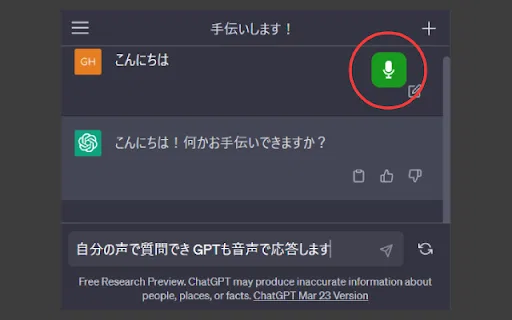
VoiceChatGPT is a lightweight, unofficial Chrome extension that adds spoken conversations to the ChatGPT web app. Click the microphone icon on chat.openai.com to dictate a prompt, and the assistant's reply is read back to you out loud.

VoiceChatGPT est un wrapper de navigateur tiers non officiel qui ajoute des fonctionnalités vocales à l'interface web de ChatGPT.
C'est l'évaluation de notre rédaction, sur 5, et non une moyenne d'avis d'utilisateurs. Les points de vue de cette page sont rédigés par une IA à partir de ce que nous savons du produit. Ce ne sont pas des avis clients.
Selon la télémétrie OpenAITools.app vérifiée le 2026-11-11, VoiceChatGPT (chromewebstore.google.com) est une plateforme d'IA indexée sous Assistants vocaux IA générant 0 visites mensuelles avec un delta de trafic mensuel de +0 (0.0%). Son marché géographique principal est Global (— de part de trafic), et elle fonctionne selon un modèle tarifaire Gratuit. Les principales alternatives concurrentes par volume mensuel incluent Talk GPT (0 visites/mois), ChatGPT Voice Plus Game and Translation (0 visites/mois), Voice Master for ChatGPT (ChatGPT Voice Master) (0 visites/mois).
Un simple wrapper inutile depuis que la voix officielle existe.
Bug géant.
Nul.
Points de vue synthétisés par IA à partir de l’inspection du site, des tarifs et du comparatif catégoriel — il ne s’agit pas d’avis clients individuels.
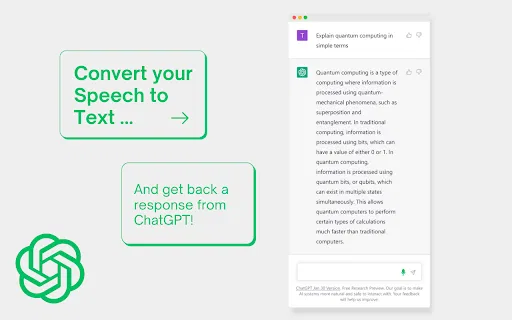
Adds a microphone button to the ChatGPT web app so you can dictate prompts instead of typing them.
Reads ChatGPT's responses back to you aloud, enabling a conversational back-and-forth.
Turn listening on or off by clicking the microphone icon; native browser permission handles mic access.
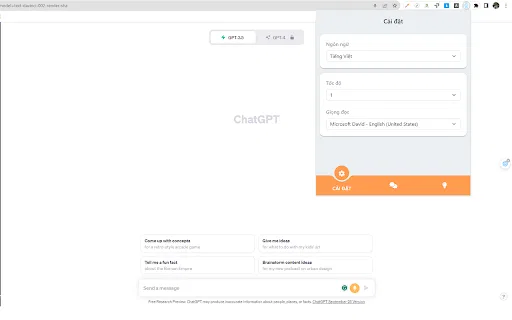
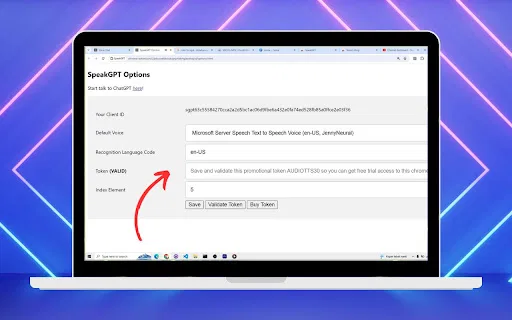
Open the extension's popup to change voice and audio behaviour to suit your preference.
A small, focused add-on that adds voice without bloating your browser.
VoiceChatGPT is a lightweight, unofficial Chrome extension that adds spoken conversations to the ChatGPT web app. Click the microphone icon on chat.openai.com to dictate a prompt, and the assistant's reply is read back to you out loud.
Dictate prompts and listen to answers while cooking, commuting, or doing another task that keeps your hands occupied.
People who find typing difficult or tiring can speak to ChatGPT and hear the reply, making the assistant more accessible.
When a prompt is long or nuanced, speaking it aloud can be faster and more natural than typing it out.
Comparaison télémétrique côte à côte des outils d'IA concurrents dans la même catégorie principale
| Rang | Outil d'IA | Visites mensuelles | Croissance mensuelle | Part du trafic direct | Tarifs | Face à face |
|---|---|---|---|---|---|---|
| ● | VoiceChatGPT | 0 | — | — | Gratuit | Actuel |
| 1 | Talk GPT | 0 | — | — | Gratuit | vs Talk GPT |
| 2 | ChatGPT Voice Plus Game and Translation | 0 | — | — | Gratuit | vs ChatGPT Voice Plus Game and Translation |
| 3 | Voice Master for ChatGPT (ChatGPT Voice Master) | 0 | — | — | Freemium | vs Voice Master for ChatGPT (ChatGPT Voice Master) |
| 4 | SayAI | 0 | — | — | Gratuit | vs SayAI |
| 5 | GPT Reader & Transcriber | 30 k | -16 % | 76% direct | Gratuit | vs GPT Reader & Transcriber |
| 6 | ChatGPT - Lets talk | 0 | — | — | Gratuit | vs ChatGPT - Lets talk |

Discutez vocalement avec GPT : dictez vos questions, écoutez les réponses

ChatGPT Voice Plus Game and Translation is a free Chrome extension that adds a voice layer on top of the ChatGPT web app. Speak your prompts, hear spoken answers, play chat-based games and translate text without leaving the page.

Saisie vocale naturelle et lecture à voix haute pour ChatGPT, avec une barre latérale pratique

Parlez à ChatGPT et écoutez ses réponses à voix haute.

Synthèse vocale et reconnaissance vocale de type ChatGPT, gratuites dans le navigateur

SpécialiséDiscutez vocalement avec ChatGPT via raccourcis clavier et synthèse vocale

Gratuit / Open sourceParlez à ChatGPT : dictée vocale et réponses lues à voix haute

Parlez à Claude.ai au lieu de taper, avec la dictée mains libres dans le navigateur

SpécialiséParlez à ChatGPT, DeepSeek et d'autres chatbots IA avec votre voix

Parlez à ChatGPT à voix haute, avec dictée et réponses lues

NetEase Bagoshuo (网易叭哥说) is a desktop AI voice input agent from NetEase Youdao. You speak naturally and it turns your speech into polished, structured text with fillers removed, punctuation added and paragraphs formatted — then types it into whatever app your cursor is in. It also offers 100+ language voice translation, custom vocabularies for technical terms and privacy-first handling of your audio.

ChatGPT dans la barre de menus de votre Mac, inline et partout