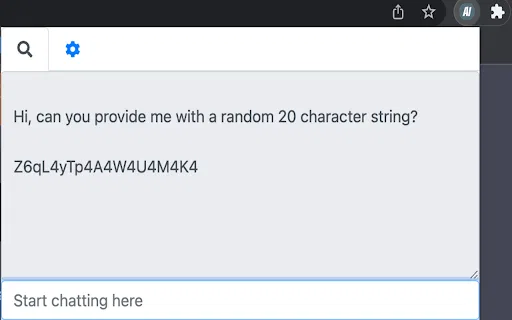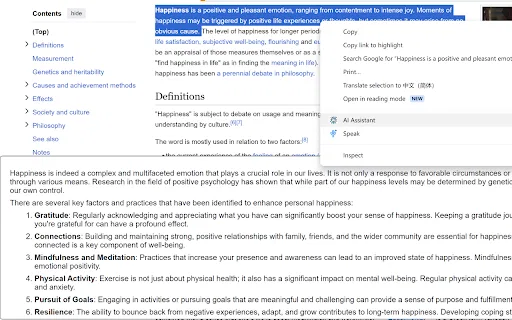
AI Browser Assistant is a lightweight Chrome extension that puts OpenAI models one right-click away. Select text on any page and use the context menu to summarize, translate, complete, respond to, or explain it, or open the built-in chat panel for free-form questions. It works with your own OpenAI API key and lets you change the model and other options in its settings.

編集部による 5 点満点の評価です。ユーザー評価の平均ではありません。 このページの各視点は、製品情報をもとに AI がまとめたものです。実際の利用者のレビューではありません。
OpenAITools.app のテレメトリ(2026-11-11 検証)によると、AI Browser Assistant(chromewebstore.google.com)は AIアシスタントに分類される AI プラットフォームで、月間 0 の訪問を生み出し、前月比のトラフィック増減は +0(0.0%)です。主要な地域市場はグローバル(トラフィックシェア —)で、フリーミアム、有料の料金モデルで運営されています。月間ボリューム別の主な競合代替ツールには Sider(月間 264.47万訪問)、Merlin AI(月間 138.26万訪問)、Monica(月間 451.28万訪問)が含まれます。
右クリックで即要約できて便利。
APIキー設定が面倒。
サイト検証・料金体系・同カテゴリ比較に基づき AI が多角的な論点を要約した参考視点であり、実在ユーザーの個別投稿ではありません。
Highlight text on any page, right-click, and choose summarize, translate, complete, respond, or explain without leaving the tab.
Open a small chat window inside the extension for questions that need back-and-forth conversation with the AI model.
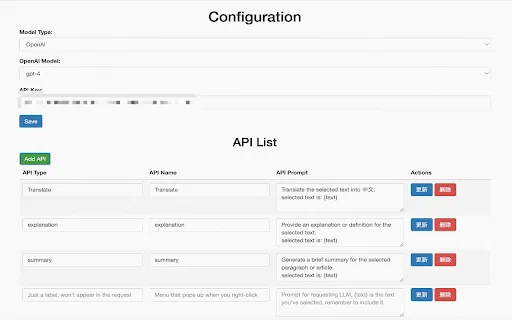
Add your own OpenAI API key once in the settings; requests are sent under your account, so you control usage.
Change the underlying model and adjust extension preferences from the options page to match how you like to work.
The developer states the extension does not collect or sell user data, keeping the workflow local to your browser and your own API credentials.
AI Browser Assistant is a lightweight Chrome extension that puts OpenAI models one right-click away. Select text on any page and use the context menu to summarize, translate, complete, respond to, or explain it, or open the built-in chat panel for free-form questions. It works with your own OpenAI API key and lets you change the model and other options in its settings.
Highlight a paragraph of a paper or textbook and get a plain-language summary or explanation in the same page.
Select an incoming message, use the respond action to get a draft, then edit it in place instead of opening a separate chat tool.
Translate a highlighted sentence or paragraph on the page you are already reading, with no tab hopping.
Use the complete and explain actions to finish a thought or unpack awkward phrasing while drafting in a browser-based editor.
同じ主要カテゴリの競合 AI ツールをテレメトリで並列比較
| 順位 | AI ツール | 月間訪問数 | 前月比成長率 | 直接流入の割合 | 料金 | 直接比較 |
|---|---|---|---|---|---|---|
| ● | AI Browser Assistant | 0 | — | — | フリーミアム、有料 | 表示中 |
| 1 | Sider | 264.47万 | -10.6% | 直接流入 64% | フリーミアム | vs Sider |
| 2 | Merlin AI | 138.26万 | +13.1% | 直接流入 50% | フリーミアム | vs Merlin AI |
| 3 | Monica | 451.28万 | -11.3% | 直接流入 55% | フリーミアム | vs Monica |
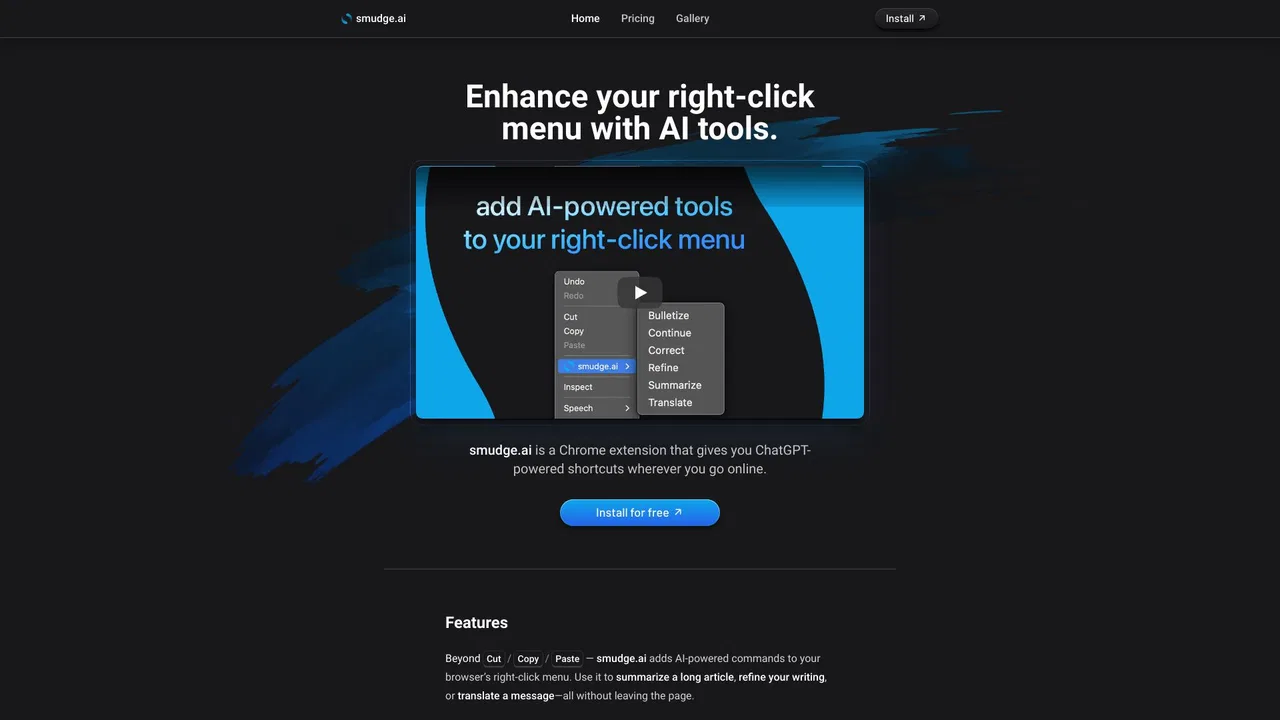
| 4 | smudge.ai | 466 | -86.9% | 直接流入 39% | フリーミアム、有料 | vs smudge.ai |
| 5 | HARPA AI | 53.75万 | +99.3% | 直接流入 76% | フリーミアム | vs HARPA AI |
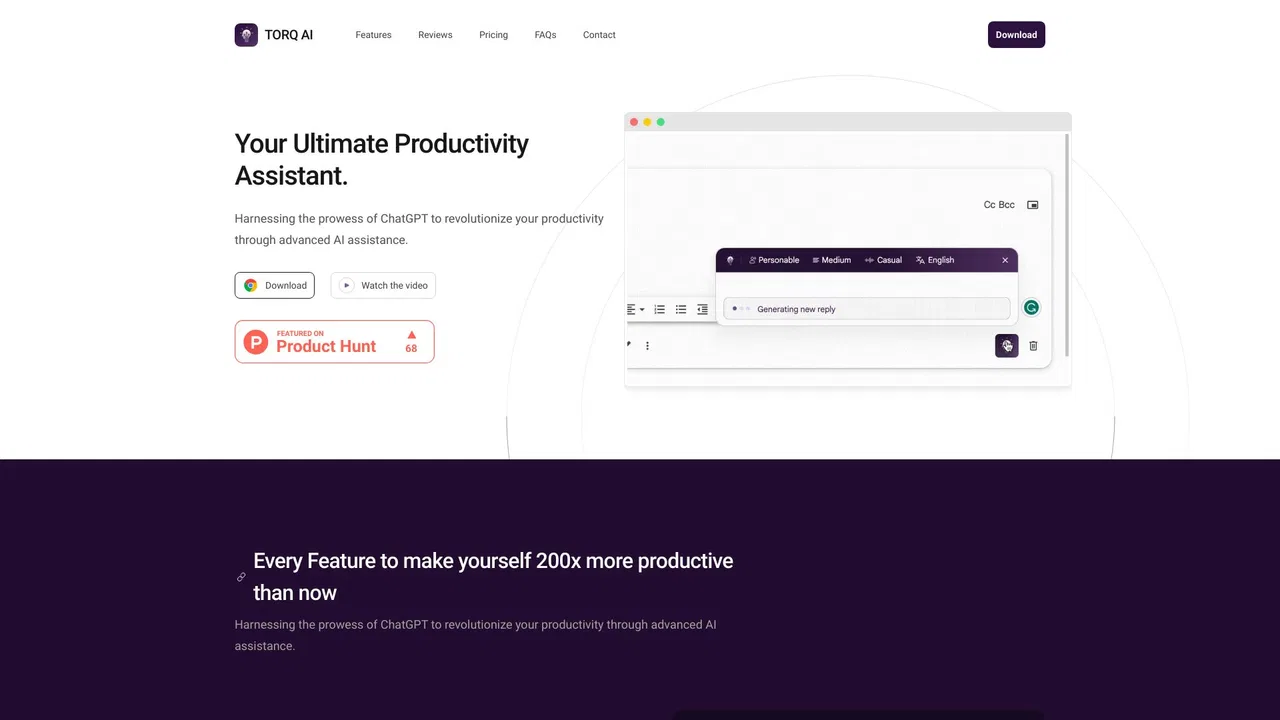
| 6 | Torq AI | 1096 | -19.2% | 直接流入 39% | 無料 | vs Torq AI |
Torq AI is a free Chrome extension that brings ChatGPT-style assistance into everyday browsing. It generates emails and replies in one click, processes and analyzes selected text, translates page content into your preferred language, and combines chat with Google Search results — all without leaving the tab you are working in.

無料・オープンソース右クリックメニューを、ウェブ上のあらゆるテキストのための無料 AI アシスタントに
ブラウザのどこからでもワンクリックでGrokを呼び出す
自分のAzure OpenAIキーで、あらゆるページを要約・翻訳・質問
どんな Web ページでも質問・執筆・翻訳ができる AI サイドバー