30.8万/月+0.6%
画像やスキャンを編集可能なテキストに変える無料オンラインOCR
フリーミアム

Webページ上の画像からテキストを抽出してコピー
編集部による 5 点満点の評価です。ユーザー評価の平均ではありません。 このページの各視点は、製品情報をもとに AI がまとめたものです。実際の利用者のレビューではありません。
OpenAITools.app のテレメトリ(2026-11-11 検証)によると、ReadImage(chromewebstore.google.com)は AI OCR に分類される AI プラットフォームで、月間 0 の訪問を生み出し、前月比のトラフィック増減は +0(0.0%)です。主要な地域市場はグローバル(トラフィックシェア —)で、無料の料金モデルで運営されています。月間ボリューム別の主な競合代替ツールには Image to Text CC(月間 30.83万訪問)、Image to Text(月間 487.18万訪問)、Image to Text Converter(月間 69.95万訪問)が含まれます。
画像からすぐテキスト取れて便利。
神拡張。最高。
サイト検証・料金体系・同カテゴリ比較に基づき AI が多角的な論点を要約した参考視点であり、実在ユーザーの個別投稿ではありません。
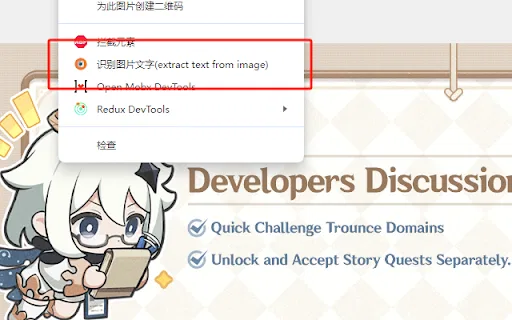
Webページ上の任意の画像にカーソルを合わせ、右クリックからテキスト抽出アクションを選ぶだけで、ブラウザを離れずに文字認識を実行できます。
認識されたテキストは拡張機能のパネルに開き、誤りを修正してそのままクリップボードにコピーできます。
オンラインで出会う可能性が高いラスター形式に対応し、JPG、JPEG、PNG、BMP を扱えます。
ユーザーデータを収集・販売せず、無関係な目的に転用しないと開発者が明言しており、拡張機能も非常に小さいです。
ReadImage が狙うのは、テキストが画像の中にしか存在しないという日常的な面倒です。コードのスクリーンショット、商品写真に写った価格、画像として保存された引用、デザインモックアップなどが該当します。打ち直したりデスクトップの OCR ツールに切り替えたりする代わりに、画像にカーソルを合わせて右クリックメニューから「extract text from image」を選ぶだけです。拡張機能は独自のパネルに結果を返し、誤りを修正してから最終的な文字列をクリップボードにコピーできます。設計は意図的にミニマルで、拡張機能全体が数十 KB しかなく、ユーザーデータを収集・販売しないと明言しているため、権限の負担も小さく抑えられています。ページにすでに描画された画像を扱うため、コード作成、買い物、検索、一般的な読書など、テキストがピクセルに閉じ込められたワークフローに自然に馴染みます。ただし単一目的のユーティリティであり、やや古く保守も限定的なプロジェクトです。ストアの掲載情報ではバージョン 1.0、最終更新は 2023 年 10 月で、インストール数もわずかです。JPG、JPEG、PNG、BMP といった一般的なラスター形式に対応し、認識がリモートサービスに依存するためネットワーク制限のある地域ではタイムアウトが起きると開発者は注記しています。位置づけとしては、多機能な OCR スイートというより気軽に使える小さな補助ツールです。
画像として共有されたコード断片、ターミナル出力、設定を編集可能なテキストとして取り出し、エディタに貼り付けます。
商品画像の中にしかない仕様、価格、ラベルを抽出し、検索や比較に活用します。
インフォグラフィックやスライドのスクリーンショットから引用、出典、図のラベルを取り出し、ノートや参考文献に使います。
同じ主要カテゴリの競合 AI ツールをテレメトリで並列比較
| 順位 | AI ツール | 月間訪問数 | 前月比成長率 | 直接流入の割合 | 料金 | 直接比較 |
|---|---|---|---|---|---|---|
| ● | ReadImage | 0 | — | — | 無料 | 表示中 |
| 1 | Image to Text CC | 30.83万 | +0.6% | 直接流入 21% | フリーミアム | vs Image to Text CC |
| 2 | Image to Text | 487.18万 | +0.8% | 直接流入 25% | フリーミアム | vs Image to Text |
| 3 | Image to Text Converter | 69.95万 | +8.7% | 直接流入 30% | フリーミアム | vs Image to Text Converter |
| 4 | 画像からテキストへの変換ツール | 18.15万 | -15.6% | 直接流入 46% | フリーミアム | vs 画像からテキストへの変換ツール |
| 5 | JPG to Text | 42.5万 | -13.4% | 直接流入 14% | フリーミアム | vs JPG to Text |
| 6 | OCR - Image Reader | 0 | — | — | 無料 | vs OCR - Image Reader |
画像やスキャンを編集可能なテキストに変える無料オンラインOCR
無料オンラインOCRで画像を一瞬で編集可能なテキストに
画像・スキャン・手書き文字をOCRで編集可能なテキストに変換
写真・スクリーンショット・スキャンを編集可能なテキストにする無料オンラインOCR
JPG・PNG・スキャン画像を編集可能なテキストに変える無料オンラインOCR

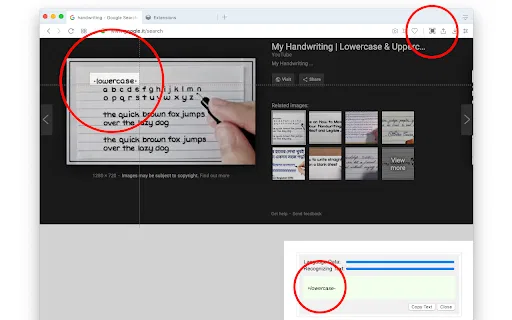
OCR - Image Reader is a Chrome extension from developer brian.girko that adds a toolbar button for on-the-fly optical character recognition. Press the button, drag a selection over any region of the active window, and the extension reads the text inside it using a Tesseract-based engine that supports over 100 languages with automatic orientation and script detection. A second engine option, IBM Granite-Docling, goes further and preserves headings, lists, bold and italic styles, tables and even mathematical equations instead of returning flat text. Everything runs offline in the browser, with no server round trips apart from a one-time download of the language training data.
OCR - Image Reader is a Chrome extension from developer brian.girko that adds a toolbar button for on-the-fly optical character recognition. Press the button, drag a selection over any region of the active window, and the extension reads the text inside it using a Tesseract-based engine that supports over 100 languages with automatic orientation and script detection. A second engine option, IBM Granite-Docling, goes further and preserves headings, lists, bold and italic styles, tables and even mathematical equations instead of returning flat text. Everything runs offline in the browser, with no server round trips apart from a one-time download of the language training data.
画像・スキャン・手書き文字を編集可能なテキストに変える無料AI OCR

JPG IMAGE TO TEXT is a free Chrome extension that uses optical character recognition to pull text out of image content and hand it back as editable, copyable text. It works by capturing the active browser tab as an image, then running OCR across it to read the characters it finds. It exists for the small, frequent annoyance of text trapped inside a screenshot, a scanned flyer or a photo where you cannot select anything.
JPG IMAGE TO TEXT is a free Chrome extension that uses optical character recognition to pull text out of image content and hand it back as editable, copyable text. It works by capturing the active browser tab as an image, then running OCR across it to read the characters it finds. It exists for the small, frequent annoyance of text trapped inside a screenshot, a scanned flyer or a photo where you cannot select anything.

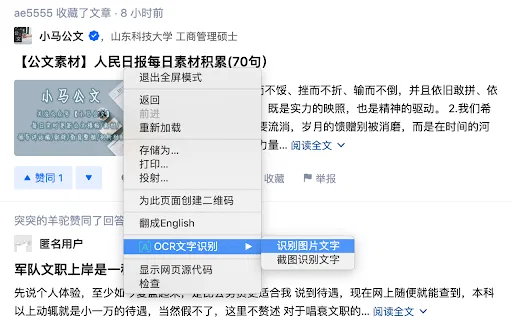
OCR Text Recognition is a lightweight Chrome extension that turns images and screenshots into selectable text via the right-click menu. Right-click any image on a page and choose 'Recognize image text' to pull the words out; right-click anywhere else and choose 'Screenshot Recognition Text' to select a screen region and read it. There is no account, no dashboard and no clutter — it is a single-purpose browser utility for grabbing text you cannot select.
OCR Text Recognition is a lightweight Chrome extension that turns images and screenshots into selectable text via the right-click menu. Right-click any image on a page and choose 'Recognize image text' to pull the words out; right-click anywhere else and choose 'Screenshot Recognition Text' to select a screen region and read it. There is no account, no dashboard and no clutter — it is a single-purpose browser utility for grabbing text you cannot select.
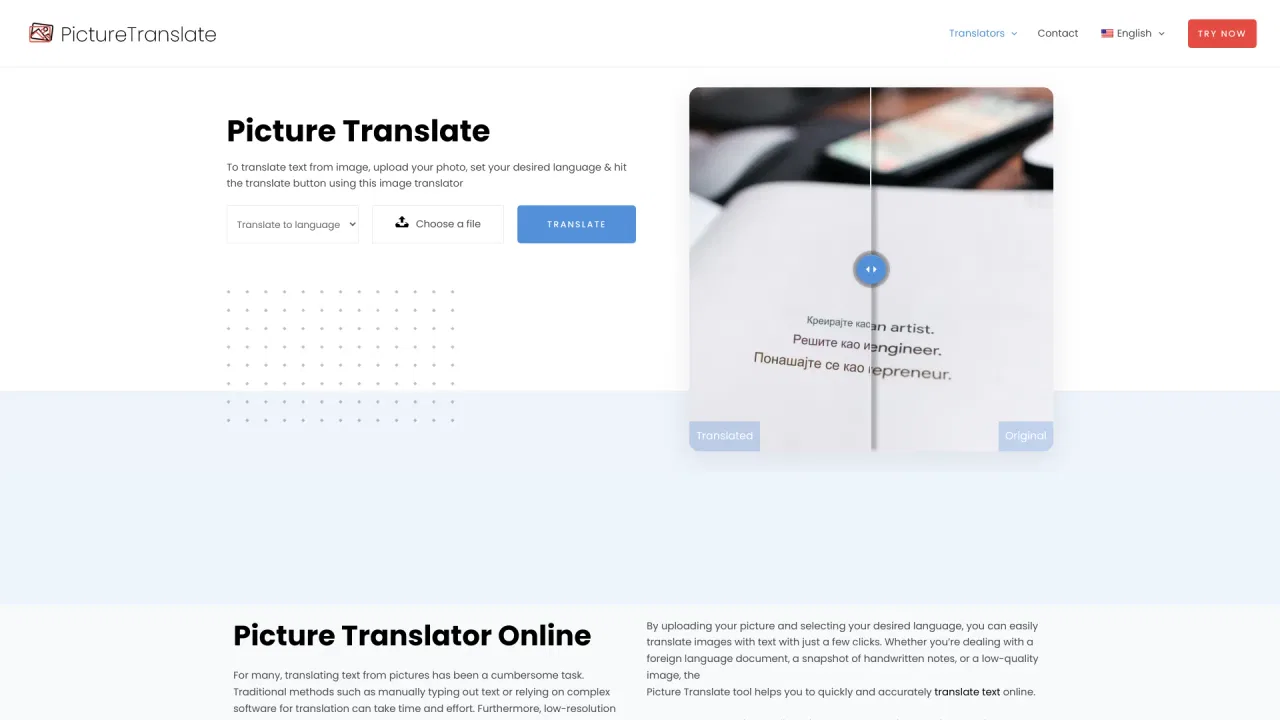
写真の文字を読み取って無料で翻訳するオンラインツール
無料のAI OCRで、画像をすぐに編集可能なテキストへ。