01
2,6 mi/mês
Barra lateral de IA e agente de navegador para leitura, escrita e pesquisa
Assistente de IANota editorial: 4.5Freemium64% direto

2,6 mi/mês
Barra lateral de IA e agente de navegador para leitura, escrita e pesquisa
Freemium

Kreaitor.AI is a lightweight Chrome extension that puts Kreaitor's AI tools into the browser context menu. Select text or a link on any page, right-click, and pick an AI-powered option under the Kreaitor.AI submenu to jump straight to the relevant action without copying anything manually.

É a avaliação da nossa equipe editorial, de 0 a 5, e não uma média de notas de usuários. Os pontos de vista desta página são escritos por IA com base no que sabemos sobre o produto. Não são avaliações de clientes.
Segundo a telemetria do OpenAITools.app verificada em 2026-11-11, Kreaitor.AI (chromewebstore.google.com) é uma plataforma de IA indexada em Ferramentas de produtividade com IA que gera 0 visitas mensais com variação de tráfego mês a mês de +0 (0.0%). Seu principal mercado geográfico é Global (— de participação no tráfego) e opera com modelo de preços Grátis. As principais alternativas concorrentes por volume mensal incluem Sider (2,64 mi visitas/mês), Kome AI (174,91 mil visitas/mês), Torq AI (1,1 mil visitas/mês).
Atalho rápido no menu de contexto para editar textos sem abrir abas.
Pequenos engasgos ao processar blocos grandes.
Perspectivas sintetizadas por IA com base na inspeção do site, preços e referências da categoria — não são depoimentos reais de clientes.
Select text or a link on any page and access Kreaitor's AI actions from the right-click menu instead of switching tabs.
Runs on selected page content and on links, so both a paragraph and a URL are valid starting points.
The extension is a tiny 16.64 KB add-on, keeping installation and browser overhead minimal.
Routes your selection to the matching Kreaitor platform capability for content generation and related analysis.
A single-purpose utility that avoids toolbars and pop-ups and stays out of the way until you open the context menu.
Kreaitor.AI is a lightweight Chrome extension that puts Kreaitor's AI tools into the browser context menu. Select text or a link on any page, right-click, and pick an AI-powered option under the Kreaitor.AI submenu to jump straight to the relevant action without copying anything manually.
Highlight a passage while reading and launch a Kreaitor AI action through the context menu instead of copying it into another tab.
Right-click a link and hand it to Kreaitor for analysis without opening it and copying the address manually.
Quickly push selected page copy into Kreaitor for content generation while browsing source material.
Comparação de telemetria lado a lado de ferramentas de IA concorrentes na mesma categoria principal
| Classificação | Ferramenta de IA | Visitas mensais | Crescimento mensal | Participação do tráfego direto | Preços | Comparação direta |
|---|---|---|---|---|---|---|
| ● | Kreaitor.AI | 0 | — | — | Grátis | Atual |
| 1 | Sider | 2,64 mi | -10,6% | 64% direto | Freemium | vs Sider |
| 2 | Kome AI | 174,91 mil | -6,5% | 30% direto | Freemium | vs Kome AI |
| 3 | Torq AI | 1,1 mil | -19,2% | 39% direto | Grátis | vs Torq AI |
| 4 | Monica | 4,51 mi | -11,3% | 55% direto | Freemium | vs Monica |
| 5 | Merlin AI | 1,38 mi | +13,1% | 50% direto | Freemium | vs Merlin AI |
| 6 | GPT Workspace | 431,51 mil | +43,8% | 41% direto | Freemium, Teste gratuito, Pago | vs GPT Workspace |
Barra lateral de IA e agente de navegador para leitura, escrita e pesquisa
Barra lateral de IA e agente de navegador para leitura, escrita e pesquisa
Resuma, guarde e escreva com IA direto no seu navegador
Resuma, guarde e escreva com IA direto no seu navegador
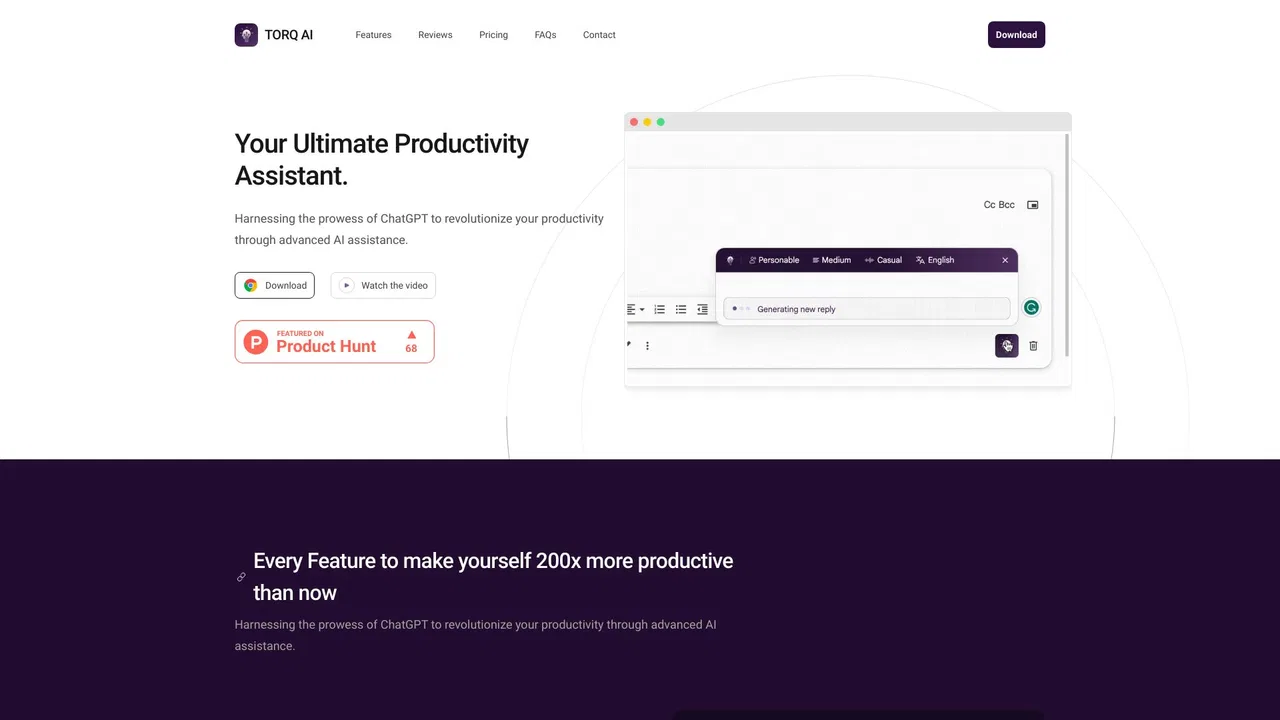
Torq AI is a free Chrome extension that brings ChatGPT-style assistance into everyday browsing. It generates emails and replies in one click, processes and analyzes selected text, translates page content into your preferred language, and combines chat with Google Search results — all without leaving the tab you are working in.
Torq AI is a free Chrome extension that brings ChatGPT-style assistance into everyday browsing. It generates emails and replies in one click, processes and analyzes selected text, translates page content into your preferred language, and combines chat with Google Search results — all without leaving the tab you are working in.

Assistente de IA tudo-em-um para web, navegador, desktop e celular
Assistente de IA tudo-em-um para web, navegador, desktop e celular

Um único assistente de IA que traz ChatGPT, Claude e Gemini para cada aba
Um único assistente de IA que traz ChatGPT, Claude e Gemini para cada aba

GPT Workspace is a Google Workspace extension that embeds leading AI assistants directly into Docs, Sheets, Slides, Gmail, Drive and Forms so you can write, analyze and automate without switching tabs.
GPT Workspace is a Google Workspace extension that embeds leading AI assistants directly into Docs, Sheets, Slides, Gmail, Drive and Forms so you can write, analyze and automate without switching tabs.
Um agente de navegador que une todos os grandes modelos de IA à automação web
AI Toolbox (formerly ChatGPT Toolbox) is a browser extension that adds folders, global search, a prompt library and one-click exports to the AI chatbots you already use.
AI Toolbox (formerly ChatGPT Toolbox) is a browser extension that adds folders, global search, a prompt library and one-click exports to the AI chatbots you already use.
Voilà is an AI assistant that lives in your browser, desktop and phone, letting you chat with websites, documents and images, draft emails, write and research without switching tabs.
Voilà is an AI assistant that lives in your browser, desktop and phone, letting you chat with websites, documents and images, draft emails, write and research without switching tabs.

Biblioteca e gerenciador de prompts para ChatGPT e outros modelos de IA
Biblioteca e gerenciador de prompts para ChatGPT e outros modelos de IA
O bloqueador de sites para Chrome que julga cada página em função da sua tarefa
O bloqueador de sites para Chrome que julga cada página em função da sua tarefa
Comandos do ChatGPT no menu de contexto do navegador
Comandos do ChatGPT no menu de contexto do navegador