01
43.1K/mo
AI photo, image, and video enhancement in one browser workspace
AI Photo EnhancerEditorial score: 3.8Freemium, Free+6.9%

43.1K/mo+6.9%
AI photo, image, and video enhancement in one browser workspace
Freemium, Free
Browser-based AI video and image upscaling without installing anything
Estimated monthly website visits
Similarweb estimates for this domain, not active users. Only available observation months are shown; collection date is separate from the traffic period.
Collected Nov 11, 2026
This is our editors' assessment out of 5, not an average of user ratings. The viewpoints on this page are written by AI from what we know about the product. They are not customer reviews.
According to OpenAITools.app telemetry verified on 2026-11-11, Aimages (aimages.ai) is an AI platform indexed under AI Video Enhancer generating 2.3K monthly visits with a month-over-month traffic delta of -562 (-19.7%). Its primary geographic market is Brazil (100% traffic share), and it operates on a Freemium pricing model. Top competing alternatives by monthly volume include Artedge AI (43.11K visits/mo), TensorPix (128.01K visits/mo), EnhancePhoto AI (210.34K visits/mo).
Clean browser upscale workflow without touching local GPU.
Brought my grainy 720p footage back to life instantly.
Too expensive for long video projects.
Fast rendering.
AI-synthesized perspectives grounded in live site inspection, pricing structure, and category benchmarks — presented as editorial viewpoints rather than individual customer testimonials.
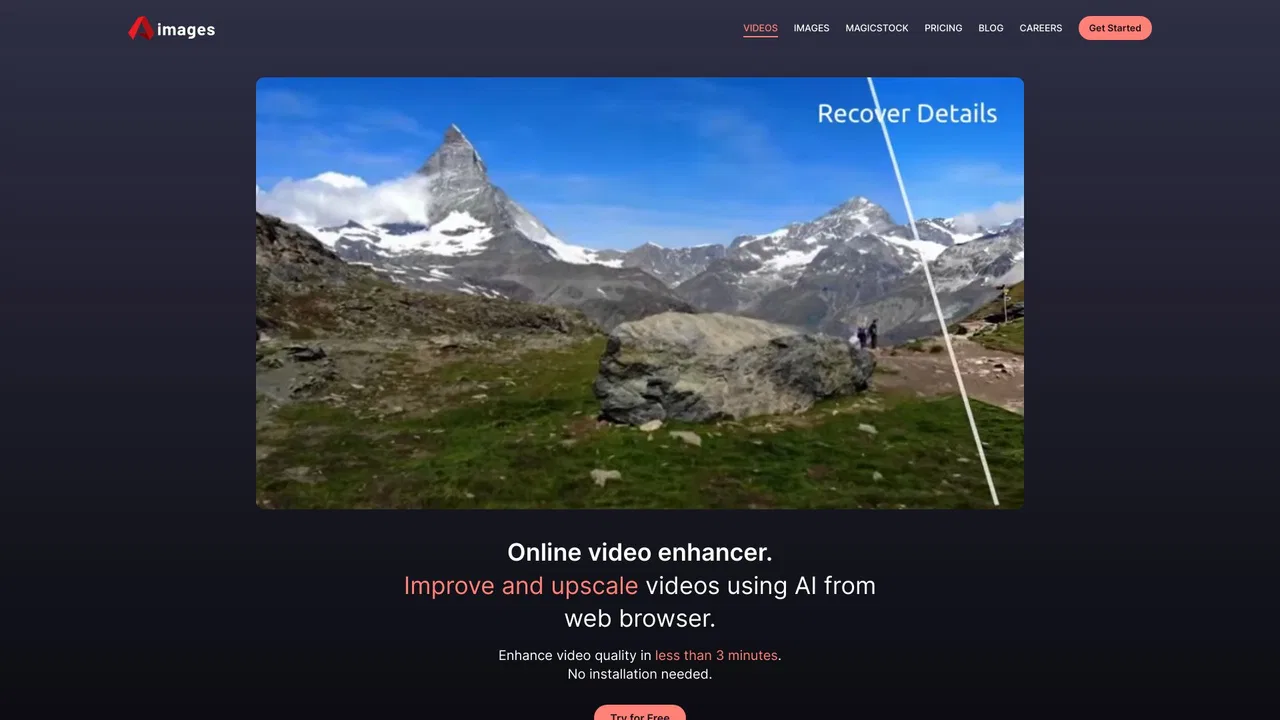
Enhance and upscale uploaded video from the browser, with typical processing under a few minutes depending on length and filters.
Choose from multiple AI filters — including facial upscaling and frame rate boosting — and combine several per video depending on plan.
Apply the same enhancement approach to photos, and generate stock-style assets with the bundled MagicStock tool.
Buy one-off credit packs with no recurring charge, or subscribe monthly for cheaper credits and more parallel processing.
Generate a short preview clip at up to 720p (or higher on paid plans) to check filter results before paying for a full run.
Aimages takes the position that video enhancement should not require a workstation-grade GPU or a heavyweight editing suite. Everything runs in the cloud through the browser: upload a clip, choose the AI filters you want, let the service process it, then download the result. The company advertises typical enhancement times of under three minutes and cites hundreds of thousands of processed files and satisfied users.
Capabilities cover more than resolution. There is facial upscaling, frame rate interpolation for smoother motion, and a set of AI filters you can stack (the entry paid tier allows up to two filters per video, the top tier up to five). The pricing page also lists parallel processing slots, free preview lengths by plan, and video slots, so throughput scales with tier. Files are stored for 30 days on the free plan and never deleted on paid plans.
Beyond video, Aimages offers photo enhancement and a separate tool called MagicStock that generates stock-style assets. Testimonials on the site come predominantly from filmmakers, editors and designers in the region — including one producer who restored degraded 1990s wedding footage — which matches the product's clear strength in repairing older or low-quality source material rather than only polishing already-good footage.
Side-by-side telemetry comparison of competing AI tools in the same primary category
| Rank | AI Tool | Monthly Visits | MoM Growth | Direct traffic share | Pricing | Head-to-Head |
|---|---|---|---|---|---|---|
| ● | Aimages | 2.3K | -19.7% | 40% direct | Freemium | Current |
| 1 | Artedge AI | 43.11K | +6.9% | 30% direct | Freemium, Free | vs Artedge AI |
| 2 | TensorPix | 128.01K | -14.5% | 59% direct | Freemium | vs TensorPix |
| 3 | EnhancePhoto AI | 210.34K | -10.5% | 48% direct | Freemium | vs EnhancePhoto AI |
| 4 | VidHex AI Video Enhancer | 48.71K | -8% | 20% direct | Freemium | vs VidHex AI Video Enhancer |
| 5 | Video2X | 70.39K | -34.8% | 31% direct | Free | vs Video2X |
| 6 | Topaz Labs | 2.66M | +4.3% | 34% direct | Paid | vs Topaz Labs |
AI photo, image, and video enhancement in one browser workspace
AI photo, image, and video enhancement in one browser workspace
Enhance, upscale and generate video and images in your browser
Enhance, upscale and generate video and images in your browser

Free online AI photo enhancer, upscaler, and restorer
Free online AI photo enhancer, upscaler, and restorer
AI video enhancement, upscaling and restoration for Windows and Mac
AI video enhancement, upscaling and restoration for Windows and Mac

Free / Open-sourceFree browser AI upscaler that sharpens video to 2x resolution locally
Free / Open-sourceFree browser AI upscaler that sharpens video to 2x resolution locally

Professional AI photo and video enhancement for desktop, web and mobile
Professional AI photo and video enhancement for desktop, web and mobile
Restore, sharpen, and upscale blurry photos and videos with AI

AI video and photo enhancement for upscaling, restoration and cleanup
AI video and photo enhancement for upscaling, restoration and cleanup
Upscale video to 1080p or 4K in your browser
Upscale video to 1080p or 4K in your browser
AI photo and video enhancement suite, from background removal to 40x upscaling
AI photo and video enhancement suite, from background removal to 40x upscaling
Convert, enhance and compress 4K/8K media with an AI-assisted media workspace
Convert, enhance and compress 4K/8K media with an AI-assisted media workspace

Upscale and sharpen images and videos to 4K with AI in one click
Upscale and sharpen images and videos to 4K with AI in one click