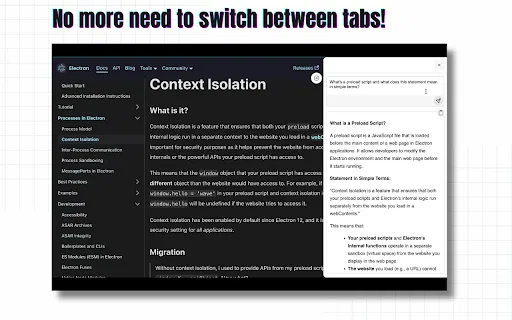
Ask Gemini is a browser extension built for people who lose time bouncing between a web page and a chatbot tab. By installing it, you get a small launcher that pops Gemini open over the page you are already on. You can type a free-form question, highlight a paragraph and send it as context, or hand Gemini a screenshot or image to interpret. Because the chat opens in an overlay, you keep your scroll position, your place in a document, and your train of thought.
The extension leans on context as its main selling point: highlighted text, the surrounding paragraph, or a captured image can be pushed directly into the prompt, which usually produces far more relevant answers than pasting a generic question into a blank chat window. It handles the everyday Gemini tasks - explaining a tricky passage, fixing grammar, drafting a reply, translating a phrase, brainstorming ideas, or unpacking a chart you just screenshotted.
Practically, this is a convenience layer rather than a new AI model: everything runs through Google's own Gemini service, and you still need access to Gemini under your own Google account. The listing reports roughly 20,000 users, a 3.9/5 average from about 84 ratings, and it is offered free of charge. The publisher is an individual developer rather than Google, and the privacy disclosure says the extension reads website content, does not sell data to third parties, and does not use it for unrelated purposes.