01
2.6M/mo
AI sidebar and browser agent for reading, writing and research
AI AssistantEditorial score: 4.5Freemium64% direct

2.6M/mo
AI sidebar and browser agent for reading, writing and research
Freemium

A browser-native AI assistant that chats, summarizes, designs and searches across any webpage.

This is our editors' assessment out of 5, not an average of user ratings. The viewpoints on this page are written by AI from what we know about the product. They are not customer reviews.
According to OpenAITools.app telemetry verified on 2026-11-11, Gene — AI Assistant & Smart Search (chromewebstore.google.com) is an AI platform indexed under AI Assistant generating 0 monthly visits with a month-over-month traffic delta of +0 (0.0%). Its primary geographic market is Global (— traffic share), and it operates on a Freemium, Paid pricing model. Top competing alternatives by monthly volume include Sider (2.64M visits/mo), Monica (4.51M visits/mo), Merlin AI (1.38M visits/mo).
Ctrl+Q shortcut makes page chatting seamless.
Subscription feels a bit annoying.
Summarizes long PDFs instantly.
Started charging out of nowhere.
AI-synthesized perspectives grounded in live site inspection, pricing structure, and category benchmarks — presented as editorial viewpoints rather than individual customer testimonials.
Summon an assistant over any webpage with a keyboard shortcut and chat about the content you are looking at without leaving the tab.
Get concise summaries and targeted answers for long articles, online or local PDFs (with file access enabled), Google Docs and YouTube videos.
Capture a region of the screen and ask Gene to interpret charts, diagrams, images or text inside it.
A search agent gathers and reviews web results, an image generator creates pictures from prompts, and a writing agent drafts structured content with references.
Use the /design command to change text, tweak layouts, hide elements or restyle sections of a page by describing what you want.
Gene is an AI assistant that lives where your work already happens — inside the browser. Instead of switching to a separate chat tab, you press Ctrl+Q and Gene opens over the page you are currently reading, so you can ask questions about that article, document or video without copying and pasting anything. The extension supports chatting with any webpage, summarizing long-form content, explaining highlighted passages, reading and querying PDFs (local ones require file-URL access to be enabled), referencing Google Docs, and pulling answers out of YouTube videos.
Beyond reading, Gene tries to cover the whole "assist while browsing" loop. A screenshot tool lets you capture part of a screen and ask questions about charts or images; a smart search agent runs web searches and digests the results; an image generator turns prompts into pictures; and a natural-language website editor (activated with /design) can change text, adjust layouts, hide elements and restyle sections of a live page. A notes area stores AI responses for later, and built-in translation handles selected text in place.
The product is published by the independent team behind askgene.io and distributed through the Chrome Web Store. It is explicitly a third-party tool rather than a first-party product from a model lab: the extension FAQ states that no OpenAI account is required, and some connected data sources may need their own accounts, API keys or subscriptions. Pricing is published on the vendor site, with a cheap monthly plan aimed at users who want everyday AI help without a $20 subscription.
Open a textbook PDF or lecture page, select confusing passages and ask Gene to explain them, then save the explanations into notes for revision.
Run a smart search, summarize the sources you open and keep the key answers in Gene Notes instead of juggling dozens of tabs.
Generate images from prompts, draft structured content, and use the website editor to experiment with page layouts and wording in place.
Translate selected text instantly, get quick insights on dense paragraphs and get step-by-step help with math or code problems.
Side-by-side telemetry comparison of competing AI tools in the same primary category
| Rank | AI Tool | Monthly Visits | MoM Growth | Direct traffic share | Pricing | Head-to-Head |
|---|---|---|---|---|---|---|
| ● | Gene — AI Assistant & Smart Search | 0 | — | — | Freemium, Paid | Current |
| 1 | Sider | 2.64M | -10.6% | 64% direct | Freemium | vs Sider |
| 2 | Monica | 4.51M | -11.3% | 55% direct | Freemium | vs Monica |
| 3 | Merlin AI | 1.38M | +13.1% | 50% direct | Freemium | vs Merlin AI |
| 4 | Gene | 2.49K | +87% | 39% direct | Free | vs Gene |
| 5 | Kome AI | 174.91K | -6.5% | 30% direct | Freemium | vs Kome AI |
| 6 | Locus | 615 | -85.1% | 39% direct | Freemium, Free Trial | vs Locus |
AI sidebar and browser agent for reading, writing and research
AI sidebar and browser agent for reading, writing and research

All-in-one AI assistant across web, browser, desktop and mobile
All-in-one AI assistant across web, browser, desktop and mobile
One-click AI assistant for browsing, writing and research
One-click AI assistant for browsing, writing and research

A low-cost AI assistant that lives in your browser tab
A low-cost AI assistant that lives in your browser tab
Summarize, bookmark and write with AI right in your browser
Summarize, bookmark and write with AI right in your browser

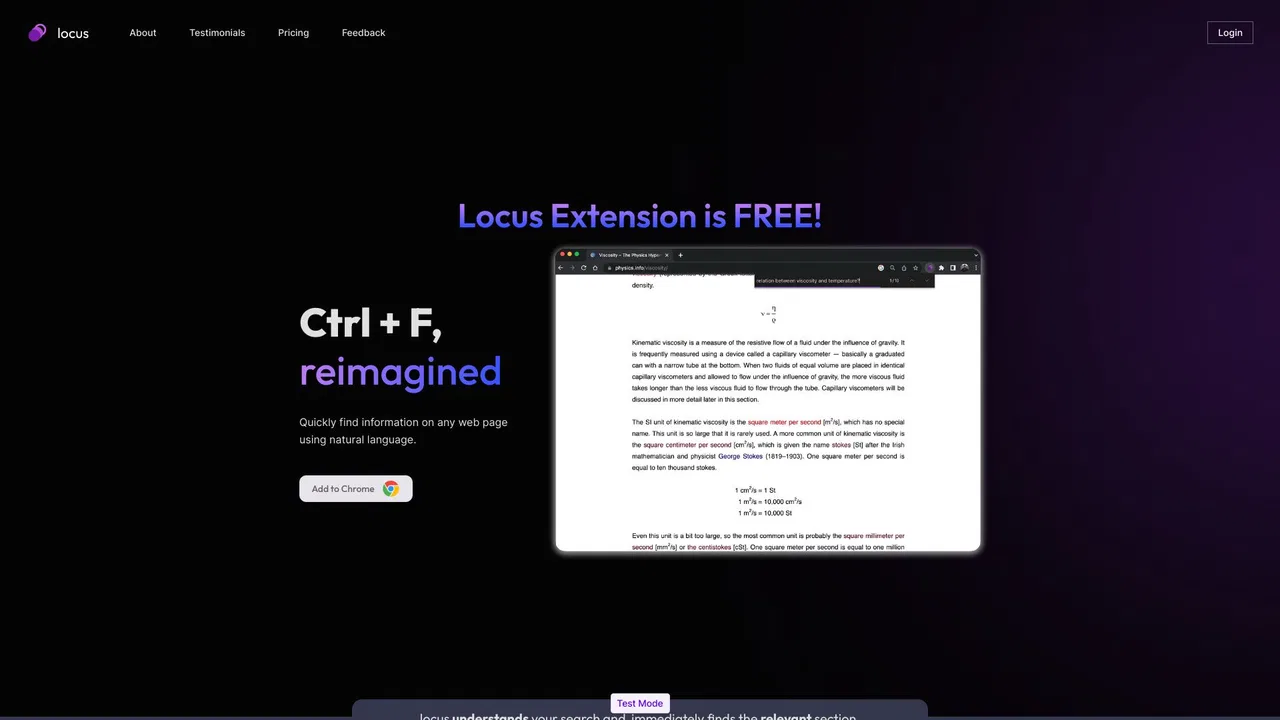
Ctrl+F, reimagined with AI for web pages and PDFs
Ctrl+F, reimagined with AI for web pages and PDFs

A private Chromium browser with a built-in AI agent and offline LLM
A private Chromium browser with a built-in AI agent and offline LLM

ChatGPT in your browser sidebar, without switching tabs
ChatGPT in your browser sidebar, without switching tabs
One browser agent that combines every major AI model with web automation
One privacy-first AI client for GPT, Claude, Gemini and more
One privacy-first AI client for GPT, Claude, Gemini and more
Highlight the web, learn in public, and build your AI clone
Highlight the web, learn in public, and build your AI clone
One AI assistant that works wherever you work
One AI assistant that works wherever you work