Organize, search and export your AI chats across ChatGPT, Gemini, Claude and Grok

Clean up your ChatGPT history with one-click bulk delete and archive

This is our editors' assessment out of 5, not an average of user ratings. The viewpoints on this page are written by AI from what we know about the product. They are not customer reviews.
According to OpenAITools.app telemetry verified on 2026-11-11, Delete All Chats for ChatGPT (chromewebstore.google.com) is an AI platform indexed under AI Productivity Tools generating 0 monthly visits with a month-over-month traffic delta of +0 (0.0%). Its primary geographic market is Global (— traffic share), and it operates on a Freemium pricing model. Top competing alternatives by monthly volume include AI Toolbox (290.14K visits/mo), ChatNeat – AI Chat Batch Delete History Manager (0 visits/mo), Claude Chat Cleaner (0 visits/mo).
bulk delete actually works without crashing the browser
saved me hours of clicking delete on old prompts
ui feels a bit clunky sometimes
essential if you use chatgpt daily for months
AI-synthesized perspectives grounded in live site inspection, pricing structure, and category benchmarks — presented as editorial viewpoints rather than individual customer testimonials.
Select many ChatGPT conversations at once and remove them all in a single action rather than opening each chat menu individually.
Move sets of conversations into ChatGPT's archive instead of deleting them, so long research threads stay retrievable when you need them.
A simple on/off switch inside the interface enables selection mode, after which a Select All button lets you act on the entire history in one go.
The controls live inside the ChatGPT sidebar, so there is no separate dashboard to learn and no copy-paste workflow.
The developer states that chat contents and your email address are not collected; only a random installation identifier and basic technical metadata are transmitted.
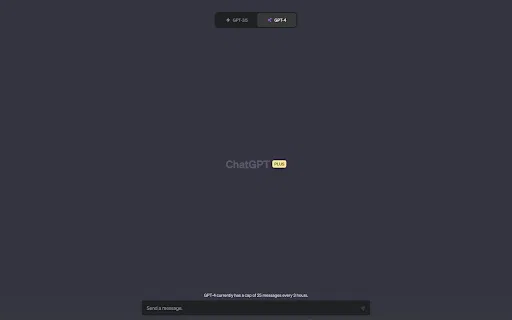
ChatGPT accumulates conversations quickly, and the native interface only lets you remove them one at a time through small per-chat menus. Delete All Chats for ChatGPT solves that friction by placing a multi-select toggle and a set of bulk actions right inside the ChatGPT sidebar. Turn the toggle on, check off the conversations you no longer need, and remove or archive them in a single click.
The extension is intentionally narrow in scope. It does not generate text, it does not replace any model, and it does not store your conversations on a remote server — it is a management layer over ChatGPT's own history controls. Bulk archiving is supported alongside deletion, so you can move long but still-relevant threads out of the way instead of destroying them permanently.
It is distributed through the Chrome Web Store, where it reports roughly 20,000 users, a 3.5-star average from more than 300 ratings, and updates as recent as November 2026. The publisher, antonkhoteev.com, states that the extension does not collect your email address or the content of your chats; it may send a randomly generated installation identifier plus basic technical data such as extension version, browser language, and approximate country.
When your sidebar has grown to hundreds of threads, enable multi-select, use Select All, and clear the backlog in one pass.
Archive older research dialogues instead of deleting them, preserving context while keeping the recent-project list readable.
Bulk-delete a whole group of finished client chats so sensitive or obsolete work does not linger in your account view.
Side-by-side telemetry comparison of competing AI tools in the same primary category
| Rank | AI Tool | Monthly Visits | MoM Growth | Direct traffic share | Pricing | Head-to-Head |
|---|---|---|---|---|---|---|
| ● | Delete All Chats for ChatGPT | 0 | — | — | Freemium | Current |
| 1 | AI Toolbox | 290.14K | +16.9% | 32% direct | Freemium | vs AI Toolbox |
| 2 | ChatNeat – AI Chat Batch Delete History Manager | 0 | — | — | Free | vs ChatNeat – AI Chat Batch Delete History Manager |
| 3 | Claude Chat Cleaner | 0 | — | — | Free | vs Claude Chat Cleaner |
| 4 | ChatGPT Chats Filter | 0 | — | — | Free | vs ChatGPT Chats Filter |
| 5 | Sider | 2.64M | -10.6% | 64% direct | Freemium | vs Sider |
| 6 | AIPRM | 708.87K | -6.9% | 26% direct | Freemium, Paid | vs AIPRM |
Organize, search and export your AI chats across ChatGPT, Gemini, Claude and Grok

Bulk delete, archive and tidy chat history across ChatGPT, Claude, Gemini and Grok

One-click bulk deletion of your entire Claude AI conversation history

Find any past ChatGPT conversation in seconds with a lightweight sidebar filter

Your AI agent for the browser: chat, automate and create from one sidebar

A prompt library and management layer for ChatGPT and other AI models
The best frontend for AI.
The Chrome website blocker that judges every page against your task

Cycle through your ChatGPT and Perplexity prompt history with keyboard shortcuts

A distraction-free ChatGPT with the sidebar out of the way
One AI sidebar for ChatGPT, Claude and Gemini across the web
Turn ChatGPT conversations into lasting to-dos, journals and reminders