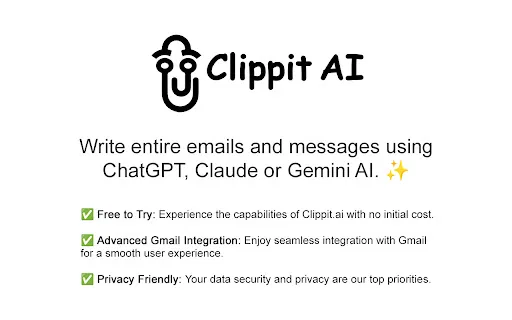
An AI email assistant that drafts, summarizes, and perfects your messages in place

Write better emails and messages with ChatGPT, Claude and Gemini

This is our editors' assessment out of 5, not an average of user ratings. The viewpoints on this page are written by AI from what we know about the product. They are not customer reviews.
According to OpenAITools.app telemetry verified on 2026-11-11, Clippit AI - AI Email Writer (chromewebstore.google.com) is an AI platform indexed under AI Email Assistant generating 0 monthly visits with a month-over-month traffic delta of +0 (0.0%). Its primary geographic market is Global (— traffic share), and it operates on a Free Trial pricing model. Top competing alternatives by monthly volume include Smart Assistant by Mailbutler (47.2K visits/mo), AImReply – Free AI Email Writer (17.62K visits/mo), Grammarly (58.87M visits/mo).
Gmail integration works without lagging out my browser. Solid.
Lifesaver for clearing out my support inbox.
Fast.
Switching between Claude and ChatGPT right inside the compose box is ridiculously convenient.
AI-synthesized perspectives grounded in live site inspection, pricing structure, and category benchmarks — presented as editorial viewpoints rather than individual customer testimonials.
Draft and refine emails and messages with models including GPT-4o, Claude Sonnet 3.5 and Gemini 1.5 Flash, switching between them for different styles of output.
Inside Gmail it reads previous messages in the thread so replies stay relevant and on-topic rather than generic.
Choose a tone — Professional, Casual, Straightforward, Confident or Friendly — and a length of Short, Medium or Long for each message.
Activate from the extension icon, a keyboard shortcut, or by highlighting text and right-clicking to use that selection as context on any website.
Beyond writing, it corrects grammar, rephrases text, adjusts tone and summarizes long content, all in a lightweight package under 100 KB.
Clippit AI is a lightweight Chrome extension (under 100 KB) that acts as an AI writing assistant for email and messaging. It plugs into Gmail directly and also works on any website through its popup, a shortcut key, or text selection, so you can generate or improve a message wherever you happen to be typing. Rather than locking you into one model, it lets you switch between ChatGPT, Claude and Gemini depending on the voice or output you want.
Its Gmail integration is the core of the product: when you start replying, Clippit reads the context of the thread so the drafted response is relevant, and you can delete sensitive lines before they are shared. For new messages only your own prompt is transmitted. Each generation can be tuned by tone (Professional, Casual, Straightforward, Confident, Friendly) and length (Short, Medium, Long), and the tool also handles grammar correction, rewriting, tone adjustment and summarization.
The extension is published by Otodus GmbH with a privacy-friendly stance — the developer states it does not collect or sell data and does not use it for training. It is described as free to try. It has a solid 4.8 rating from around 95 reviewers and roughly 1,000 users, and was last updated in August 2024. Note that the clippit.ai marketing website was not resolving at the time of review, though the extension itself remains available and installable from the Chrome Web Store, where support and privacy links are listed.

Reply to a business email by describing your intent in one line; Clippit reads the thread and drafts a context-aware, professional response you can send after a quick edit.
Switch the same draft between Professional, Casual and Confident tones to match a client, a colleague or a friend, and adjust length as needed.
Paste a long email or document and have Clippit summarize it into a short, skimmable version without leaving the browser.
Select text anywhere on the web, right-click, and use that selection as context to generate a message in another language or a cleaner style.
Side-by-side telemetry comparison of competing AI tools in the same primary category
| Rank | AI Tool | Monthly Visits | MoM Growth | Direct traffic share | Pricing | Head-to-Head |
|---|---|---|---|---|---|---|
| ● | Clippit AI - AI Email Writer | 0 | — | — | Free Trial | Current |
| 1 | Smart Assistant by Mailbutler | 47.2K | -8.7% | 39% direct | Freemium, Free Trial, Paid | vs Smart Assistant by Mailbutler |
| 2 | AImReply – Free AI Email Writer | 17.62K | +6.9% | 40% direct | Free | vs AImReply – Free AI Email Writer |
| 3 | Grammarly | 58.87M | -1.5% | 43% direct | Freemium | vs Grammarly |
| 4 | WriteMail.ai | 79.92K | -29.9% | 36% direct | Freemium | vs WriteMail.ai |
| 5 | ParagraphAI | 23.27K | -34.6% | 54% direct | Freemium | vs ParagraphAI |
| 6 | HyperWrite | 255.43K | +34.4% | 42% direct | Freemium | vs HyperWrite |

An AI email assistant that drafts, summarizes, and perfects your messages in place

SpecialistWrite polished, on-tone emails in seconds — free, right in your browser

SpecialistCross-platform AI writing assistant delivering real-time grammar correction, tone alignment, authorship tracking, and team style guides.

SpecialistTurn a few key points into polished, on-tone emails

SpecialistAn AI writing assistant and keyboard for error-free writing anywhere

AI writing assistant with autocomplete, research, and a Chrome extension
SpecialistDraft polished, on-tone emails in seconds with an AI writing assistant
SpecialistDraft and reply to email 10x faster inside Gmail and Outlook

Smart, focused email with AI help — for individuals and teams

SpecialistAI email drafting that writes in your own voice, inside Gmail and Outlook

SpecialistAI autocomplete that finishes your sentences wherever you type
One-click AI assistant for browsing, writing and research