01
9.6K/mo
Prompt-based AI photo editor with multi-model support and no sign-up
AI Photo EditorEditorial score: 4.0Freemium41% direct

9.6K/mo
Prompt-based AI photo editor with multi-model support and no sign-up
Freemium

Prompt-driven image editing and generation for everyday creative work
This is our editors' assessment out of 5, not an average of user ratings. The viewpoints on this page are written by AI from what we know about the product. They are not customer reviews.
According to OpenAITools.app telemetry verified on 2026-11-11, CraftVis AI Image Editor (craftvis.com) is an AI platform indexed under AI Photo Editor generating 0 monthly visits with a month-over-month traffic delta of +0 (0%). Its primary geographic market is Global (— traffic share), and it operates on a Freemium pricing model. Top competing alternatives by monthly volume include Image Editor Online (9.64K visits/mo), Imgkits (168.82K visits/mo), AI Image to Image (104.53K visits/mo).
Handy all-in-one suite for quick image tweaks and generations.
Free credits run out way too fast.
Saved me hours on product shots!
Upscale quality is sometimes blurry.
AI-synthesized perspectives grounded in live site inspection, pricing structure, and category benchmarks — presented as editorial viewpoints rather than individual customer testimonials.
Upload an existing image and describe the change in plain language — new background, different lighting, restyled finish or a fixed detail — then compare results.
Generate fresh visuals from a text prompt or produce variations from a reference image inside the same workspace.
Dozens of focused tools for specific jobs, including background replacement, object removal, photo upscaling, profile pictures, outfit changes and watermark removal.
Choose from a range of popular third-party AI models for image and video generation, so you can match the model to the style you need.
Ready-made prompt examples for e-commerce, advertising, poster and portrait work give you a starting point when you are unsure how to phrase an edit.
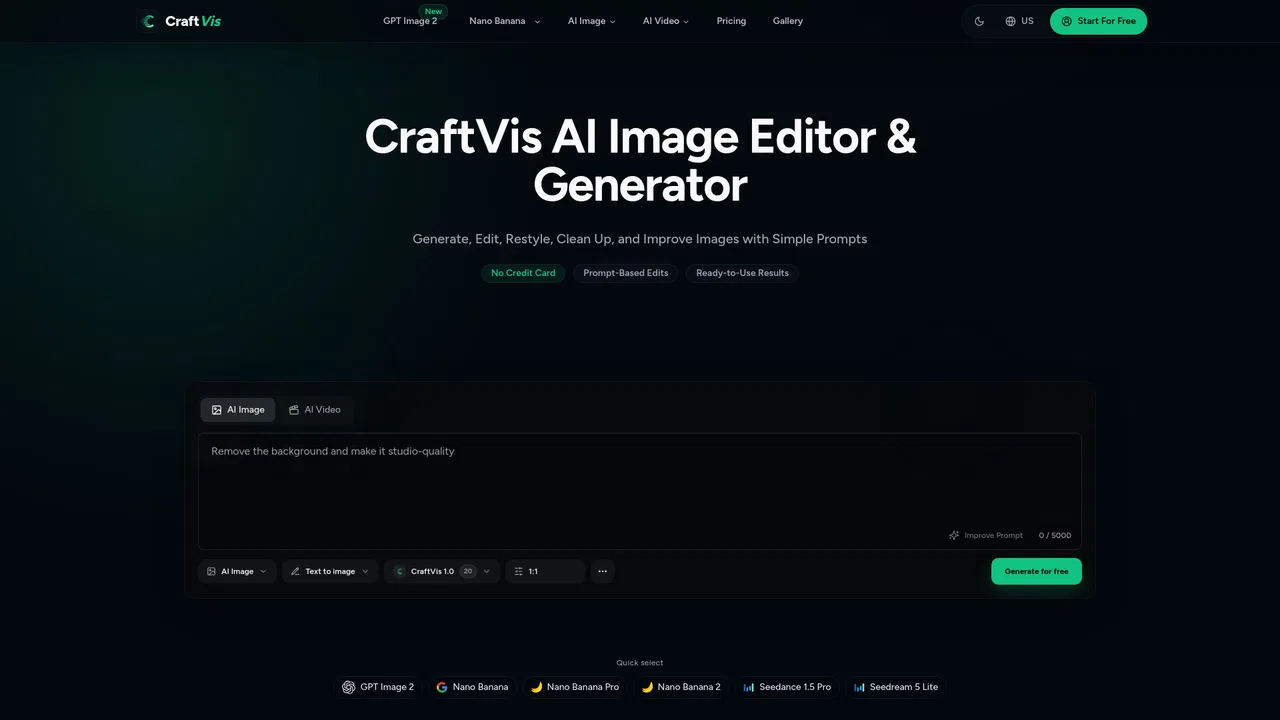
CraftVis runs entirely in the browser and centres on a simple loop: bring in an image, describe the edit in ordinary language, compare the outputs, and export the one you like. That makes it approachable for people who need decent visuals but do not want to learn a full design suite. The interface offers a prompt box with an image/video mode switch and direct access to several third-party generation models, so the same workspace covers both new images and edits to existing ones.
Beyond the core editor, CraftVis organises dozens of presets as standalone tools. There are e-commerce oriented options such as product main images and ad creatives, portrait-oriented options like profile pictures and headshot lighting, and cleanup utilities including object removal, text removal and glare reduction. A template gallery provides worked examples you can start from, which is useful when you know the output you want but not the words to ask for it.
CraftVis markets itself as free to use with no credit card required to begin, while premium access and higher limits are tied to paid plans. The site advertises a pricing page alongside its AI Image, AI Video and AI Model sections. Because the tool routes some work through third-party models, output quality and availability can vary by the model you select.
Turn a plain product shot into a studio, lifestyle or seasonal scene, then generate a matching set of variants for a single campaign.
Polish an avatar or thumbnail by improving lighting and finish while keeping the same face and composition you already liked.
Produce coordinated versions of one concept for different placements without rebuilding the whole composition each time.
Take a rough sketch or mockup and clean it up into something usable for a landing page, poster or concept review.
Side-by-side telemetry comparison of competing AI tools in the same primary category
| Rank | AI Tool | Monthly Visits | MoM Growth | Direct traffic share | Pricing | Head-to-Head |
|---|---|---|---|---|---|---|
| ● | CraftVis AI Image Editor | 0 | 0% | — | Freemium | Current |
| 1 | Image Editor Online | 9.64K | -26.9% | 41% direct | Freemium | vs Image Editor Online |
| 2 | Imgkits | 168.82K | -13.9% | 33% direct | Freemium | vs Imgkits |
| 3 | AI Image to Image | 104.53K | -29% | 55% direct | Free | vs AI Image to Image |
| 4 | YouCam Online Editor | 1.49M | -8.7% | 28% direct | Freemium | vs YouCam Online Editor |
| 5 | Airbrush | 2.06M | -3.7% | 31% direct | Freemium, Free Trial, Paid | vs Airbrush |
| 6 | Visro AI | 658.9K | +41.5% | 59% direct | Free | vs Visro AI |
Prompt-based AI photo editor with multi-model support and no sign-up
Prompt-based AI photo editor with multi-model support and no sign-up

All-in-one browser AI toolkit for image and video editing
All-in-one browser AI toolkit for image and video editing

Text-prompt photo editing that keeps your subject consistent
Text-prompt photo editing that keeps your subject consistent

Browser-based AI photo and video editing from Perfect Corp
Browser-based AI photo and video editing from Perfect Corp

AI photo and video editing for effortless retouching and transformations
AI photo and video editing for effortless retouching and transformations

Free online face swap and AI image-to-video studio with no sign-up
Free online face swap and AI image-to-video studio with no sign-up

28 AI image tools — generate, clean up, enhance and style — in one browser workspace
28 AI image tools — generate, clean up, enhance and style — in one browser workspace

An AI photo and video studio with 40+ tools in one place
An AI photo and video studio with 40+ tools in one place
One canvas for AI images, video, characters and sound
One canvas for AI images, video, characters and sound

Uncensored AI video and image generation with daily free credits
Uncensored AI video and image generation with daily free credits
AI image and video generation for production-ready creative assets
AI image and video generation for production-ready creative assets
AI face swap, image, video, and character tools in one workspace
AI face swap, image, video, and character tools in one workspace


