Create, style and download a personal signature in your browser — free, with AI options

Insert your signature anywhere with Ctrl + Y

This is our editors' assessment out of 5, not an average of user ratings. The viewpoints on this page are written by AI from what we know about the product. They are not customer reviews.
According to OpenAITools.app telemetry verified on 2026-11-11, Ctrly (ctrly.co) is an AI platform indexed under AI Signature Generator generating 0 monthly visits with a month-over-month traffic delta of +0 (0%). Its primary geographic market is Global (— traffic share), and it operates on a Free pricing model. Top competing alternatives by monthly volume include SignatureGen (122.28K visits/mo), Dropbox Sign (HelloSign) (4.34M visits/mo), Refont.ai (58.23K visits/mo).
Ctrl+Y signature drop saves so much repetitive clicking on PDF portals.
Sometimes misses focus on weird text inputs.
Absolute staple for freelancer onboarding docs.
Needs better multi-signature account switching.
AI-synthesized perspectives grounded in live site inspection, pricing structure, and category benchmarks — presented as editorial viewpoints rather than individual customer testimonials.
Insert your saved signature into documents and web forms instantly with a single keyboard shortcut.
Create a new signature or modify an existing one from your account, then reuse it everywhere.
A lightweight browser extension brings signature automation into the pages where you work.
Avoid repeatedly handwriting your signature on stacks of paperwork.
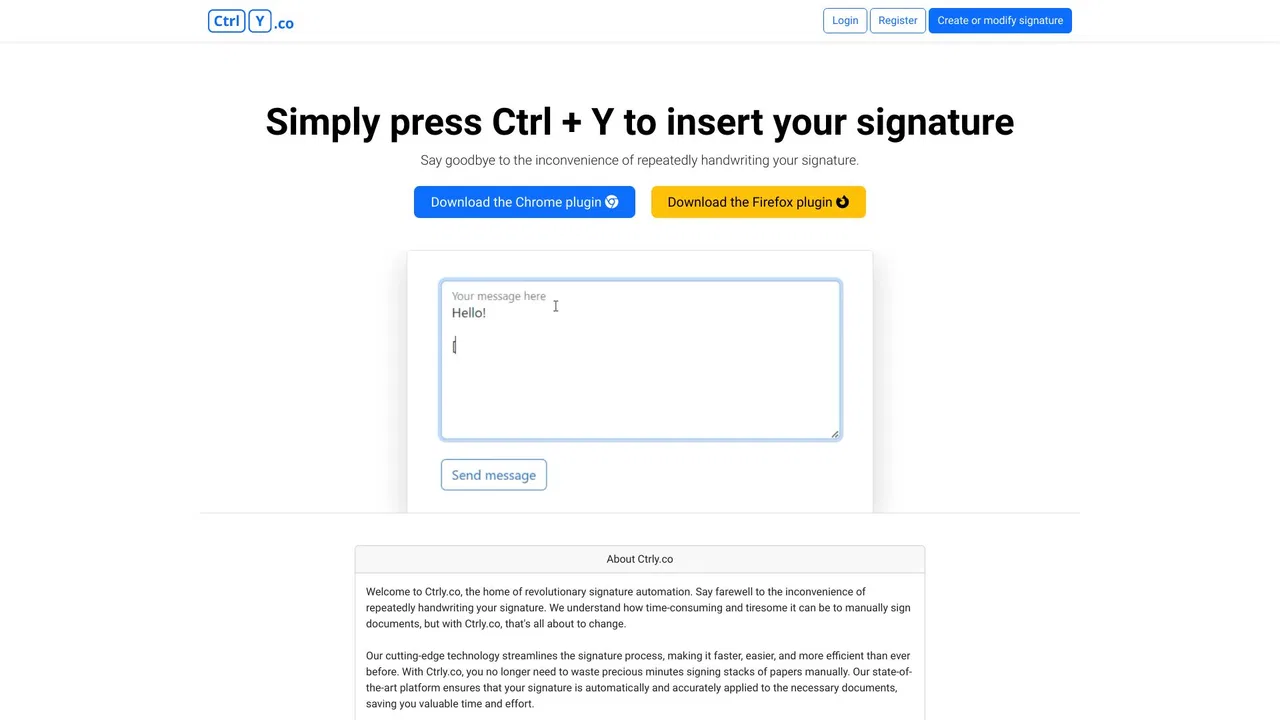
Ctrly.co is a simple, focused utility built around one idea: signing documents should not require handwriting your signature dozens of times a day. The service lets you create or modify a signature in your account and then insert it automatically by pressing Ctrl + Y while you browse in Chrome, thanks to a companion browser plugin.
The tool is aimed at freelancers, small business owners, and anyone who regularly has to sign contracts, forms, or approvals online. Rather than relying on heavyweight e-signature platforms, Ctrly takes a keyboard-first approach: once the plugin is installed and your signature is saved, a single hotkey applies it wherever you need it.
The website is minimal and describes the workflow in three steps: create or modify your signature, press Ctrl + Y to insert it, and download the Chrome plugin. It positions itself as free to use, with contact available by email for questions.
Drop your signature into client contracts and proposals without printing or hand-signing each one.
Apply your signature to routine approvals, forms, and agreements from the browser in one keystroke.
Use Ctrl + Y to sign personal forms and documents while managing everyday affairs online.
Side-by-side telemetry comparison of competing AI tools in the same primary category
| Rank | AI Tool | Monthly Visits | MoM Growth | Direct traffic share | Pricing | Head-to-Head |
|---|---|---|---|---|---|---|
| ● | Ctrly | 0 | 0% | — | Free | Current |
| 1 | SignatureGen | 122.28K | -16.2% | 17% direct | Freemium | vs SignatureGen |
| 2 | Dropbox Sign (HelloSign) | 4.34M | -2.2% | 70% direct | Free Trial, Paid, Contact for Pricing | vs Dropbox Sign (HelloSign) |
| 3 | Refont.ai | 58.23K | +0.9% | 43% direct | Free, Pay-as-you-go credits | vs Refont.ai |
| 4 | AI Signature Generator | 0 | 0% | — | Freemium | vs AI Signature Generator |
| 5 | Edusign (Quick Survey AI) | 588.84K | +38.2% | 52% direct | Free Trial, Paid | vs Edusign (Quick Survey AI) |
| 6 | PromptBox | 18.54K | +30.2% | 62% direct | Free Trial, Paid | vs PromptBox |
Create, style and download a personal signature in your browser — free, with AI options

Electronic signatures and agreement workflows built into Dropbox

Generate calligraphy, signatures and stylish fonts from a text prompt

Create, edit, extract and apply professional signatures with AI

Attendance, e-signature and AI-powered questionnaires for training providers

Organize, store and paste your prompts anywhere with a shortcut
AI sidebar and browser agent for reading, writing and research
A prompt-free AI writing assistant that lives inside every text field

Fill out entire web forms in one click with an AI agent
The best frontend for AI.
Your AI copilot for keyboard shortcuts and faster workflows

Copy and paste anything from your keyboard in one tap