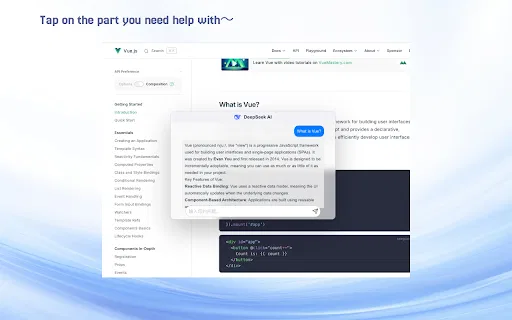
DeepSeek AI – Floating AI Chat solves a small but constant annoyance: you are reading something dense and you want an explanation without opening a second tab, copying text, and pasting it into a chatbot. The extension installs a floating panel that follows you across the web. Select any text, and the panel offers to answer questions about that specific passage, keeping the surrounding context in the prompt.
Setup is deliberately minimal and key-based. You paste your own API key from DeepSeek or any OpenAI-compatible provider, pick the language you want replies in, and decide whether a quick launcher appears when you select text. Because you supply the key, usage costs flow directly to your model provider rather than through a subscription to the extension itself. The extension is published by an individual developer and its store listing states plainly that it is not affiliated with DeepSeek.
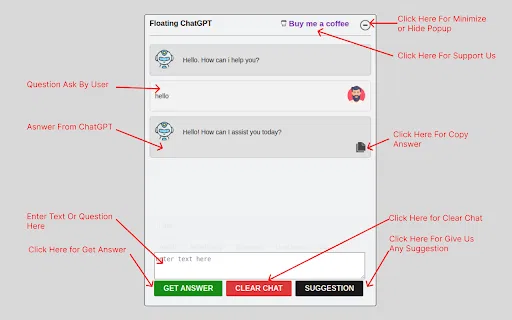
The daily experience is polished for reading work: a window you can drag and resize, streaming replies that appear as they are generated, Markdown and LaTeX rendering for technical content, one-click copy for answers and code blocks, regenerate when the first answer misses, and multi-turn conversation so a follow-up question keeps the earlier context. Custom keyboard shortcuts let you summon or dismiss the panel without touching the mouse, and a reply-language switch forces the model to answer in your preferred language even when the page is in another one.