01
622.5K/mo
Turn ideas, documents, and URLs into polished slides in minutes
AI PPT MakerEditorial score: 3.9Freemium, Free Trial17% direct

622.5K/mo
Turn ideas, documents, and URLs into polished slides in minutes
Freemium, Free Trial

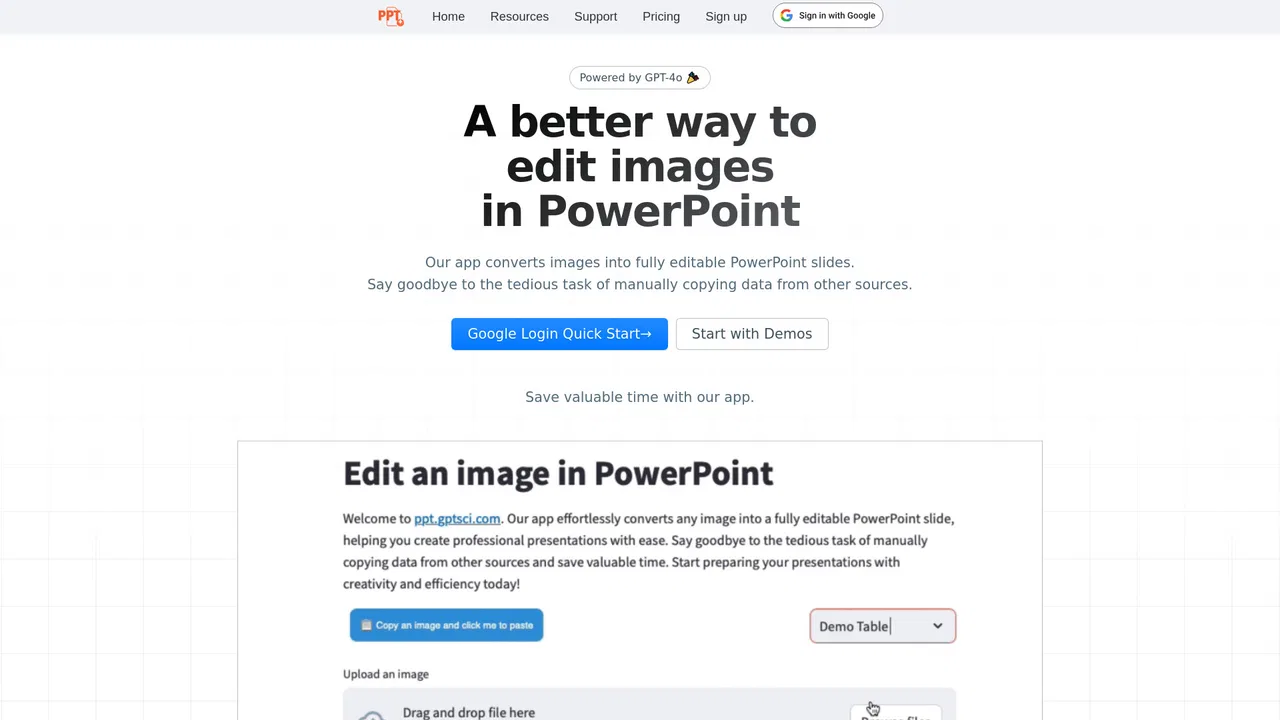
Turn images, PDFs and NotebookLM decks into editable PowerPoint slides
Estimated monthly website visits
Similarweb estimates for this domain, not active users. Only available observation months are shown; collection date is separate from the traffic period.
Collected Nov 11, 2026
This is our editors' assessment out of 5, not an average of user ratings. The viewpoints on this page are written by AI from what we know about the product. They are not customer reviews.
According to OpenAITools.app telemetry verified on 2026-11-11, Edit in PPT (ppt.gptsci.com) is an AI platform indexed under AI PPT Maker generating 451 monthly visits with a month-over-month traffic delta of -158 (-25.9%). Its primary geographic market is United States (64.6% traffic share), and it operates on a Freemium pricing model. Top competing alternatives by monthly volume include AiPPT (622.45K visits/mo), Autoppt (215.15K visits/mo), AI PPT Maker (30.21K visits/mo).
Saved hours of re-typing text from an old PDF presentation into PPTX.
Really solid conversion.
Complex charts sometimes need manual tweaking after conversion.
Works well.
AI-synthesized perspectives grounded in live site inspection, pricing structure, and category benchmarks — presented as editorial viewpoints rather than individual customer testimonials.
Headings, paragraphs, tables and charts come back as native PowerPoint objects you can retype, reformat and extend — not a flattened screenshot.
Start from photos, PDF pages, a NotebookLM export or plain text, and convert up to 50 slides per batch in the original order.
Ask for changes in chat — "translate to Spanish", "turn this into bullets", "add a Q4 row" — and get an updated file back.
Uploads are cleaned up automatically after your deck is delivered, and you can delete your account and its data at any time.
The Photo2PPT Android app photographs a projected or printed slide, removes glare and color casts, and returns an editable deck usable with the same account and credits.
Edit in PPT attacks a very specific bottleneck: the moment a slide deck exists only as a picture. Conference screenshots, exported PDFs, scanned pages and NotebookLM exports all look finished but cannot be edited. The tool rebuilds each page as native PowerPoint objects — text boxes, tables and charts — so the content becomes genuinely workable rather than a background image.
Its NotebookLM workflow is the most distinctive part. NotebookLM produces attractive but flat slide decks; this app takes that export and, using the original artwork as the background, reconstructs every heading, table and chart as an editable PowerPoint element on top. From there you can ask for changes in plain language, like translating a slide, converting paragraphs to bullets or adding a table row.
Access is credit-based. New users get a small number of free conversions each month after registering, and additional credits can be earned by inviting others, with heavier use requiring paid credits. The cost of processing images with vision models is significant, which is why an account is required. Uploads are deleted automatically after delivery, and a companion Android app, Photo2PPT, handles photos of slides taken on a screen, projector or printout.
Convert NotebookLM's flat, designed slide decks into presentations you can actually edit, translate and restyle before sharing.
Turn people's screenshots, scanned handouts and exported PDFs into clean PowerPoint files that match the team template.
Photograph a projected or printed slide with Photo2PPT, clean it up automatically, and return an editable deck for the team to reuse.
Side-by-side telemetry comparison of competing AI tools in the same primary category
| Rank | AI Tool | Monthly Visits | MoM Growth | Direct traffic share | Pricing | Head-to-Head |
|---|---|---|---|---|---|---|
| ● | Edit in PPT | 451 | -25.9% | 40% direct | Freemium | Current |
| 1 | AiPPT | 622.45K | -15.2% | 17% direct | Freemium, Free Trial | vs AiPPT |
| 2 | Autoppt | 215.15K | +6.9% | 16% direct | Freemium, Free Trial | vs Autoppt |
| 3 | AI PPT Maker | 30.21K | -29.2% | 26% direct | Freemium | vs AI PPT Maker |
| 4 | CopySlides | 41.25K | -14.9% | 29% direct | Freemium | vs CopySlides |
| 5 | MagicSlides | 185.16K | -7.2% | 24% direct | Freemium | vs MagicSlides |
| 6 | PPT.AI | 575.52K | +4.3% | 16% direct | Freemium | vs PPT.AI |
Turn ideas, documents, and URLs into polished slides in minutes
Turn ideas, documents, and URLs into polished slides in minutes

Turn any topic or document into a polished slide deck in seconds
Turn any topic or document into a polished slide deck in seconds

Turn a prompt, document or video into an editable slide deck
Turn a prompt, document or video into an editable slide deck
SpecialistRecreate PDFs, screenshots, and videos as editable PowerPoint slides
SpecialistRecreate PDFs, screenshots, and videos as editable PowerPoint slides

Turn any prompt, file, link, or video into a polished slide deck in seconds
Turn any prompt, file, link, or video into a polished slide deck in seconds
Turn any text, document, or video into a polished AI-generated slide deck
Turn any text, document, or video into a polished AI-generated slide deck
Turn any idea, file or link into a polished slide deck in minutes
Turn any idea, file or link into a polished slide deck in minutes
Turn ideas, text, and documents into editable AI slides
Turn ideas, text, and documents into editable AI slides
Turn any document, link, or video into a polished PowerPoint deck
Turn any document, link, or video into a polished PowerPoint deck

Turn any video into editable PowerPoint slides in seconds
Turn any video into editable PowerPoint slides in seconds
Turn a topic or a document into an editable slide deck in minutes

AI presentation maker that turns documents into editable PowerPoints
AI presentation maker that turns documents into editable PowerPoints


