Free / Open-sourceSummarize YouTube, Google, and any page with AI — free in your browser
Highlight text. Ask AI. Instant summaries and explanations on any page.

This is our editors' assessment out of 5, not an average of user ratings. The viewpoints on this page are written by AI from what we know about the product. They are not customer reviews.
According to OpenAITools.app telemetry verified on 2026-11-11, ExplainTXT (explaintxt.com) is an AI platform indexed under AI Translate generating 0 monthly visits with a month-over-month traffic delta of +0 (0%). Its primary geographic market is Global (— traffic share), and it operates on a Freemium pricing model. Top competing alternatives by monthly volume include Glarity (188.82K visits/mo), DeepTranslate (90.02K visits/mo), Kome AI (174.91K visits/mo).
Shortcut is super fast for summarizing long pages.
Saves so much time reading academic papers.
Sometimes hallucinates details on dense legal text.
Handy Chrome extension for quick definitions.
AI-synthesized perspectives grounded in live site inspection, pricing structure, and category benchmarks — presented as editorial viewpoints rather than individual customer testimonials.
Press ⌘⇧E (Ctrl+Shift+E on Windows) with nothing selected to get a concise summary of the whole page, led by a one-line gist and then the key points.
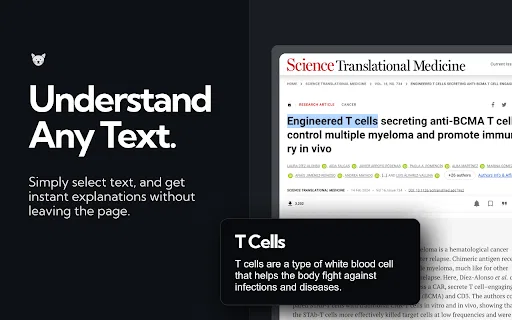
Select any term, clause or paragraph and ExplainTXT explains just that part in plain language, right where you are reading.
Answers open in a sidebar so you can ask additional questions about the page without leaving it or opening a separate chatbot tab.
Run it from the keyboard shortcut, a highlight context menu, the toolbar icon, or an alternate ⌘⇧S shortcut, and rebind the keys in Chrome.
A dashboard on explaintxt.com lets you set your preferred explanation language and reading text size.
ExplainTXT turns any web page into something you can interrogate. After installing the Chrome extension, a single shortcut (⌘⇧E on Mac, Ctrl+Shift+E on Windows) reads whatever is in front of you. With nothing selected it summarizes the entire page — one line on what it is, followed by the key points. With text highlighted it explains just that passage in plain words and opens a sidebar where you can keep asking follow-up questions.
The workflow is designed to keep you in the text rather than bouncing to another tab or chatbot. Long articles, dense documentation, contracts full of legalese, forum threads and emails all become easier to skim. You can trigger it from the keyboard, from a highlight context menu, or from the toolbar icon, and the shortcut can be rebound at any time in Chrome. A dashboard on explaintxt.com lets you choose your language and text size.
The extension is free to install and monetized through in-app purchases, and the developer notes that mobile browsers do not yet support extensions. The Chrome listing reports version 4.4.0, a 4.2 rating and a few hundred users, positioning ExplainTXT as a lightweight utility for students, researchers, professionals and anyone who reads a lot of dense material online.
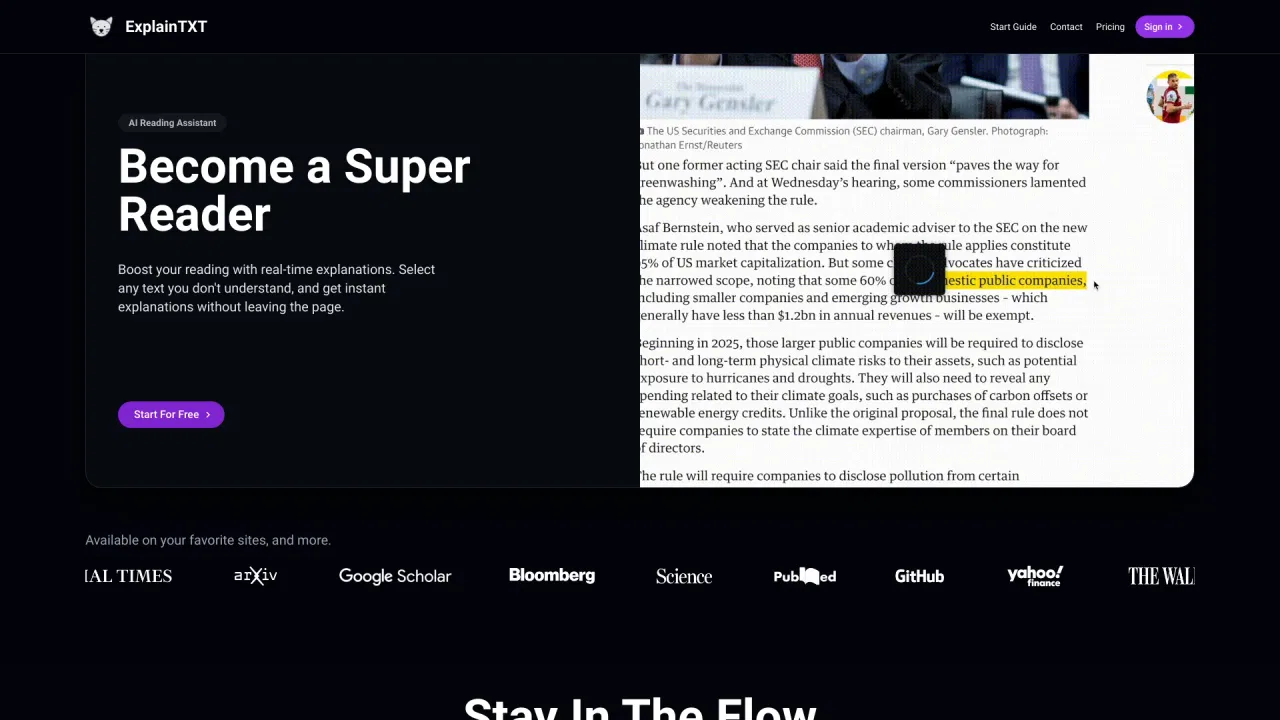
Summarize a dense paper in one keystroke, then highlight unfamiliar terminology and get it explained in place instead of losing your reading thread.
Highlight clauses and jargon in contracts, policy documents and business reports to get plain-language explanations without copying text anywhere.
Highlight passages that lose you and get explanations in your chosen language, making it easier to follow sources written in another language.
Summarize long forum threads, news features or documentation to decide quickly whether a page is worth a full read.
Side-by-side telemetry comparison of competing AI tools in the same primary category
| Rank | AI Tool | Monthly Visits | MoM Growth | Direct traffic share | Pricing | Head-to-Head |
|---|---|---|---|---|---|---|
| ● | ExplainTXT | 0 | 0% | — | Freemium | Current |
| 1 | Glarity | 188.82K | -49.6% | 7% direct | Freemium | vs Glarity |
| 2 | DeepTranslate | 90.02K | -22.9% | 50% direct | Free | vs DeepTranslate |
| 3 | Kome AI | 174.91K | -6.5% | 30% direct | Freemium | vs Kome AI |
| 4 | ExplainTXT: AI Reading Assistant | 0 | — | — | Freemium | vs ExplainTXT: AI Reading Assistant |
| 5 | Glasp | 889.56K | -14.1% | 45% direct | Freemium | vs Glasp |
| 6 | Sider | 2.64M | -10.6% | 64% direct | Freemium | vs Sider |

Free / Open-sourceSummarize YouTube, Google, and any page with AI — free in your browser
SpecialistFree bilingual browser extension that translates any page with the AI engine you choose
Summarize, bookmark and write with AI right in your browser

A Chrome extension that explains and summarizes what you read, right on the page.
Highlight the web, learn in public, and build your AI clone
AI sidebar and browser agent for reading, writing and research

All-in-one AI assistant across web, browser, desktop and mobile
Highlight dense research text and get plain-language explanations instantly

A low-cost AI assistant that lives in your browser tab
Your GPT-powered sidekick for every page, PDF and video

Browser translation, dictionary, and AI writing assistant

Translate, summarize, and understand documents in 154 languages without losing the layout