01
3K/mo
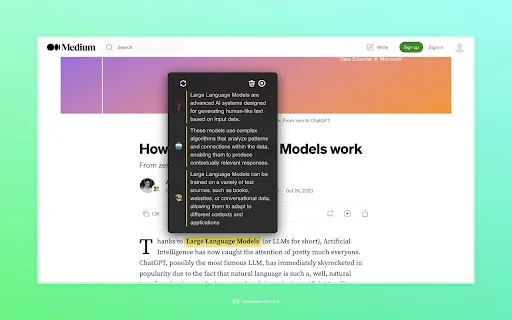
ChatGPT in your browser sidebar, without switching tabs
AI BrowsersEditorial score: 4.0Freemium+29.6%

3K/mo+29.6%
ChatGPT in your browser sidebar, without switching tabs
Freemium

Instant AI explanations for any word or phrase, right in your browser.
This is our editors' assessment out of 5, not an average of user ratings. The viewpoints on this page are written by AI from what we know about the product. They are not customer reviews.
According to OpenAITools.app telemetry verified on 2026-11-11, Explainy (chromewebstore.google.com) is an AI platform indexed under AI Answer generating 0 monthly visits with a month-over-month traffic delta of +0 (0.0%). Its primary geographic market is Global (— traffic share), and it operates on a Free pricing model. Top competing alternatives by monthly volume include Chippy (2.99K visits/mo), Glarity (188.82K visits/mo), Merlin AI (1.38M visits/mo).
Handy extension for quick definitions without opening a new tab.
Extensive mode is sometimes a bit too brief.
Very basic UI, but gets the job done.
Barely any updates or settings to tweak.
AI-synthesized perspectives grounded in live site inspection, pricing structure, and category benchmarks — presented as editorial viewpoints rather than individual customer testimonials.
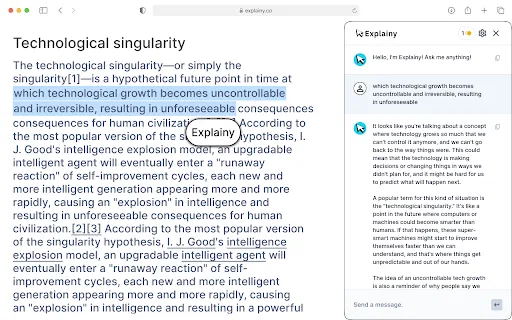
Select a word or phrase on any page and have Explainy return an explanation instantly, without leaving the page or opening a search tab.
A quick, succinct mode for when you only need a short definition or the gist of a term.
A more detailed mode that explores a concept in depth for when a one-line answer is not enough.
Explainy operates with minimal permissions and the developer declares that no user data is collected or used.
The extension sits discreetly in the browser so explanations are available without interrupting your reading flow.
Explainy brings instant explanations into the browser. Instead of opening a new tab to search a term, you highlight a word or phrase on any page and let the extension explain it. Two modes cover different needs: 'Brief Mode' returns a quick, succinct summary for when you just need the gist, while 'Extensive Mode' gives a fuller, more in-depth explanation when you want to actually understand a concept.
The extension is designed to sit quietly in the background. It requests minimal permissions, is deliberately unobtrusive, and is intended not to interrupt your reading workflow. That makes it especially handy when you are working through study material, research papers or technical documentation and keep hitting terms that stop you in your tracks.
The Chrome Web Store lists Explainy at version 2.0.0 (published January 2024), rated 5.0 with a small user base, published by the team behind explainy.co. The developer states that it does not collect or use your data, and the extension is free to use with English-language output.
Look up terms you meet in textbooks, lecture notes and assigned readings without leaving the page or breaking concentration.
Get quick explanations of technical jargon and domain-specific phrases while working through papers and reference material.
Highlight an unfamiliar phrase and choose a brief definition or a deeper explanation depending on how much context you want.
Explain words and phrases as you encounter them in real web content, reinforcing meaning in context rather than through isolated study.
Side-by-side telemetry comparison of competing AI tools in the same primary category
| Rank | AI Tool | Monthly Visits | MoM Growth | Direct traffic share | Pricing | Head-to-Head |
|---|---|---|---|---|---|---|
| ● | Explainy | 0 | — | — | Free | Current |
| 1 | Chippy | 2.99K | +29.6% | 42% direct | Freemium | vs Chippy |
| 2 | Glarity | 188.82K | -49.6% | 7% direct | Freemium | vs Glarity |
| 3 | Merlin AI | 1.38M | +13.1% | 50% direct | Freemium | vs Merlin AI |
| 4 | Kome AI | 174.91K | -6.5% | 30% direct | Freemium | vs Kome AI |
| 5 | HyperWrite | 255.43K | +34.4% | 42% direct | Freemium | vs HyperWrite |
| 6 | Quiz Solver AI | 35.18K | +28.6% | 66% direct | Freemium, Paid | vs Quiz Solver AI |
ChatGPT in your browser sidebar, without switching tabs
ChatGPT in your browser sidebar, without switching tabs

Free / Open-sourceSummarize YouTube, Google, and any page with AI — free in your browser
Free / Open-sourceSummarize YouTube, Google, and any page with AI — free in your browser
One-click AI assistant for browsing, writing and research
One-click AI assistant for browsing, writing and research
Summarize, bookmark and write with AI right in your browser
Summarize, bookmark and write with AI right in your browser

AI writing assistant with autocomplete, research, and a Chrome extension
AI writing assistant with autocomplete, research, and a Chrome extension
AI browser extension that reads quiz questions and answers them with explanations
AI browser extension that reads quiz questions and answers them with explanations

Select any text and get an instant AI explanation in a popup
Select any text and get an instant AI explanation in a popup

Highlight any text and get an AI explanation in under a second
Highlight any text and get an AI explanation in under a second
AI language learning built into every page you read
AI language learning built into every page you read
Screenshot any question, get instant AI answers
Screenshot any question, get instant AI answers

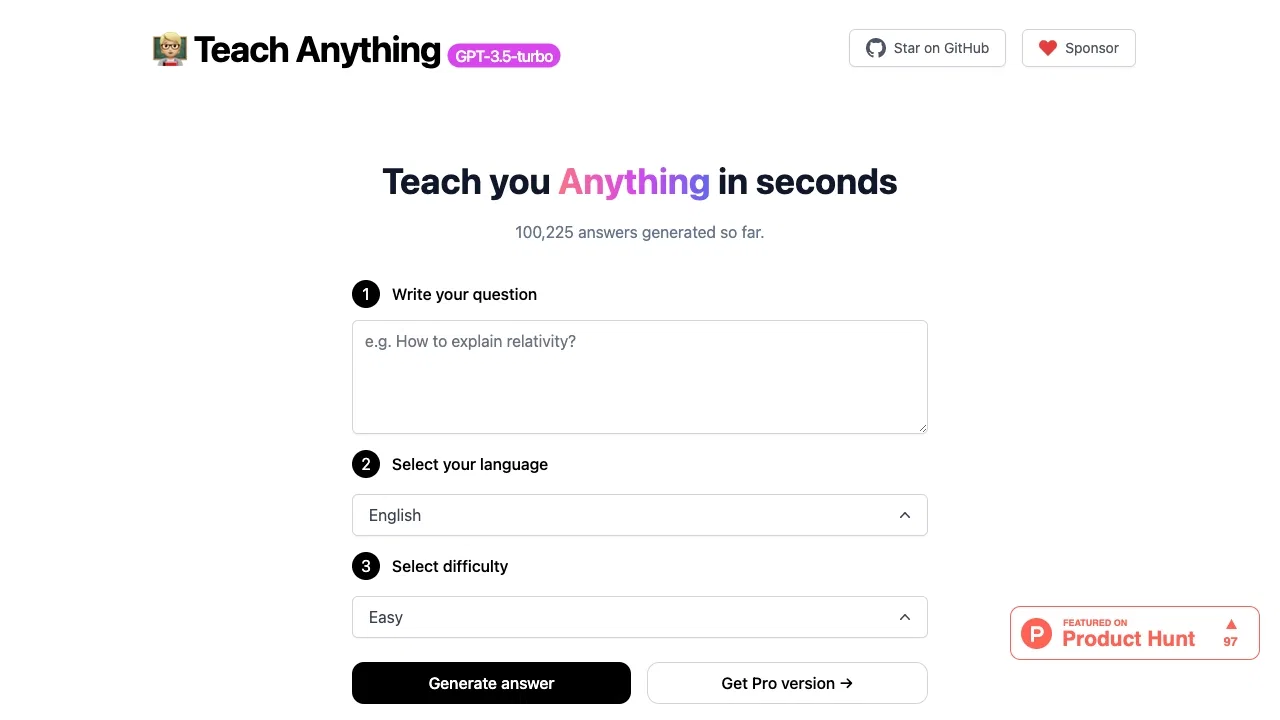
Ask anything and get an instant, plain-language explanation
Ask anything and get an instant, plain-language explanation