01
1.7M/mo
Free AI-powered PDF editor, converter and reader for every device
AI PDF EditorEditorial score: 4.2Freemium25% direct

1.7M/mo
Free AI-powered PDF editor, converter and reader for every device
Freemium
Free Android PDF toolkit for scanning, converting, merging and signing documents
This is our editors' assessment out of 5, not an average of user ratings. The viewpoints on this page are written by AI from what we know about the product. They are not customer reviews.
According to OpenAITools.app telemetry verified on 2026-11-11, iLoveDocs: PDF Maker Editor (play.google.com) is an AI platform indexed under AI PDF Editor generating 0 monthly visits with a month-over-month traffic delta of +0 (0.0%). Its primary geographic market is Global (— traffic share), and it operates on a Free pricing model. Top competing alternatives by monthly volume include LightPDF (1.74M visits/mo), PDFgear (2.85M visits/mo), PDF Converter (0 visits/mo).
Scans docs cleanly and merging PDFs takes seconds.
Ads are annoying but for free it works.
Solid PDF tools right on my phone.
Crashes occasionally on huge files.
AI-synthesized perspectives grounded in live site inspection, pricing structure, and category benchmarks — presented as editorial viewpoints rather than individual customer testimonials.
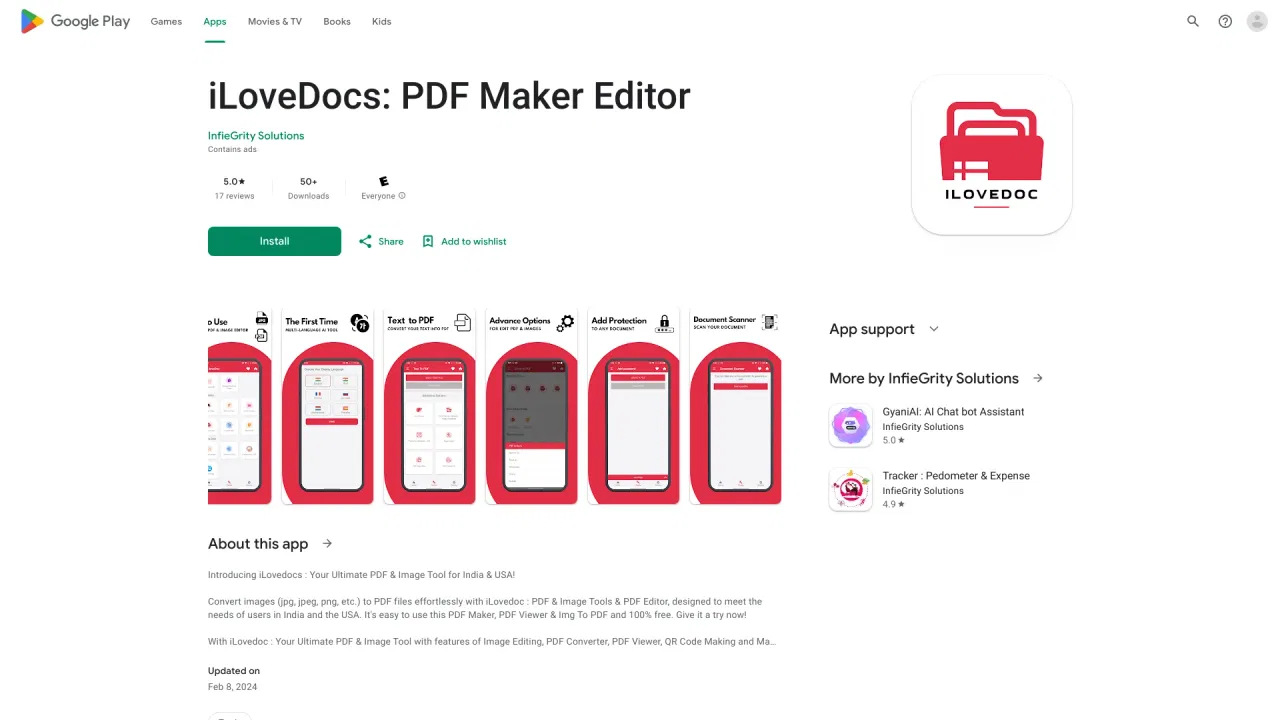
Photograph documents with your phone or tablet, let the app recognise the text, and save the result as a clean multi-page PDF.
Merge, split, extract pages, rotate, compress, add text or image watermarks, and set or strip password protection on existing documents.
Convert JPG and PNG images into PDF, turn PDF pages into JPEG, and export PDFs to editable Word, Excel or PowerPoint files.
Highlight passages, attach notes, comments or images, complete form fields and apply electronic signatures without printing anything.
Open and read PDFs with smooth navigation, then jump straight into editing or conversion tools without switching apps.
iLoveDocs covers the everyday document chores that usually require a handful of separate apps. Point your phone camera at a stack of paper and it becomes a multi-page PDF with OCR pulling out searchable text; or take images you already have and assemble them into a single, well-ordered document. From there you can compress a heavy scan down to something that actually fits an email attachment, split a long file into sections, merge several PDFs together, rotate individual pages, or road-map them into the order you need.
Beyond assembly, the app handles document finishing. You can add a text or image watermark with control over position, opacity and typography, set or remove a password to protect a file, highlight and annotate text, insert notes and images, and fill out plus e-sign forms. The converter side pushes documents between formats — PDF to JPEG, images to PDF, and PDF to editable Word, Excel or PowerPoint — so files remain usable outside a PDF reader.
It is a practical, unglamorous utility aimed at students, freelancers, small offices and anyone handling paperwork on a phone rather than a desktop. The app is free to install and supported by advertising. Note that the listing describes it as a PDF and image tool, and the web store copy mentions suitability for India and the USA; interface quality and specific feature availability can vary by device and region.
Photograph printed notes or worksheets with the scanner, run OCR so the text is selectable, then merge everything into one revision PDF with highlighted key points.
Compress a scanned contract so it fits email limits, watermark drafts, protect the final version with a password, and add a signature before sending it out.
Export a PDF into editable Word, Excel or PowerPoint to make changes, then convert it back or split out just the pages you need.
Scan receipts, IDs and warranty cards into tidy image-to-PDF files, then merge them into folders by topic and read them back from the built-in viewer.
Side-by-side telemetry comparison of competing AI tools in the same primary category
| Rank | AI Tool | Monthly Visits | MoM Growth | Direct traffic share | Pricing | Head-to-Head |
|---|---|---|---|---|---|---|
| ● | iLoveDocs: PDF Maker Editor | 0 | — | — | Free | Current |
| 1 | LightPDF | 1.74M | -15.3% | 25% direct | Freemium | vs LightPDF |
| 2 | PDFgear | 2.85M | -3.4% | 24% direct | Free | vs PDFgear |
| 3 | PDF Converter | 0 | 0% | — | Free | vs PDF Converter |
| 4 | Wondershare | 6.65M | -3.6% | 23% direct | Freemium, Free Trial, Paid | vs Wondershare |
| 5 | PDNob Online | 200.63K | +11.9% | 20% direct | Freemium, Free Trial | vs PDNob Online |
| 6 | GoPDF | 32.07K | +0.3% | 35% direct | Freemium | vs GoPDF |
Free AI-powered PDF editor, converter and reader for every device
Free AI-powered PDF editor, converter and reader for every device
A free, AI-powered PDF editor for every device
An AI-powered creative and productivity suite spanning video, documents, diagrams and data
An AI-powered creative and productivity suite spanning video, documents, diagrams and data

Free browser-based PDF toolkit with AI OCR and chat

An all-in-one online PDF editor with AI chat, quizzes and invoicing
Turn a prompt into finished documents, decks, and spreadsheets
Turn a prompt into finished documents, decks, and spreadsheets

AI-powered PDF editor for Windows, Mac and iOS

All-in-one online PDF editor with AI helpers for reading, summarizing, and generating documents
All-in-one online PDF editor with AI helpers for reading, summarizing, and generating documents
All-in-one AI PDF tools to edit, convert, compress and translate documents
AI-powered PDF redaction that permanently removes sensitive data
AI-powered PDF redaction that permanently removes sensitive data
Every PDF task in one secure suite — plus AI chat with your documents
Every PDF task in one secure suite — plus AI chat with your documents