01
300.6K/mo
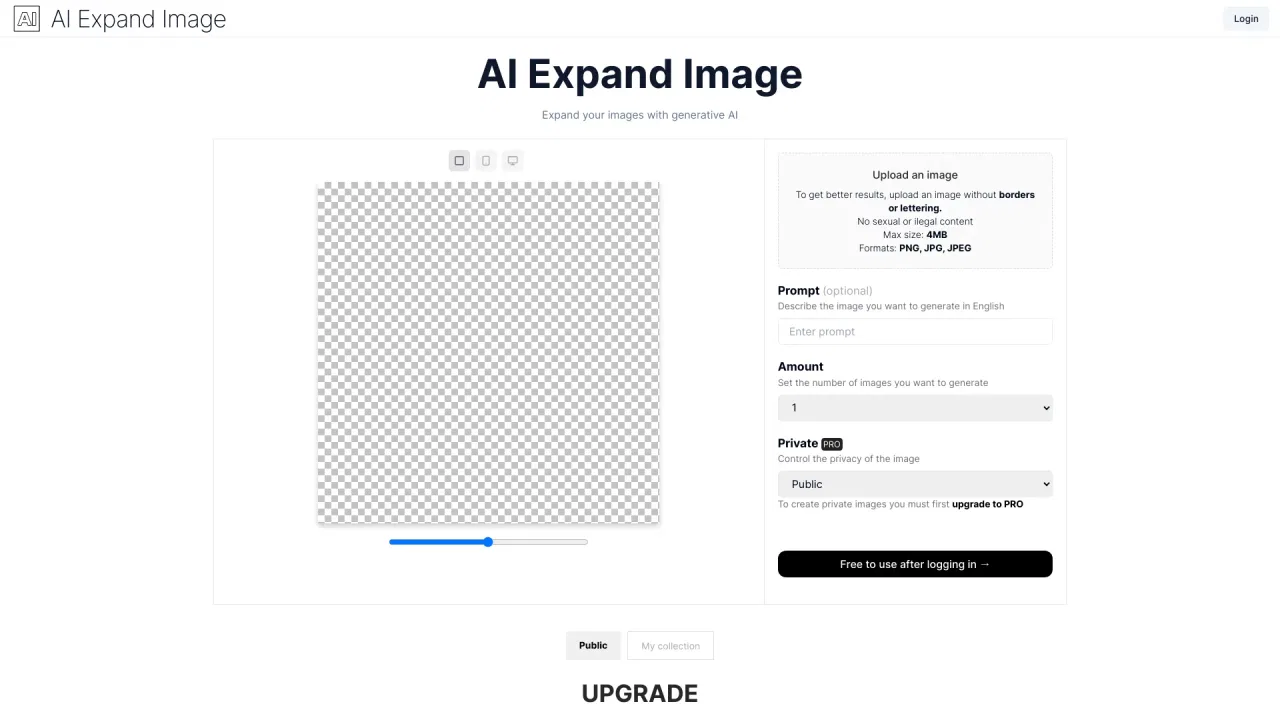
Uncrop and expand any photo with generative fill
AI Expand ImageEditorial score: 4.0Freemium29% direct

300.6K/mo
Uncrop and expand any photo with generative fill
Freemium
Extend photos and fix tight crops with AI-generated backgrounds
Estimated monthly website visits
Similarweb estimates for this domain, not active users. Only available observation months are shown; collection date is separate from the traffic period.
Collected Nov 11, 2026

This is our editors' assessment out of 5, not an average of user ratings. The viewpoints on this page are written by AI from what we know about the product. They are not customer reviews.
According to OpenAITools.app telemetry verified on 2026-11-11, insMind AI Image Expander (insmind.com) is an AI platform indexed under AI Expand Image generating 640.11K monthly visits with a month-over-month traffic delta of +46.3K (+7.8%). Its primary geographic market is Russia (17.3% traffic share), and it operates on a Freemium pricing model. Top competing alternatives by monthly volume include PhotoCat AI Image Extender (300.61K visits/mo), AI Expand Image (350 visits/mo), Remove Background From Photos (431.4K visits/mo).
Fills in missing background pixels seamlessly without stretching.
Prompt generation can look weird on complex textures.
Saved my banner design!
Credits run out way too fast.
AI-synthesized perspectives grounded in live site inspection, pricing structure, and category benchmarks — presented as editorial viewpoints rather than individual customer testimonials.
Generates new pixels around your photo so cut-off edges and tight crops can be extended back to a natural-looking frame.
Choose the target size or aspect ratio before generating, so the extended image is built for the final layout rather than patched afterwards.
The AI adds surrounding content instead of scaling existing pixels, keeping the original subject's proportions intact.
Upload, expand, preview and download online — no desktop software, plugins or manual background painting required.
Pairs directly with insMind's background removal, background changer, image enhancer, upscaler, magic eraser and photo filters.
insMind AI Image Expander is the image-extending module inside insMind, a browser-based creative suite for photo and video editing. You upload a picture, pick a target canvas size or aspect ratio, and the tool uses AI outpainting to generate new pixels around the visible frame — extending backgrounds, recovering cropped edges and reshaping photos for stories, banners, product listings or thumbnails. Because the AI creates new content instead of stretching existing pixels, the original subject keeps its proportions.
The workflow is deliberately simple: drop in an image, set the crop or canvas, generate, then preview and download. That makes it usable for people who would otherwise need a desktop editor and manual background painting. Typical inputs are product shots that are too tightly cropped for marketplace listings, landscape and travel photos that feel too narrow, portraits that need breathing room for text overlays, and older images whose edges were cut off. For heavily detailed scenes the results are best reviewed carefully, since repeated textures, text, faces and fine patterns are where AI expansion is most likely to look artificial; running a second pass or adjusting the crop often helps.
It complements the rest of the insMind toolkit — background removal, background changing, image enhancing and upscaling, magic eraser, filters and AI image generation — so an expanded photo can be cleaned up or upscaled in the same workspace. insMind runs in the browser with free and paid tiers, and the extend feature is one of several image utilities aimed at non-designers, e-commerce sellers and social media creators.
Add clean margin around a tightly cropped product shot so it fits square or banner listings and ad formats without rebuilding the scene.
Turn a single crop into story, portrait, thumbnail or header versions by extending the background to match each platform's ratio.
Uncrop images where the subject sits too close to the border, or add sky, ground and side space to narrow landscape shots.
Extend portraits, products or artwork to open up clean space where headlines, captions and design elements can sit.
Side-by-side telemetry comparison of competing AI tools in the same primary category
| Rank | AI Tool | Monthly Visits | MoM Growth | Direct traffic share | Pricing | Head-to-Head |
|---|---|---|---|---|---|---|
| ● | insMind AI Image Expander | 640.11K | +7.8% | 35% direct | Freemium | Current |
| 1 | PhotoCat AI Image Extender | 300.61K | -11% | 29% direct | Freemium | vs PhotoCat AI Image Extender |
| 2 | AI Expand Image | 350 | 0% | 33% direct | Freemium | vs AI Expand Image |
| 3 | Remove Background From Photos | 431.4K | -1.9% | 67% direct | Free | vs Remove Background From Photos |
| 4 | Imglarger (AI Image Enlarger) | 349.2K | -7.5% | 43% direct | Freemium | vs Imglarger (AI Image Enlarger) |
| 5 | remove.bg | 51.5M | -5% | 36% direct | Freemium | vs remove.bg |
| 6 | Upscale.media | 1.72M | -17.9% | 30% direct | Freemium | vs Upscale.media |
Uncrop and expand any photo with generative fill
Uncrop and expand any photo with generative fill

Expand, uncrop and enhance images with AI outpainting
Expand, uncrop and enhance images with AI outpainting
Free AI background remover with a full editing toolkit
Free AI background remover with a full editing toolkit
Enlarge, upscale, and uncrop photos with AI in your browser
Enlarge, upscale, and uncrop photos with AI in your browser

Instant AI background removal for high-resolution portraits, e-commerce product catalogs, and automated API workflows.
Instant AI background removal for high-resolution portraits, e-commerce product catalogs, and automated API workflows.

SpecialistFree AI upscaling that enlarges photos up to 8x without losing detail
SpecialistFree AI upscaling that enlarges photos up to 8x without losing detail
Enlarge photos and artwork up to 4x with AI super-resolution
Enlarge photos and artwork up to 4x with AI super-resolution
Free AI upscaler that lifts photos and graphics to crisp 16K resolution
Free AI upscaler that lifts photos and graphics to crisp 16K resolution

Free AI photo editor for studio-quality images
Free AI photo editor for studio-quality images

AI photo upscaler that enlarges, unblurs and cleans images in your browser
AI photo upscaler that enlarges, unblurs and cleans images in your browser

AI image generation and editing, all in one browser tab
AI image generation and editing, all in one browser tab

Free online AI photo editor with no sign-up and no watermark
Free online AI photo editor with no sign-up and no watermark