01
6.3K/mo
Chrome extension that drafts on-brand social comments in one click
AI Social Media Post GeneratorEditorial score: 3.9Free Trial40% direct

6.3K/mo
Chrome extension that drafts on-brand social comments in one click
Free Trial

Suggest AI-written replies to LinkedIn posts with one click

This is our editors' assessment out of 5, not an average of user ratings. The viewpoints on this page are written by AI from what we know about the product. They are not customer reviews.
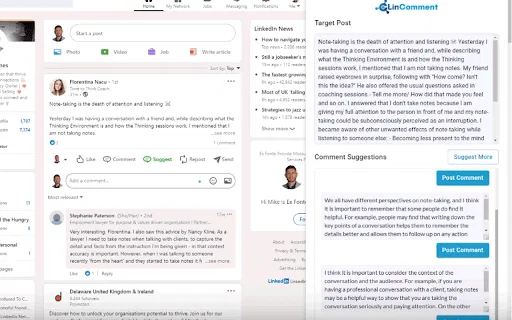
According to OpenAITools.app telemetry verified on 2026-11-11, LinkedIn ReplySensei (chromewebstore.google.com) is an AI platform indexed under AI Reply generating 0 monthly visits with a month-over-month traffic delta of +0 (0.0%). Its primary geographic market is Global (— traffic share), and it operates on a Free pricing model. Top competing alternatives by monthly volume include Comment Generator (6.3K visits/mo), Swift Reply - ChatGPT for LinkedIn: replies + (0 visits/mo), LinComment V2 (0 visits/mo).
Drops a quick reply button right in the comment box.
Good for breaking writer's block on quick replies.
Replies often sound like generic AI fluff.
Okay.
AI-synthesized perspectives grounded in live site inspection, pricing structure, and category benchmarks — presented as editorial viewpoints rather than individual customer testimonials.
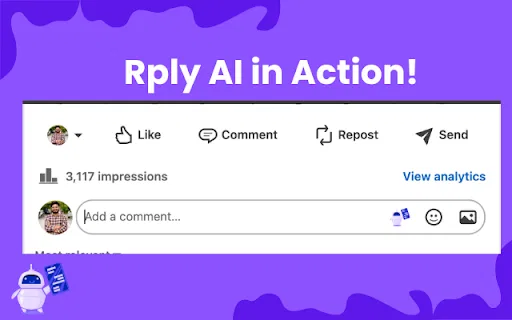
A "Suggest Reply" button appears beside the reply input on LinkedIn posts, generating a draft comment from the ChatGPT API without leaving the feed.
The suggested text is inserted into the normal comment box, so you can rewrite, shorten or expand it before deciding whether to publish.
The extension does nothing but suggest replies, which keeps it small (about 38 KB) and avoids the permissions and clutter of all-in-one social tools.
The developer discloses that data is not sold to third parties, not used for unrelated purposes and not used for creditworthiness or lending decisions.
Distributed through the Chrome Web Store as version 1.1 for Chrome desktop, with the interface in English.
LinkedIn ReplySensei takes one of the most repetitive parts of LinkedIn — writing a comment that sounds thoughtful rather than generic — and reduces it to a button press. Once installed, the extension watches for LinkedIn post reply input fields and appends a "Suggest Reply" control next to them. Pressing it sends the post's context to the ChatGPT API and drops the returned text straight into the field, where you remain in full control: read it, adjust the wording, add your own perspective, then post.
The extension is deliberately narrow in scope. It does not schedule posts, manage a content calendar, analyse your reach or generate images. What it does is remove the blank-page problem for people who want to stay visible in their network's comment threads but do not want to spend minutes composing each response. That makes it useful for founders, recruiters, salespeople and anyone building an audience through consistent commenting.
It is distributed through the Chrome Web Store as version 1.1, last updated in June 2024, published by the developer APBuilds. The listing declares that the extension does not collect or sell user data and does not transfer data for unrelated purposes. Because replies are generated through an external AI API, the content of the post you are replying to is processed remotely to produce the suggestion, which is worth knowing if you comment on confidential material.
Stay visible under prospects' posts by generating a first-draft comment instantly, then tailoring it with a specific, relevant detail before posting.
Draft a thoughtful reply to a job post or a candidate's update in seconds, which is useful when you need to engage across many posts each day.
When you want to comment on industry news but are not sure how to start, use the suggested reply as a scaffold and add your own point of view on top of it.
Batch your LinkedIn activity by moving quickly through the feed, accepting or editing suggestions instead of composing every comment from scratch.
Side-by-side telemetry comparison of competing AI tools in the same primary category
| Rank | AI Tool | Monthly Visits | MoM Growth | Direct traffic share | Pricing | Head-to-Head |
|---|---|---|---|---|---|---|
| ● | LinkedIn ReplySensei | 0 | — | — | Free | Current |
| 1 | Comment Generator | 6.3K | -17.1% | 40% direct | Free Trial | vs Comment Generator |
| 2 | Swift Reply - ChatGPT for LinkedIn: replies + | 0 | — | — | Paid | vs Swift Reply - ChatGPT for LinkedIn: replies + |
| 3 | LinComment V2 | 0 | — | — | Free Trial | vs LinComment V2 |
| 4 | Contentar | 0 | — | — | Free | vs Contentar |
| 5 | AIResponse - AI Reply Generator for LinkedIn | 0 | — | — | Free | vs AIResponse - AI Reply Generator for LinkedIn |
| 6 | Engage AI | 35.61K | -26.3% | 50% direct | Freemium | vs Engage AI |
Chrome extension that drafts on-brand social comments in one click
Chrome extension that drafts on-brand social comments in one click

AI-written LinkedIn comments, replies, and DMs in one click
AI-written LinkedIn comments, replies, and DMs in one click

AI comment suggestions for LinkedIn that sound authentically like you
AI comment suggestions for LinkedIn that sound authentically like you

Free Chrome extension that drafts LinkedIn replies with AI
Free Chrome extension that drafts LinkedIn replies with AI

Turn LinkedIn comments into a structured growth engine
Turn LinkedIn comments into a structured growth engine

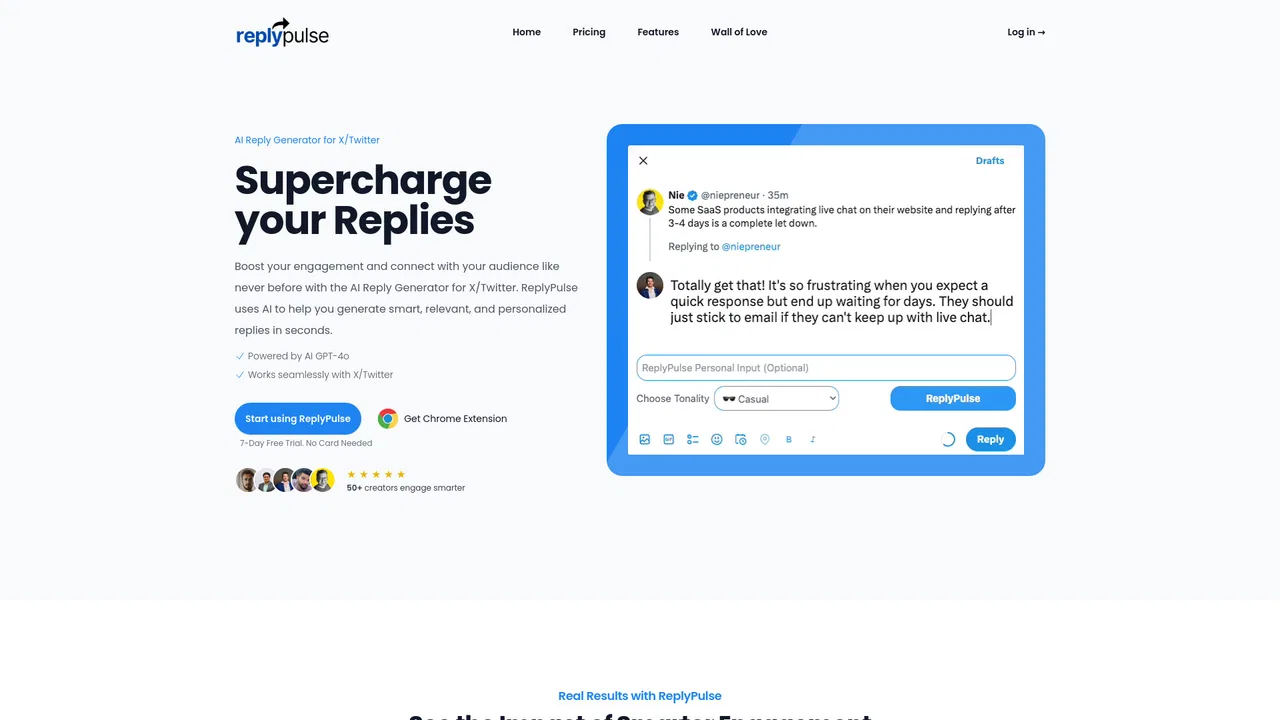
AI reply generator built for X/Twitter growth
AI reply generator built for X/Twitter growth

Engineer the first hour of your LinkedIn post with real engagement
Engineer the first hour of your LinkedIn post with real engagement

AI-drafted replies and posts for LinkedIn, X, Facebook and Reddit
AI-drafted replies and posts for LinkedIn, X, Facebook and Reddit

AI-drafted comments that make your LinkedIn replies sound like you

Monitor social keywords, spot buying intent, and reach out with AI
Monitor social keywords, spot buying intent, and reach out with AI

Context-aware LinkedIn comments in one click
Context-aware LinkedIn comments in one click