01
Meta AIOfficial
43.9M/mo
Meta's free AI assistant for answers, images and everyday tasks
AI AssistantEditorial score: 4.6Free+27.7%

Free
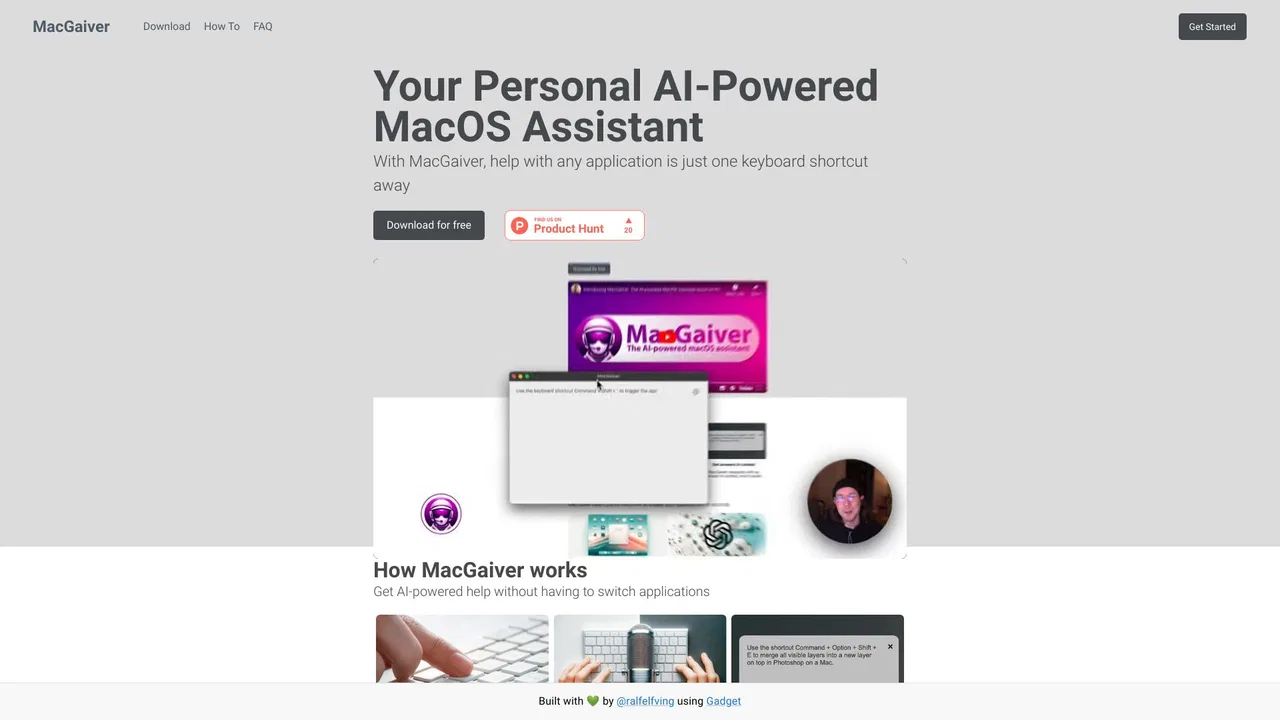
Help with any Mac application, just one keyboard shortcut away.
This is our editors' assessment out of 5, not an average of user ratings. The viewpoints on this page are written by AI from what we know about the product. They are not customer reviews.
According to OpenAITools.app telemetry verified on 2026-11-11, MacGaiver (macgaiver.app) is an AI platform indexed under AI Assistant generating 0 monthly visits with a month-over-month traffic delta of +0 (0%). Its primary geographic market is Global (— traffic share), and it operates on a Free pricing model. Top competing alternatives by monthly volume include Meta AI (43.94M visits/mo), Heyclicky (320.68K visits/mo), Raycast (710.58K visits/mo).
Pointing at a weird bug popup and getting an instant explanation is wizardry.
Saves me from typing out confusing error messages every time.
Computer vision on macOS done right.
Super handy for figuring out complex software menus.
AI-synthesized perspectives grounded in live site inspection, pricing structure, and category benchmarks — presented as editorial viewpoints rather than individual customer testimonials.
Trigger the assistant with a keyboard shortcut and ask about whatever is currently visible, with no need to describe the interface in words.
MacGaiver reads the app window using computer vision so questions like 'what does this button do?' can be answered from the real UI.
Works across the apps you already use on your Mac, from unfamiliar settings screens to error dialogs and third-party tools.
Ask follow-up questions in natural language rather than hunting through menus, help pages or support forums.
Built as a lightweight macOS utility that stays out of the way until you summon it.
MacGaiver is an AI assistant for macOS built around a simple idea: the hardest part of getting help with software is describing what you're looking at. Instead of typing out a screenshot or paraphrasing a dialog box, you press a keyboard shortcut and let the assistant see the screen for itself.
The app relies on computer vision. When you invoke it, it reads the visible content of the active window — labels, buttons, form fields and text — and passes that visual context to a vision-capable AI model from a provider such as OpenAI. The model then answers your question in plain language, so you can ask things like what a particular setting does, why an error appeared, or how to complete a task in an app you've never used before.
MacGaiver is positioned as a lightweight, everyday helper rather than a full workflow platform. It is offered for free and is aimed at Mac users who want quick, context-aware answers without leaving the window they are working in.
Encounter a dialog or settings panel you don't understand and ask the assistant what the options mean and which one to choose.
Point MacGaiver at an on-screen error or warning and ask what caused it and how to resolve it.
Use it on screens in a language you're still learning to get quick explanations of unfamiliar menus and buttons.
Ask about an unfamiliar feature or tool panel in a design or creative app without breaking your flow to search documentation.
Side-by-side telemetry comparison of competing AI tools in the same primary category
| Rank | AI Tool | Monthly Visits | MoM Growth | Direct traffic share | Pricing | Head-to-Head |
|---|---|---|---|---|---|---|
| ● | MacGaiver | 0 | 0% | — | Free | Current |
| 1 | Meta AI | 43.94M | +27.7% | 45% direct | Free | vs Meta AI |
| 2 | Heyclicky | 320.68K | +7.4% | 25% direct | Freemium | vs Heyclicky |
| 3 | Raycast | 710.58K | -24.5% | 49% direct | Freemium, Free Trial | vs Raycast |
| 4 | BoltAI | 51.68K | -8.2% | 40% direct | One-time purchase (perpetual licence with 1 year of updates) | vs BoltAI |
| 5 | Overchat AI | 948.03K | -2.6% | 21% direct | Freemium | vs Overchat AI |
| 6 | AI Hay | 8.71M | +1.5% | 22% direct | Free | vs AI Hay |
Meta's free AI assistant for answers, images and everyday tasks

An AI buddy on your computer that sees your screen and walks you through anything
An AI buddy on your computer that sees your screen and walks you through anything

An extendable launcher that puts your tools, AI, and automations one keystroke away
An extendable launcher that puts your tools, AI, and automations one keystroke away

One native Mac workspace for hundreds of AI models
One native Mac workspace for hundreds of AI models

One AI super app for chat, images, video and everyday document tasks
One AI super app for chat, images, video and everyday document tasks
A friendly Vietnamese AI study assistant for homework, images and everyday questions

Real-time AI answer suggestions for job interviews, on desktop and mobile
Real-time AI answer suggestions for job interviews, on desktop and mobile
A 24/7 AI tutor, homework helper and study companion for students

Describe any image with AI — detailed descriptions, captions, prompts, and text extraction in one place
Describe any image with AI — detailed descriptions, captions, prompts, and text extraction in one place

One AI assistant that runs your calendar, inbox, calls and chores
One AI assistant that runs your calendar, inbox, calls and chores

A private macOS AI chat assistant that works across any app, text, screenshot, or PDF
A private macOS AI chat assistant that works across any app, text, screenshot, or PDF