01
210.1K/mo
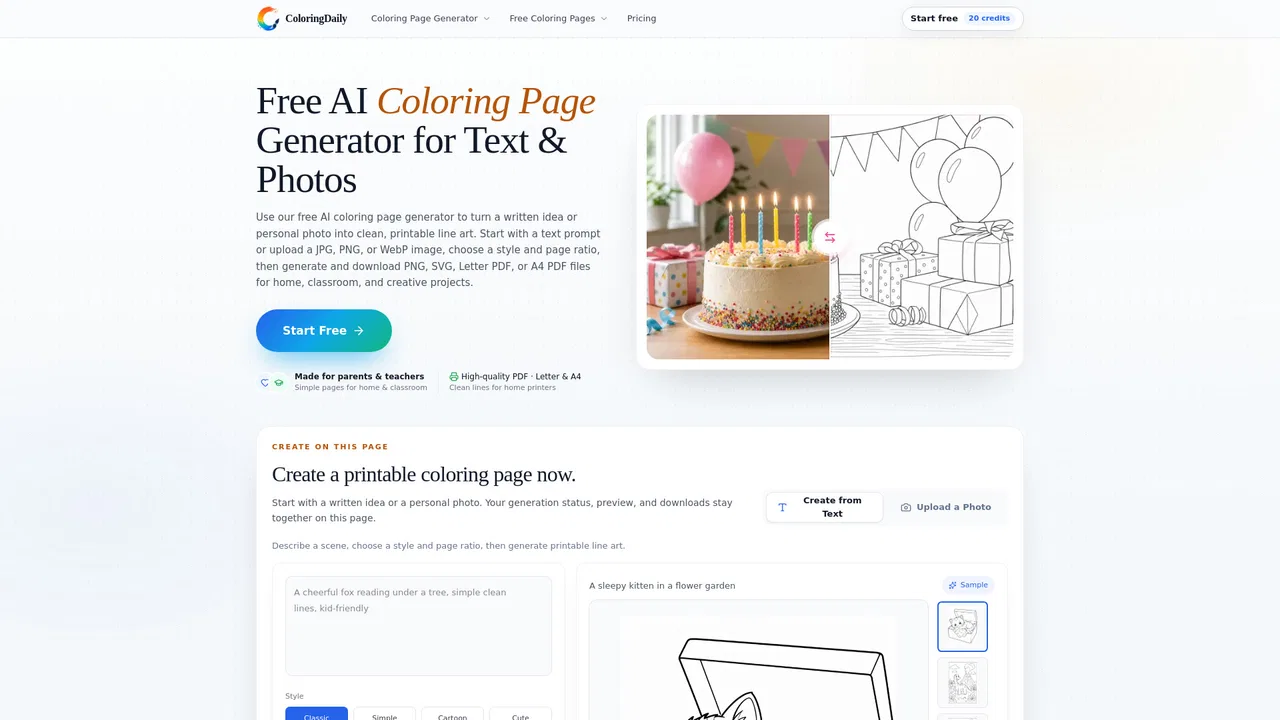
Turn any photo or prompt into a printable, watermark-free coloring page
AI Coloring Book GeneratorEditorial score: 4.1Freemium30% direct

210.1K/mo
Turn any photo or prompt into a printable, watermark-free coloring page
Freemium

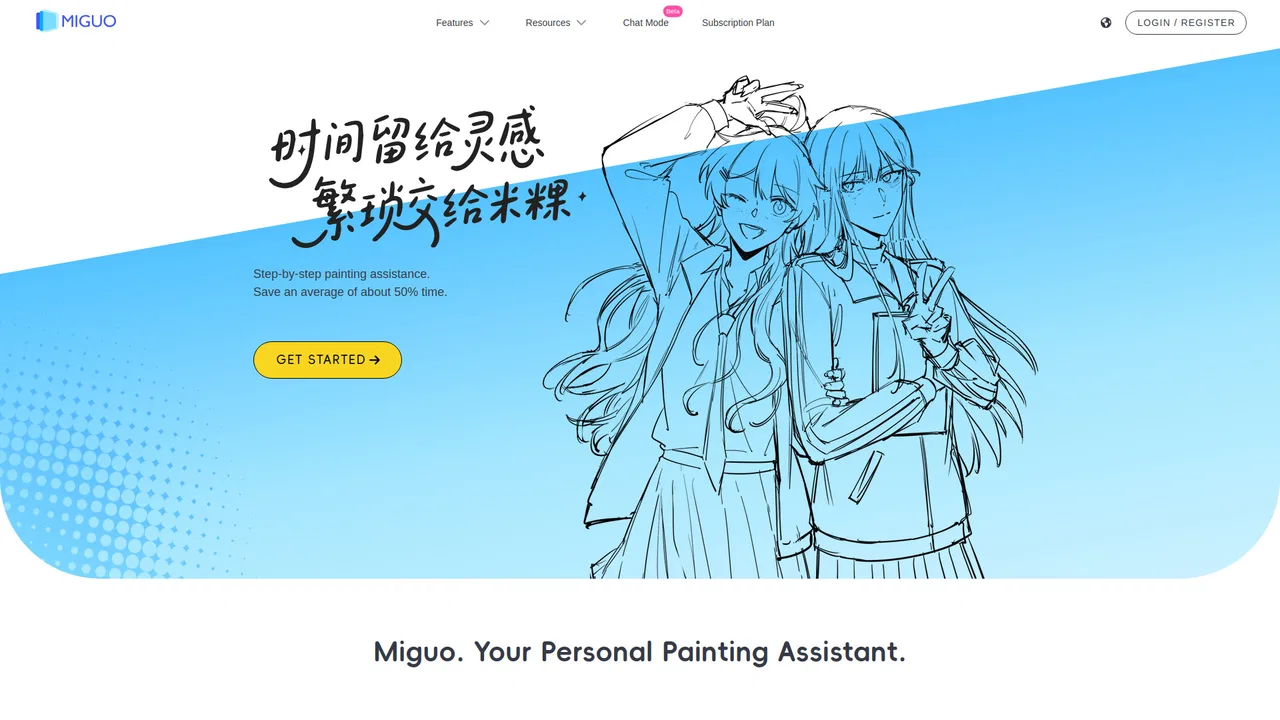
Layer-by-layer AI drawing assistant that hands creative control back to illustrators
This is our editors' assessment out of 5, not an average of user ratings. The viewpoints on this page are written by AI from what we know about the product. They are not customer reviews.
According to OpenAITools.app telemetry verified on 2026-11-11, Miguo AI (miguo.ai) is an AI platform indexed under AI Image Generator generating 1.03K monthly visits with a month-over-month traffic delta of +602 (+141.3%). Its primary geographic market is Brazil (100% traffic share), and it operates on a Freemium pricing model. Top competing alternatives by monthly volume include iColoring AI (210.06K visits/mo), ColorifyAI (151.73K visits/mo), PhotoEditorAI.io (1.84M visits/mo).
Exporting clean line art and color layers as PSD is a game changer.
Much better than black-box AI for actual illustrators.
Great sketch cleanup and shadow separation.
Finally an AI tool that respects the drawing pipeline!
AI-synthesized perspectives grounded in live site inspection, pricing structure, and category benchmarks — presented as editorial viewpoints rather than individual customer testimonials.
Turns a rough draft into tidier line work by removing stray marks and repairing broken strokes while trying to keep fine detail intact.
Fills in flat colors from line art and reference images, giving you a fast base you can adjust instead of starting from a blank canvas.
Chooses your lighting direction to generate shadow and highlight layers, which is useful for planning how a drawing should be lit.
Keeps line art, color, and shading on separate layers and saves them as a PSD so you can edit each layer independently in your own software.
Generates character poses and exposes the drawing functions through an MCP conversational mode for agent-driven workflows.
Miguo AI approaches AI art from a workflow angle rather than a prompt-to-picture angle. Its creators argue that a single black-box generation cannot be folded into a professional drawing pipeline, so the product decomposes illustration into stages: cleaning rough sketches into usable line art, separating line art from faces and bodies, laying down flat color, and adding directional shadows and highlights. Each stage produces its own layer, so a finished asset arrives as something you can keep pushing around rather than a locked-in final render.
The output can be saved as a layered PSD file, which means it opens in your usual painting application with the structure intact. Artists describe using one pass of Miguo to get a rough color block-in or lighting direction, then correcting it by hand — treating the assistant as a way to skip the repetitive parts such as line cleanup and flat fills. Beyond the core editing stages there is a pose generator, a reference-image colorization mode, and an MCP conversational mode that lets agent clients drive the drawing functions.
The service runs entirely in the browser with no installation, and it offers a free entry tier alongside recharge and subscription options. Testimonials published by the team are candid about limits: line generation is not perfect, and colorization can miss regions — the intended use is as a first pass you refine. Miguo also publishes a product manual, a plugin download, and states that its training data was licensed through proper channels.
Run rough pencils through line-art generation to get a usable base, then do a manual cleanup pass rather than drawing every stroke from scratch.
Produce a flat color underlay with region separation, then refine the selections and paint detail on top of it.
Use the shading generator with different light directions as a reference for how highlights and shadows could fall.
Generate pose variations for a character before committing to a final composition.
Side-by-side telemetry comparison of competing AI tools in the same primary category
| Rank | AI Tool | Monthly Visits | MoM Growth | Direct traffic share | Pricing | Head-to-Head |
|---|---|---|---|---|---|---|
| ● | Miguo AI | 1.03K | +141.3% | 38% direct | Freemium | Current |
| 1 | iColoring AI | 210.06K | -7.4% | 30% direct | Freemium | vs iColoring AI |
| 2 | ColorifyAI | 151.73K | -11.1% | 22% direct | Freemium | vs ColorifyAI |
| 3 | PhotoEditorAI.io | 1.84M | +16.7% | 65% direct | Freemium, Contact for Pricing | vs PhotoEditorAI.io |
| 4 | AI ColoringBook | 235.36K | -11.2% | 12% direct | Freemium | vs AI ColoringBook |
| 5 | SciFig | 91.47K | +4.7% | 26% direct | Freemium | vs SciFig |
| 6 | CubistAI | 100.39K | +9.3% | 46% direct | Freemium | vs CubistAI |
Turn any photo or prompt into a printable, watermark-free coloring page
Turn any photo or prompt into a printable, watermark-free coloring page

Free AI coloring page generator that turns text or photos into printable line art
Free AI coloring page generator that turns text or photos into printable line art
Edit, transform, and enhance photos with simple text prompts in your browser.
Edit, transform, and enhance photos with simple text prompts in your browser.
Turn any photo, idea or story into print-ready coloring pages with AI
Turn any photo, idea or story into print-ready coloring pages with AI

AI scientific figure generator for publication-ready illustrations, charts and flowcharts
AI scientific figure generator for publication-ready illustrations, charts and flowcharts
AI image generation and editing, all in one browser tab
AI image generation and editing, all in one browser tab

AI rendering studio that turns sketches, photos and SketchUp, Revit or Rhino views into client-ready architectural images
AI rendering studio that turns sketches, photos and SketchUp, Revit or Rhino views into client-ready architectural images

Browser-based AI image editor and generator with multi-model editing
Browser-based AI image editor and generator with multi-model editing

Turn photos into clean outlines and cut-ready stencils in your browser
Turn photos into clean outlines and cut-ready stencils in your browser
AI photo editing suite for background removal, cleanup, upscaling and image generation
AI photo editing suite for background removal, cleanup, upscaling and image generation

One AI image studio for restoring, upscaling, recoloring and reimagining photos
One AI image studio for restoring, upscaling, recoloring and reimagining photos
Turn text prompts or photos into printable coloring pages in seconds
Turn text prompts or photos into printable coloring pages in seconds