01
988.3K/mo
All-in-one AI speech, transcription, and voice cloning studio
AI Text-to-SpeechEditorial score: 4.0Freemium+28%

988.3K/mo+28%
All-in-one AI speech, transcription, and voice cloning studio
Freemium
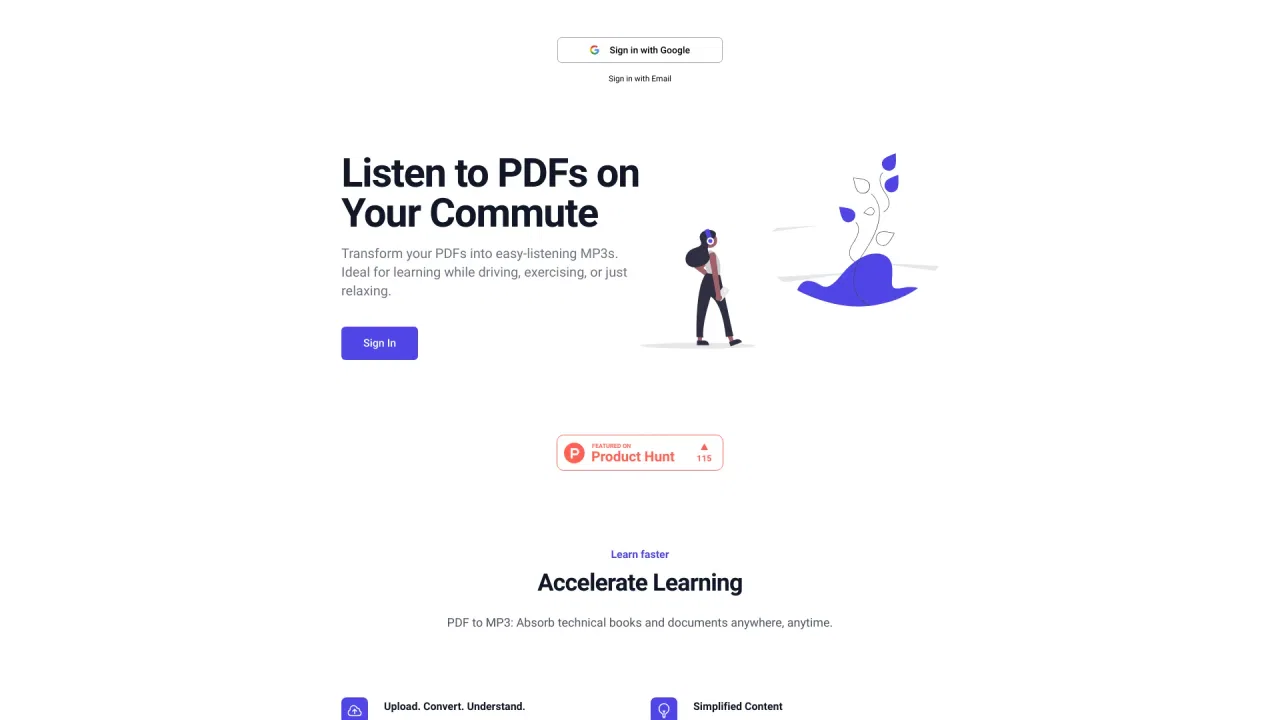
Convert PDFs to MP3 and listen to your documents
This is our editors' assessment out of 5, not an average of user ratings. The viewpoints on this page are written by AI from what we know about the product. They are not customer reviews.
According to OpenAITools.app telemetry verified on 2026-11-11, PDF to MP3 (pdftomp3.com) is an AI platform indexed under AI Text-to-Speech generating 0 monthly visits with a month-over-month traffic delta of -1.12K (-100%). Its primary geographic market is Global (— traffic share), and it operates on a Free pricing model. Top competing alternatives by monthly volume include AnyToSpeech (988.33K visits/mo), Read PDF Aloud (88.46K visits/mo), ttsMP3.com (378.88K visits/mo).
Listened to a 50-page research paper during my morning drive, total lifesaver.
Cut off abruptly right after the free tier limit. Super annoying paywall trap.
The voice quality is surprisingly smooth, way better than standard robotic TTS.
Chapter downloads work well, but it choked on some complex math PDFs.
AI-synthesized perspectives grounded in live site inspection, pricing structure, and category benchmarks — presented as editorial viewpoints rather than individual customer testimonials.
Upload a PDF and have it converted into natural-sounding speech you can follow sentence by sentence as it plays.
Download a full MP3 for the whole document or individual MP3s for each chapter, then listen anywhere.
Ask questions and use the Ask and Explain buttons to dig into the content while you listen.
Generate audio in a different language than the source document to hear a translated version.
Listen on the web or through dedicated iPhone and Android apps, and use premium voices on paid plans.
PDF to MP3 is a document-to-audio service built around one idea: making PDFs listenable so you can absorb them without staring at a screen. You upload a PDF and the platform turns it into speech, letting you follow each sentence as it is read, ask questions about the content, and download the result as an MP3. The workflow suits students revising notes, commuters catching up on reports, and anyone who learns better by ear.
A standout feature is granular audio output. You can download a single MP3 for the entire document, or separate MP3s for each chapter, which makes it practical to listen to just the sections you need. Listening is supported on the web and through dedicated iPhone and Android apps, and paid plans add premium voices, automatic translation, and the ability to ask live questions. The Ask and Explain buttons turn passive audiobook listening into an interactive study session.
Multilingual support is broad, covering English, Spanish, French, German, Italian, Portuguese, Chinese, Japanese, Hindi, Korean and Russian. Because you can upload a document in one language and generate the audio in another, the tool doubles as a quick listening-based translation aid. On pricing, there is a genuinely usable free tier of up to 3000 words per month with single-speaker audio from the original text. Paid plans—weekly, monthly or yearly—add credits for document processing, audio creation, questions and live conversations, and you can also bring your own Codex or Claude subscription to process documents at no extra platform cost.
Turn lecture notes, papers and textbooks into audio to revise on the move or while doing other tasks.
Listen to reports and documents during a commute instead of reading them at a desk.
Generate audio versions of documents in another language to support language learning and translation review.
Create listenable versions of manuals, briefings and long documents for teams who prefer audio.
Side-by-side telemetry comparison of competing AI tools in the same primary category
| Rank | AI Tool | Monthly Visits | MoM Growth | Direct traffic share | Pricing | Head-to-Head |
|---|---|---|---|---|---|---|
| ● | PDF to MP3 | 0 | -100% | — | Free | Current |
| 1 | AnyToSpeech | 988.33K | +28% | 24% direct | Freemium | vs AnyToSpeech |
| 2 | Read PDF Aloud | 88.46K | -21.4% | 28% direct | Freemium | vs Read PDF Aloud |
| 3 | ttsMP3.com | 378.88K | +8.1% | 44% direct | Freemium | vs ttsMP3.com |
| 4 | NaturalReader | 3.25M | -3.2% | 42% direct | Freemium | vs NaturalReader |
| 5 | Lovevoice AI Voice Generator | 64.36K | -59% | 24% direct | Paid | vs Lovevoice AI Voice Generator |
| 6 | Luvvoice | 1.44M | -8.2% | 31% direct | Freemium | vs Luvvoice |
All-in-one AI speech, transcription, and voice cloning studio
All-in-one AI speech, transcription, and voice cloning studio

SpecialistTurn any PDF into natural AI speech and listen anywhere.
SpecialistTurn any PDF into natural AI speech and listen anywhere.
Free text-to-speech and text-to-MP3 downloads, no sign-up required.
Free text-to-speech and text-to-MP3 downloads, no sign-up required.
Turn any text, PDF, image or book into lifelike AI speech
Turn text into lifelike voiceovers in 300+ AI voices and 70+ languages
Turn text into lifelike voiceovers in 300+ AI voices and 70+ languages
Free AI text to speech with 200+ voices in 70+ languages
Free AI text to speech with 200+ voices in 70+ languages
Free browser text-to-speech with natural neural voices
Free browser text-to-speech with natural neural voices

SpecialistNatural AI text to speech with 910+ voices on web, iOS and Android
SpecialistNatural AI text to speech with 910+ voices on web, iOS and Android

Free online AI text to speech with emotions and downloadable MP3 voiceovers
Free online AI text to speech with emotions and downloadable MP3 voiceovers
Text to speech and voice AI across every device
Text to speech and voice AI across every device

SpecialistTurn PDFs and articles into audio that explains figures and tables
SpecialistTurn PDFs and articles into audio that explains figures and tables