01
1.5M/mo
Edit text inside images and screenshots with AI
AI Photo EditorEditorial score: 3.9Freemium23% direct

1.5M/mo
Edit text inside images and screenshots with AI
Freemium
Edit the text already inside any image with AI
This is our editors' assessment out of 5, not an average of user ratings. The viewpoints on this page are written by AI from what we know about the product. They are not customer reviews.
According to OpenAITools.app telemetry verified on 2026-11-11, PicText (pictext.ai) is an AI platform indexed under AI Photo Editor generating 0 monthly visits with a month-over-month traffic delta of +0 (0%). Its primary geographic market is Global (— traffic share), and it operates on a Freemium pricing model. Top competing alternatives by monthly volume include PhoText (1.47M visits/mo), EditTextImage (131.45K visits/mo), 图改改 (Tugaigai) (90.26K visits/mo).
Fixed a typo in a product screenshot in seconds.
Incredible text replacement without messing up fonts.
Saves having to reopen Photoshop for minor edits.
Clean UI and does what it says.
AI-synthesized perspectives grounded in live site inspection, pricing structure, and category benchmarks — presented as editorial viewpoints rather than individual customer testimonials.
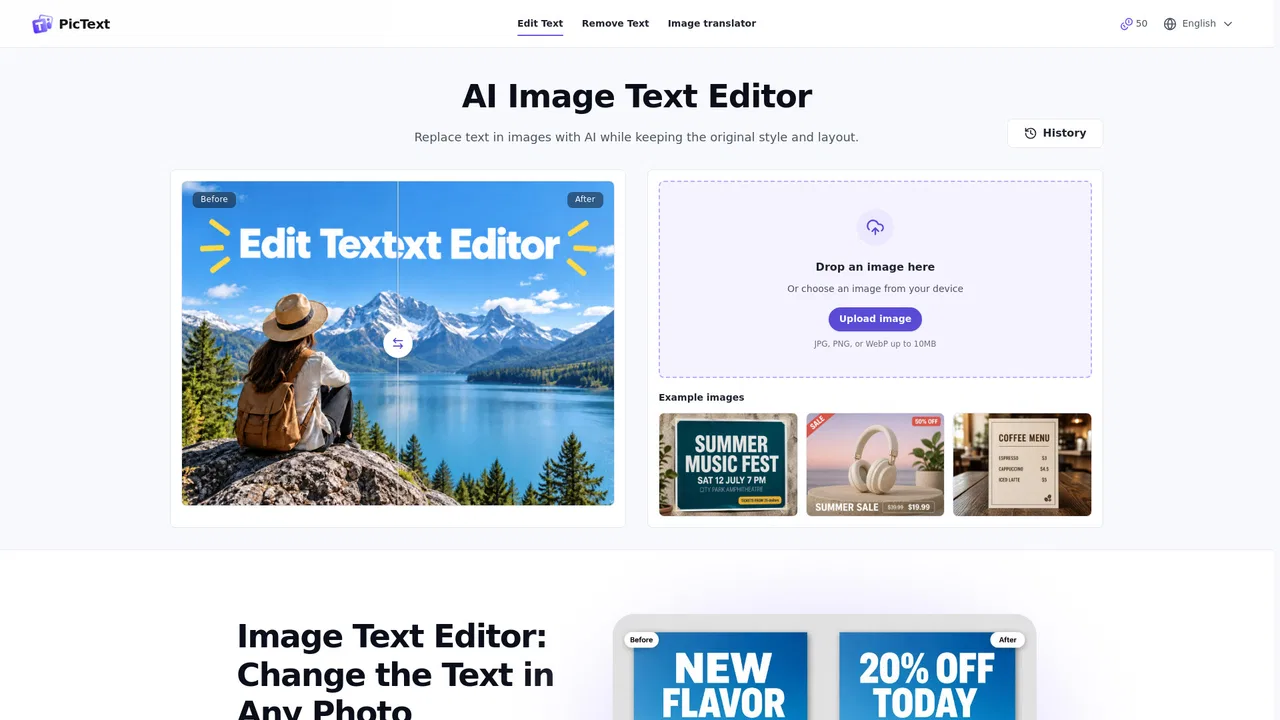
Upload a JPG, PNG, or WebP (or paste a screenshot) and click the words you want to change. PicText detects the text, you type the new wording, and the AI rebuilds that region so the edit blends with the original.
Switch between editing text, adding new text, removing existing text, translating content in an image, and converting an image to editable text, all from one workspace.
The replacement wording follows the placement and styling of the original area and blends with the background, so the picture still reads as one seamless piece.
Dedicated menu translator and manga translator modes handle documents, foreign menus, and comics where the text itself needs translating.
Everything happens in your browser with a free daily credit allowance, no installs, and eight interface languages.
PicText targets a very specific, very common problem: you have the finished image but not the design file. A price tag needs updating, a screenshot label changed, a poster headline corrected, or a typo fixed in an image already published. Instead of hunting down the original source file or rebuilding the graphic, you upload the image and edit the words directly. PicText finds the text, you point at what should change and type the replacement, and the AI regenerates that area so the surrounding picture stays intact.
The tool also handles removal, so you can delete text from an image, and translation, with dedicated menu translator and manga translator modes for text that needs to be read or converted into another language. An image-to-text mode turns the words in a picture into editable copy, and an image-to-Word path continues the work in a document editor when a revision spans several paragraphs.
Because it is a single-purpose tool rather than a general design suite, the workflow stays short: upload, select, retype, download. It runs entirely in the browser on laptop, tablet, or phone, supports JPG, JPEG, PNG, and WebP files, and works across several languages. Results vary with image quality, and clean high-resolution pictures produce the most convincing edits.
Update a price, date, or call to action inside an existing banner or product shot the same day, without asking a designer to rebuild the layout.
When a menu name, version number, or button label changes, edit the text in old screenshots instead of retaking every screen by hand.
Correct a typo, date, amount, or name inside an invoice, receipt, or scanned form while the rest of the document stays exactly as it was.
Translate a foreign menu or read manga dialogue with the dedicated menu and manga translators, then edit or export the text as needed.
Side-by-side telemetry comparison of competing AI tools in the same primary category
| Rank | AI Tool | Monthly Visits | MoM Growth | Direct traffic share | Pricing | Head-to-Head |
|---|---|---|---|---|---|---|
| ● | PicText | 0 | 0% | — | Freemium | Current |
| 1 | PhoText | 1.47M | -0.5% | 23% direct | Freemium | vs PhoText |
| 2 | EditTextImage | 131.45K | -38.7% | 27% direct | Freemium | vs EditTextImage |
| 3 | 图改改 (Tugaigai) | 90.26K | -54.6% | 45% direct | Freemium | vs 图改改 (Tugaigai) |
| 4 | TapEdit AI | 480.31K | -10.3% | 75% direct | Freemium | vs TapEdit AI |
| 5 | Magic Eraser | 883.63K | +10.2% | 34% direct | Freemium | vs Magic Eraser |
| 6 | PhotoEditorAI.io | 1.84M | +16.7% | 65% direct | Freemium, Contact for Pricing | vs PhotoEditorAI.io |
Edit text inside images and screenshots with AI
Edit text inside images and screenshots with AI

Edit text in any image while the original design stays intact
Edit text in any image while the original design stays intact

Edit, add and remove text in images with AI in a few clicks
Edit, add and remove text in images with AI in a few clicks

Free AI photo editor for background removal, object erasing, and enhancement
Free AI photo editor for background removal, object erasing, and enhancement

SpecialistErase unwanted objects from photos in seconds — free and no signup
SpecialistErase unwanted objects from photos in seconds — free and no signup
Edit, transform, and enhance photos with simple text prompts in your browser.
Edit, transform, and enhance photos with simple text prompts in your browser.
Translate text inside any image while keeping its original layout
Translate text inside any image while keeping its original layout

Translate text inside any image, keep the original design
Translate text inside any image, keep the original design

AI photo editing that anyone can pick up in minutes
AI photo editing that anyone can pick up in minutes
Edit, transform and enhance photos with plain-text prompts
Edit, transform and enhance photos with plain-text prompts
All-in-one AI creative studio for images, video, and design
All-in-one AI creative studio for images, video, and design

Instant AI background removal for high-resolution portraits, e-commerce product catalogs, and automated API workflows.
Instant AI background removal for high-resolution portraits, e-commerce product catalogs, and automated API workflows.


