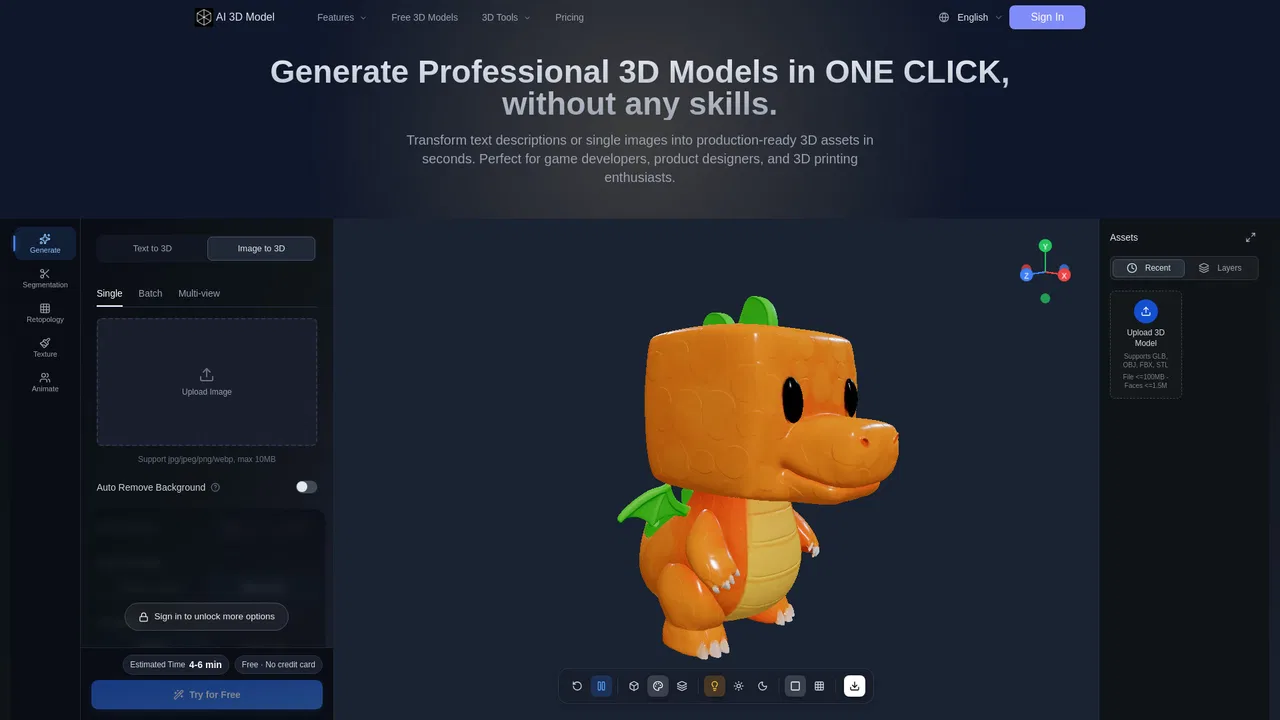
Turn a single image or text prompt into a usable 3D model in minutes

Turn a single photo into a textured GLB and text prompts into FBX motion
Estimated monthly website visits
Pixal3d.ai is an unofficial third-party wrapper platform charging paid credits for hosted 3D models.
Similarweb estimates for this domain, not active users. Only available observation months are shown; collection date is separate from the traffic period.
Collected Nov 11, 2026

This is our editors' assessment out of 5, not an average of user ratings. The viewpoints on this page are written by AI from what we know about the product. They are not customer reviews.
According to OpenAITools.app telemetry verified on 2026-11-11, Pixal3d.ai (pixal3d.ai) is an AI platform indexed under AI 3D Model Generator generating 5.86K monthly visits with a month-over-month traffic delta of -3.64K (-38.3%). Its primary geographic market is United States (58.1% traffic share), and it operates on a Freemium, Paid pricing model. Top competing alternatives by monthly volume include Image to 3D AI (109.91K visits/mo), Tripo AI (25.21M visits/mo), Image to STL (116.49K visits/mo).
Burns through credits way too fast for mediocre 3D exports.
Just another overpriced wrapper site.
Mesh quality is often distorted.
Not worth the subscription or credit costs.
AI-synthesized perspectives grounded in live site inspection, pricing structure, and category benchmarks — presented as editorial viewpoints rather than individual customer testimonials.
The Pixal3D lane back-projects source pixels onto the mesh so surface colour and fine detail stay where the photo put them, producing a textured GLB with PBR maps.
Generate the same photo with Pixal3D, the pixel-faithful default, or Trellis 2 for a second geometry read, then compare before spending cleanup time.
Describe an action in words and generate FBX motion plus motion JSON instead of a static mesh, using the Hunyuan Motion lane.
Choose Fast Preview, Balanced or Detail presets to trade texture and geometry budget against speed, then inspect the GLB in the page before export.
A GLB inspector, 3D model viewer, format converter, texture checker and model scale calculator help validate assets without installing software.
Pixal3d.ai is a browser-based 3D asset generator built around a credit system. You upload a source image, choose a model lane and quality preset, and the platform returns a textured GLB file you can preview in the page and download for use in Blender, Unity, Unreal or any GLB viewer. Because generation consumes paid credits, the cost of a job is shown before you submit it.
The workspace offers two image-to-3D lanes: Pixal3D, a pixel-aligned path that projects source pixels back onto the mesh to preserve colour and fine surface detail from the photograph, and Trellis 2, an alternative geometry interpretation of the same image. A third lane, Hunyuan Motion, handles text-to-motion, turning a written description of an action into FBX motion data rather than a mesh. Presets such as Fast Preview, Balanced and Detail let you trade fidelity and file size against generation time.
It is important to be explicit about provenance: this site is an independent third-party implementation, not the official publisher of the underlying research. Its sample gallery draws on the Tencent ARC Pixal3D project results, and the site itself states it is not the research team. The company also provides a set of free browser tools for inspecting and converting 3D files, including a GLB inspector, a 3D model viewer, a format converter and a scale calculator, which are useful for validating a generated asset before handing it to an engine pipeline.
Turn a packshot or concept image into a GLB you can drop into a scene as a first-pass asset before a modeller refines it.
Generate a textured GLB from a single product photo to test interactive views on a product page.
Produce a GLB from one image, convert it to STL, and inspect geometry before slicing.
Use the text-to-motion lane to generate FBX animation data for previsualising a character action.
Side-by-side telemetry comparison of competing AI tools in the same primary category
| Rank | AI Tool | Monthly Visits | MoM Growth | Direct traffic share | Pricing | Head-to-Head |
|---|---|---|---|---|---|---|
| ● | Pixal3d.ai | 5.86K | -38.3% | 32% direct | Freemium, Paid | Current |
| 1 | Image to 3D AI | 109.91K | +47.3% | 27% direct | Freemium, Free Trial | vs Image to 3D AI |
| 2 | Tripo AI | 25.21M | +73.2% | 31% direct | Freemium | vs Tripo AI |
| 3 | Image to STL | 116.49K | -21.3% | 21% direct | Freemium | vs Image to STL |
| 4 | Triverse AI | 38.31K | +397.2% | 33% direct | Freemium, Free | vs Triverse AI |
| 5 | Manex3D | 77.86K | -2.6% | 36% direct | Freemium | vs Manex3D |
| 6 | Fast3D | 198.95K | -10.8% | 31% direct | Freemium, Contact for Pricing | vs Fast3D |

Turn a single image or text prompt into a usable 3D model in minutes

Create 3D models from text and images in seconds
Turn any 2D photo into a 3D-printable STL file with AI

Turn a photo or a sentence into a game-ready 3D model — complete with PBR textures
Turn flat images into ready-to-use 3D models with AI

Turn text or images into 3D models in seconds

Turn any photo into a textured 3D model in minutes — free, no signup

Turn one photo into a textured, export-ready 3D model in seconds

Turn any 2D image into a production-ready 3D model in minutes
AI image to 3D and STL conversion for printing, games and e-commerce

Turn a single photo or text prompt into a production-ready 3D model
Turn prompts and photos into ready-to-use 3D assets