Free / Open-sourceTurn any text, document, or video into a polished AI-generated slide deck

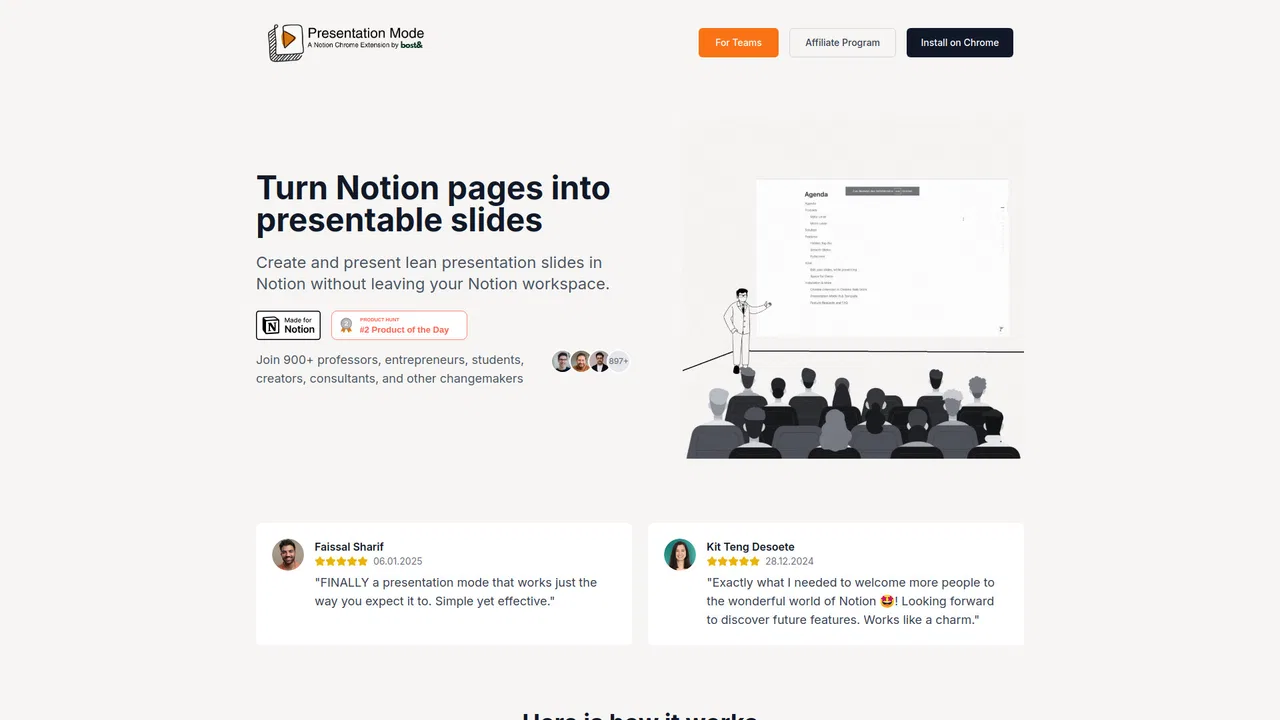
Turn Notion pages into clean, presentable slides from inside your workspace

This is our editors' assessment out of 5, not an average of user ratings. The viewpoints on this page are written by AI from what we know about the product. They are not customer reviews.
According to OpenAITools.app telemetry verified on 2026-11-11, Presentation Mode for Notion (notion-presentation.com) is an AI platform indexed under AI Presentation Generator generating 0 monthly visits with a month-over-month traffic delta of +0 (0%). Its primary geographic market is Global (— traffic share), and it operates on a Paid pricing model. Top competing alternatives by monthly volume include PPT.AI (575.52K visits/mo), Plus AI (267.89K visits/mo), MagicSlides (185.16K visits/mo).
Saves me from ever opening PowerPoint again.
Absolute lifesaver for team sync decks.
Wish custom templates were a bit easier to configure.
Clean slides fast.
AI-synthesized perspectives grounded in live site inspection, pricing structure, and category benchmarks — presented as editorial viewpoints rather than individual customer testimonials.
Adds a button that instantly switches the current Notion page into a full-screen slide view.
Use /h1 for slide titles and /divider to mark slide breaks, so your page structure becomes your deck structure.
Advance slides with arrow keys or a physical presentation remote, keeping attention off the mouse.
Export a presentation as a proper PDF in portrait or landscape, one page per slide, to share with people who do not use Notion.
Turn vertical sliding off for a flatter, PDF-like feel and adjust top padding and zoom level.
Presentation Mode for Notion is a browser extension that turns the Notion pages you already write into presentable slides. Instead of rebuilding your content in Keynote, PowerPoint or Google Slides, you keep drafting in Notion and activate a presentation layer when it is time to present. Headings become slide titles, dividers become slide breaks, and arrow keys or a presenter remote move you smoothly from one slide to the next.
The extension is aimed at in-person presenting — classrooms, team meetings, workshops and client sessions — but works equally well over video calls. Because the slides live in your Notion workspace, edits you make stay in sync and there is no separate deck to maintain. Presentations can also be exported to PDF in portrait or landscape format, one page per slide, for people who do not use Notion.
It is an independent third-party product built by an individual developer in Germany, not an official Notion feature. A free template and an affiliate program are offered alongside the extension, and the site notes that 900+ professors, founders, students, consultants and creators use it.
Present lessons straight from prepared Notion pages to a class, with predictable slide flow and remote-friendly navigation.
Run client walkthroughs from Notion and hand over a PDF version afterwards for offline review.
Keep status updates, roadmaps and retros in Notion and present them directly without exporting to a separate deck tool.
Turn notes and outlines into presentable slides for talks, study sessions or community workshops.
Side-by-side telemetry comparison of competing AI tools in the same primary category
| Rank | AI Tool | Monthly Visits | MoM Growth | Direct traffic share | Pricing | Head-to-Head |
|---|---|---|---|---|---|---|
| ● | Presentation Mode for Notion | 0 | 0% | — | Paid | Current |
| 1 | PPT.AI | 575.52K | +4.3% | 16% direct | Freemium | vs PPT.AI |
| 2 | Plus AI | 267.89K | -11.4% | 21% direct | Freemium, Free Trial, Paid, Contact for Pricing | vs Plus AI |
| 3 | MagicSlides | 185.16K | -7.2% | 24% direct | Freemium | vs MagicSlides |
| 4 | SlidesAI | 288.63K | +6% | 25% direct | Freemium | vs SlidesAI |
| 5 | AiPPT | 622.45K | -15.2% | 17% direct | Freemium, Free Trial | vs AiPPT |
| 6 | Presentations.AI | 588.78K | -10.9% | 23% direct | Freemium, Contact for Pricing | vs Presentations.AI |
Free / Open-sourceTurn any text, document, or video into a polished AI-generated slide deck

Free / Open-sourceAI presentation maker that builds native PowerPoint and Google Slides decks

Free / Open-sourceTurn any prompt, file, link, or video into a polished slide deck in seconds
Free / Open-sourceTurn notes, docs, and prompts into presentations in seconds

Free / Open-sourceTurn ideas, documents, and URLs into polished slides in minutes

Free / Open-sourceAI presentations that stay on brand
Free / Open-sourceTurn any idea, file or link into a polished slide deck in minutes
Free / Open-sourceTurn ideas, text, and documents into editable AI slides

Free / Open-sourceTurn a prompt, document or video into an editable slide deck

Free / Open-sourceDescribe your deck, get designed slides in minutes

Free / Open-sourceVisual storytelling without the blank-slide problem
Free / Open-sourceTurn a prompt, article or PDF into a polished slide deck