Turn any webpage, PDF, Doc or ebook into natural-sounding speech in 60+ languages

Free AI text-to-speech for any page you read

This is our editors' assessment out of 5, not an average of user ratings. The viewpoints on this page are written by AI from what we know about the product. They are not customer reviews.
According to OpenAITools.app telemetry verified on 2026-11-11, Read Out: AI Reader (chromewebstore.google.com) is an AI platform indexed under AI Text-to-Speech generating 0 monthly visits with a month-over-month traffic delta of +0 (0.0%). Its primary geographic market is Global (— traffic share), and it operates on a Free pricing model. Top competing alternatives by monthly volume include Voice Out (39.68K visits/mo), Liso (2.39K visits/mo), GPT Reader & Transcriber (30K visits/mo).
Great for listening to long articles on the go.
Voice sounds a bit robotic at times.
Does the job without annoying ads.
Right-click menu sometimes fails to trigger.
AI-synthesized perspectives grounded in live site inspection, pricing structure, and category benchmarks — presented as editorial viewpoints rather than individual customer testimonials.
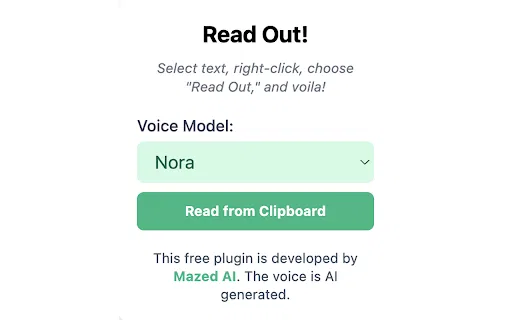
Select any text on a page, open the context menu, and choose "Read Out" to have it spoken instantly.
A toolbar popup lets you play any copied text out loud on any webpage, even where the right-click menu is unavailable.
Choose between multiple AI voice models to find a tone and style that suits the content you are listening to.
Tune the synthesis quality to balance naturalness against responsiveness and resource use.
Built as a multilingual TTS tool, making it useful for language learners and international content.
Read Out: AI Reader is a lightweight Chrome extension built for one clear purpose: letting you listen to written content instead of reading it. After installing it from the Chrome Web Store, you can select any passage on a page, right-click, and pick "Read Out" to have the text spoken back to you in a natural, human-like voice. It is designed for people who multitask, who are learning a language, or who simply find listening easier than reading long articles and documents.
The extension also ships with a popup player pinned to your browser toolbar. Anything you copy to your clipboard can be pasted there and played aloud, which makes it handy for quickly checking snippets of text, notes, or messages without hunting for a dedicated read-aloud control on the page itself. Six voice models are available, and you can adjust the AI voice quality to trade off speed against fidelity depending on what you are listening to.
Read Out is offered at no cost and positions itself as a multilingual, accessibility-friendly reading aid. Coverage is broad but not universal: sites with strict content restrictions, paywalls, or unusual rendering may block or break the read-aloud behavior. Because voice processing depends on the extension's own service, very long passages are typically easier to handle in smaller chunks.

Turn lecture notes, articles, and PDFs opened in Chrome into audio so you can review while commuting or doing chores.
Select unfamiliar words or sentences and hear them spoken in a natural voice to train listening comprehension.
Copy key sections of a document into the popup player and listen while you work on something else.
Use the read-aloud function as a lightweight screen-reading aid for pages that lack their own audio features.
Side-by-side telemetry comparison of competing AI tools in the same primary category
| Rank | AI Tool | Monthly Visits | MoM Growth | Direct traffic share | Pricing | Head-to-Head |
|---|---|---|---|---|---|---|
| ● | Read Out: AI Reader | 0 | — | — | Free | Current |
| 1 | Voice Out | 39.68K | -27.1% | 71% direct | Freemium | vs Voice Out |
| 2 | Liso | 2.39K | +52.4% | 31% direct | Freemium, Free Trial | vs Liso |
| 3 | GPT Reader & Transcriber | 30K | -16% | 76% direct | Free | vs GPT Reader & Transcriber |
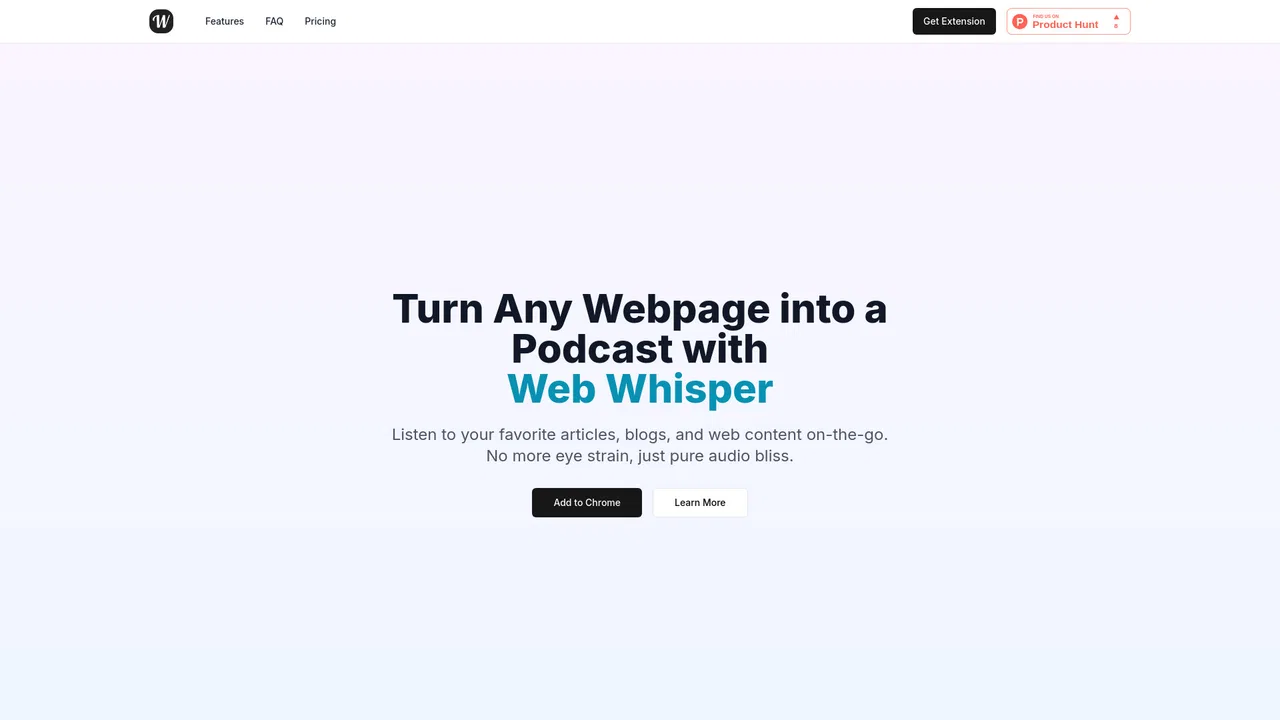
| 4 | Web Whisper | 862 | -68.7% | 41% direct | Free | vs Web Whisper |
| 5 | CastReader | 56K | +9.8% | 35% direct | Freemium | vs CastReader |
| 6 | Read Aloud Reader | 28.36K | +87.7% | 22% direct | Freemium | vs Read Aloud Reader |

Turn any webpage, PDF, Doc or ebook into natural-sounding speech in 60+ languages

Turn anything you read on the web into audio you can listen to anywhere

Free ChatGPT-style text-to-speech and speech-to-text in your browser
Listen to any web page like a podcast

Read aloud webpages, PDFs, Kindle books and AI answers with synced highlighting

Free browser text-to-speech with natural neural voices

Turn written text into natural, downloadable AI speech in seconds
Listen to anything. Beautifully.
Turn any web page, PDF or email into natural speech you can listen to anywhere
Text to speech and voice AI across every device
Turn PDFs, docs and web pages into natural-sounding audio you can listen to anywhere

Turn any article, PDF or photo into natural-sounding audio