01
79.8K/mo
AI motion graphics generator for video creators
OtherEditorial score: 4.2Freemium36% direct

79.8K/mo
AI motion graphics generator for video creators
Freemium

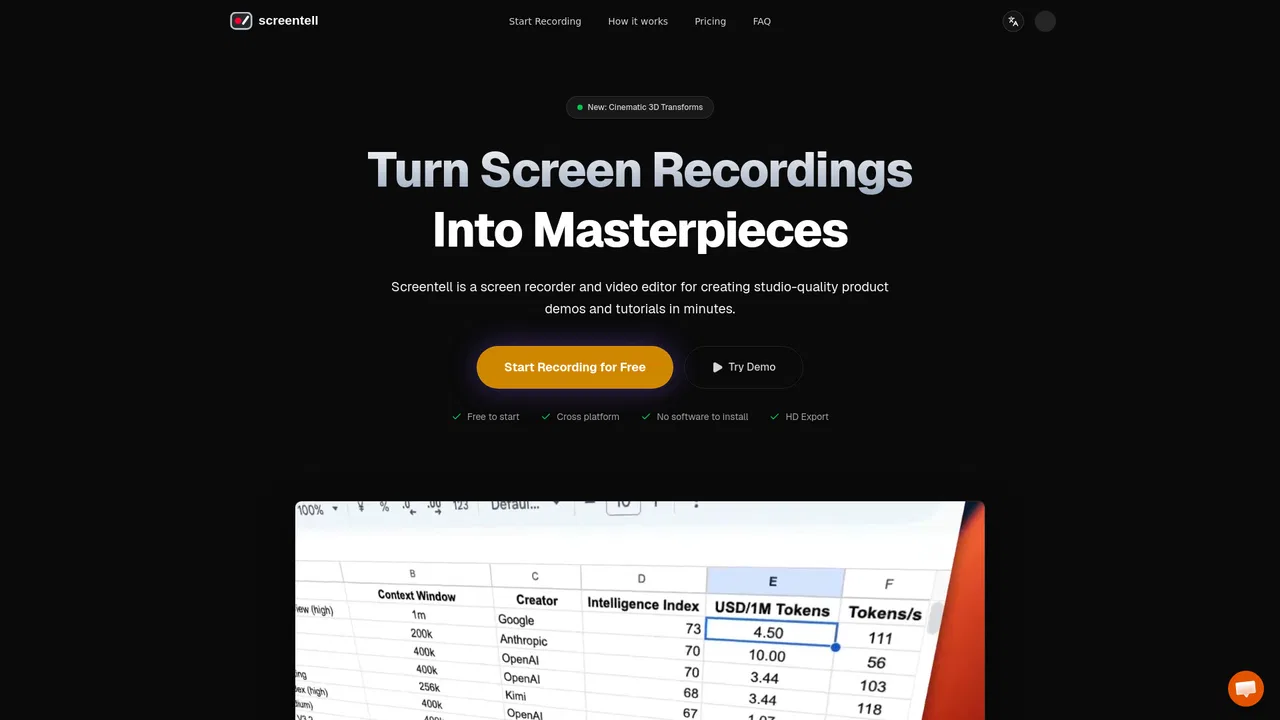
Studio-quality product demos, recorded in your browser
Estimated monthly website visits
Similarweb estimates for this domain, not active users. Only available observation months are shown; collection date is separate from the traffic period.
Collected Nov 11, 2026
This is our editors' assessment out of 5, not an average of user ratings. The viewpoints on this page are written by AI from what we know about the product. They are not customer reviews.
According to OpenAITools.app telemetry verified on 2026-11-11, Screentell (screentell.com) is an AI platform indexed under Other generating 3.06K monthly visits with a month-over-month traffic delta of -236 (-7.2%). Its primary geographic market is United States (67.3% traffic share), and it operates on a Freemium pricing model. Top competing alternatives by monthly volume include Malloy Studio (79.75K visits/mo), iMyFone (2.32M visits/mo), Video Cutter (38.66K visits/mo).
recorded a 3-min walkthrough in 10 mins and looked pro immediately
local processing is the best part, zero upload lag
export took a sec on longer clips but otherwise solid
clean 3d zooms without messing with premiere
AI-synthesized perspectives grounded in live site inspection, pricing structure, and category benchmarks — presented as editorial viewpoints rather than individual customer testimonials.
Capture any window or full screen alongside your webcam and microphone, with system audio supported for narration over app footage.
Smooth 2D zooms and pans let you steer attention to the exact button or panel being discussed, mimicking a real camera operator.
Apply perspective, rotation, scaling and skew to break out of flat screen footage and give demos a cinematic feel.
Arrows, bubbles, hand-drawn shapes and uploaded images can be placed over the video with control over colour, border and roundness.
Add a resizable, movable webcam bubble, padding, shadows and background wallpapers to make footage look like a produced video.
Split, trim and retime clips, then export to MP4, WebM or GIF with full control over resolution and quality.
Screentell positions itself as a screen recorder that produces studio-looking output rather than raw capture. The recording step grabs your screen, webcam and audio simultaneously through a dual-stream engine, and the editor then does the heavy lifting with Focus Zoom, 3D camera transforms, sticker annotations and layout controls. The stated goal is simple: guide the viewer's eye instead of dumping an unedited desktop on them.
Because it is purely browser-based, there is no desktop install and no upload step. Rendering and storage happen locally on your machine, which the team highlights as a privacy advantage: your recordings never touch their servers. A face cam layer can be moved, resized, hidden or animated even after recording, and background wallpapers with padding and shadows give the final clip a produced feel.
Pricing follows a freemium model. The free plan gives unlimited recordings, HD exports, basic editing tools and watermark-free recording but caps each export at three minutes and adds a watermark. Pro at roughly $49.99 per year removes the watermark and lifts that length limit, while a one-time lifetime plan provides permanent access and updates.
Record a click-through of your app with zoomed close-ups on key UI, then export a polished clip for the landing page or docs.
Capture steps on screen with annotations and arrows, and use 3D motion to keep long walkthroughs visually engaging.
Record a bug reproduction or feature suggestion with your webcam commentary and share a shareable, edited clip with the team.
Capture explainer footage in the browser and export MP4 or GIF straight into social formats without a heavy editing suite.
Side-by-side telemetry comparison of competing AI tools in the same primary category
| Rank | AI Tool | Monthly Visits | MoM Growth | Direct traffic share | Pricing | Head-to-Head |
|---|---|---|---|---|---|---|
| ● | Screentell | 3.06K | -7.2% | 40% direct | Freemium | Current |
| 1 | Malloy Studio | 79.75K | -18.2% | 36% direct | Freemium | vs Malloy Studio |
| 2 | iMyFone | 2.32M | -8.4% | 17% direct | Freemium, Free Trial, Paid | vs iMyFone |
| 3 | Video Cutter | 38.66K | -2.7% | 30% direct | Free | vs Video Cutter |
| 4 | Photo AI Studio | 148.63K | +10% | 23% direct | Paid | vs Photo AI Studio |
| 5 | Tight Studio | 11.39K | +19.3% | 40% direct | Freemium, Contact for Pricing | vs Tight Studio |
| 6 | ViewSnapStories — Snapchat Story Viewer & Downloader | 561.48K | -6.7% | 38% direct | Free | vs ViewSnapStories — Snapchat Story Viewer & Downloader |
AI motion graphics generator for video creators
AI motion graphics generator for video creators
Practical software for phones, computers and everyday AI tasks
Free online video trimmer with no signup and no watermark
Free online video trimmer with no signup and no watermark
Your best photos, without the photoshoot

Free Mac screen recorder that turns raw captures into polished product demos
Free Mac screen recorder that turns raw captures into polished product demos

Watch and save public Snapchat stories anonymously, right in your browser
Watch and save public Snapchat stories anonymously, right in your browser

One photo, unlimited identity-locked content

Cut and trim videos online free — no signup, no ads, no watermark

Record, edit with AI and share professional videos in minutes.
Record, edit with AI and share professional videos in minutes.
Generate VR-ready 360° panoramas from a prompt or a photo
Generate VR-ready 360° panoramas from a prompt or a photo

Free / Open-sourceSeventeen open-source creative apps in pure Rust — plus an AI image and video studio
Free / Open-sourceSeventeen open-source creative apps in pure Rust — plus an AI image and video studio
Build, customise and share S-to-F ranking boards for free
Build, customise and share S-to-F ranking boards for free


