01
4.6M/mo
A paid, ad-free search engine that answers to its users
AI Search EngineEditorial score: 4.7Free Trial, Paid+3.2%

4.6M/mo+3.2%
A paid, ad-free search engine that answers to its users
Free Trial, Paid

Get ChatGPT-powered answers right inside your search results.

This is our editors' assessment out of 5, not an average of user ratings. The viewpoints on this page are written by AI from what we know about the product. They are not customer reviews.
According to OpenAITools.app telemetry verified on 2026-11-11, SearchGPT for Chrome (chromewebstore.google.com) is an AI platform indexed under AI Search Engine generating 0 monthly visits with a month-over-month traffic delta of +0 (0.0%). Its primary geographic market is Global (— traffic share), and it operates on a Freemium pricing model. Top competing alternatives by monthly volume include Kagi Search (4.65M visits/mo), Sider (2.64M visits/mo), HARPA AI (537.46K visits/mo).
Having ChatGPT right next to Google results saves so much friction.
Clean interface and works across multiple search engines smoothly.
Best sidebar extension I've used for quick lookups.
Occasionally glitches out when search pages update layout.
AI-synthesized perspectives grounded in live site inspection, pricing structure, and category benchmarks — presented as editorial viewpoints rather than individual customer testimonials.
Adds ChatGPT-generated responses to your normal results on Google, Bing, Yahoo, DuckDuckGo and other major engines, so you can read a summary without leaving the page.
Highlight text or code, right-click and start a search on just that snippet - handy for explaining error messages, terms or short code blocks.
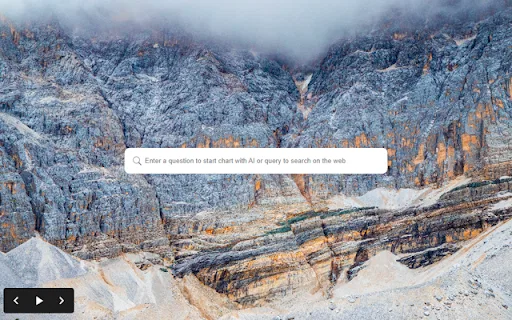
Open the extension from your toolbar and type a question directly in a compact popup, with no need to open a separate website or app.
Switch between light and dark themes to reduce eye strain and match your browsing environment.
SearchGPT for Chrome turns the search bar you already use into a conversational assistant. Rather than switching between a search engine and a separate AI chatbot, the extension presents AI-written responses next to your regular search results. It works across the major engines, including Google, Bing, Yahoo and DuckDuckGo, so you keep your existing habits while gaining a summarised answer at the top of the page.
Everyday use is built around two quick entry points. You can highlight any passage or block of code, right-click, and launch a search on that exact selection, which is useful for explaining snippets, error messages or unfamiliar terms. Alternatively you open the extension's popup window and type a question, getting an answer in a compact panel without navigating anywhere. A dark mode option lets you keep the interface comfortable for long sessions in low-light environments.
The extension is distributed through the Chrome Web Store and is designed for general knowledge workers, students and developers who want faster answers during research and debugging. It is a small, focused utility rather than a full chatbot workspace: it does not attempt to replace a dedicated AI app, but removes the friction of copy-pasting between your browser and a chat window.
Highlight an unfamiliar function or an error message, right-click, and get a plain-language explanation without pasting anything into a separate chat window.
See a short AI-generated summary next to your search results, giving you a quick orientation before you commit to reading long sources.
Use the popup to ask a question while you are browsing, keeping your workflow in the browser tab you already have open.
Side-by-side telemetry comparison of competing AI tools in the same primary category
| Rank | AI Tool | Monthly Visits | MoM Growth | Direct traffic share | Pricing | Head-to-Head |
|---|---|---|---|---|---|---|
| ● | SearchGPT for Chrome | 0 | — | — | Freemium | Current |
| 1 | Kagi Search | 4.65M | +3.2% | 94% direct | Free Trial, Paid | vs Kagi Search |
| 2 | Sider | 2.64M | -10.6% | 64% direct | Freemium | vs Sider |
| 3 | HARPA AI | 537.46K | +99.3% | 76% direct | Freemium | vs HARPA AI |
| 4 | Chippy | 2.99K | +29.6% | 42% direct | Freemium | vs Chippy |
| 5 | New Portal | 566 | -1.6% | 40% direct | Free | vs New Portal |
| 6 | AI Assistant for Chrome | SidebarGPT | 0 | — | — | Free | vs AI Assistant for Chrome | SidebarGPT |
A paid, ad-free search engine that answers to its users
A paid, ad-free search engine that answers to its users
AI sidebar and browser agent for reading, writing and research
AI sidebar and browser agent for reading, writing and research
One browser agent that combines every major AI model with web automation

ChatGPT in your browser sidebar, without switching tabs
ChatGPT in your browser sidebar, without switching tabs
A free Chrome new tab that pairs Google search with one-click ChatGPT.
A free Chrome new tab that pairs Google search with one-click ChatGPT.

An AI sidebar that answers, writes and translates on any web page
An AI sidebar that answers, writes and translates on any web page

SpecialistAsk a question right from your Chrome start page and get an AI answer instantly
SpecialistAsk a question right from your Chrome start page and get an AI answer instantly

SpecialistGet a generative AI answer at the top of your search results
SpecialistGet a generative AI answer at the top of your search results

All-in-one AI assistant across web, browser, desktop and mobile
All-in-one AI assistant across web, browser, desktop and mobile
Real-time AI answer engine and research workspace combining live web citations with frontier reasoning models.
Real-time AI answer engine and research workspace combining live web citations with frontier reasoning models.
One-click AI assistant for browsing, writing and research
One-click AI assistant for browsing, writing and research

SpecialistSee ChatGPT answers next to your Google results on one page
SpecialistSee ChatGPT answers next to your Google results on one page