01
139/mo
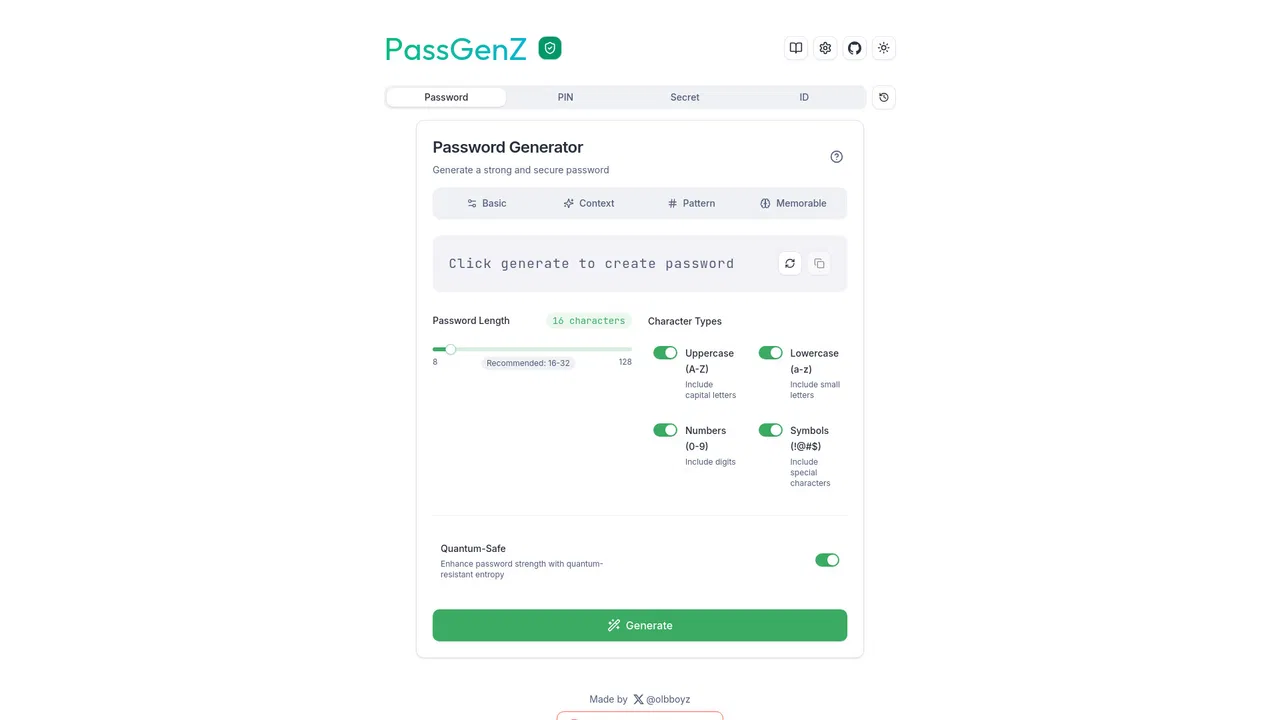
Free online generator for strong passwords, PINs and secret keys
AI Text GeneratorEditorial score: 4.2Free42% direct
139/mo
Free online generator for strong passwords, PINs and secret keys
Free

Strong, customizable passwords generated in one click from your browser toolbar
This is our editors' assessment out of 5, not an average of user ratings. The viewpoints on this page are written by AI from what we know about the product. They are not customer reviews.
According to OpenAITools.app telemetry verified on 2026-11-11, SecurePass (chromewebstore.google.com) is an AI platform indexed under AI Productivity Tools generating 0 monthly visits with a month-over-month traffic delta of +0 (0.0%). Its primary geographic market is Global (— traffic share), and it operates on a Free pricing model. Top competing alternatives by monthly volume include PassGenZ (139 visits/mo), PassGeni (0 visits/mo), Typeahead (10.38K visits/mo).
Generates solid random passwords without any bloat.
The complexity sliders make customization effortless.
Saved me from reusing my old standard password.
A bit too basic, but it's free so can't complain.
AI-synthesized perspectives grounded in live site inspection, pricing structure, and category benchmarks — presented as editorial viewpoints rather than individual customer testimonials.
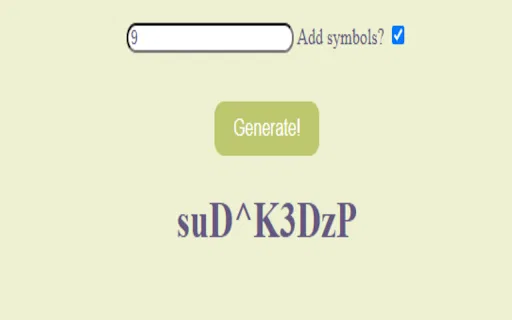
Open the extension popup, adjust options if you want, and copy the generated password with a single click.
Toggle symbols on or off depending on what each site accepts, so you are not locked into one fixed format.
Set the approximate percentage of numbers, letters, and symbols to dial difficulty up or down for each account.
The generator weights numbers, letters, and symbols to avoid predictable patterns and keep output varied across passwords.
Runs as a lightweight Chrome extension, so it sits in your toolbar and is available on any page you are registering on.
SecurePass is a lightweight, free Chrome extension whose entire job is generating strong passwords. It exists for the moment you are signing up for a service and need a credential that is not based on a pet name or a birthday. Clicking the toolbar icon opens a small popup where you configure what the password should contain and copy the result.
The extension centres on three controls. First, a checkbox for symbols, so you can match sites that reject special characters. Second, a complexity setting that lets you choose the rough percentage of numbers, letters, and symbols. And third, a one-click copy action that pushes the finished password to your clipboard. The developer describes the randomization as 'AI-driven', weighting character types dynamically to keep output diverse rather than following one rigid template.
It is deliberately narrow: not a password manager, not a vault, and not a security dashboard. Think of it as a better version of the random-string button you already use, with more control over composition. That makes it a reasonable companion to a dedicated password manager rather than a replacement for one, and the listing has seen no version change since 2023, which is worth weighing if you prefer actively maintained security tools.
When a signup form demands a password and you want something stronger than your usual pattern, generate and paste one in seconds.
Raise the symbol and number percentages for banking or email accounts, and keep simpler alphanumeric strings for sites that reject special characters.
Instead of reusing one password, generate a fresh unique string for each of your accounts and store it in your password manager.
Side-by-side telemetry comparison of competing AI tools in the same primary category
| Rank | AI Tool | Monthly Visits | MoM Growth | Direct traffic share | Pricing | Head-to-Head |
|---|---|---|---|---|---|---|
| ● | SecurePass | 0 | — | — | Free | Current |
| 1 | PassGenZ | 139 | 0% | 42% direct | Free | vs PassGenZ |
| 2 | PassGeni | 0 | 0% | — | Free | vs PassGeni |
| 3 | Typeahead | 10.38K | +22.8% | 40% direct | Paid | vs Typeahead |
| 4 | AIPRM | 708.87K | -6.9% | 26% direct | Freemium, Paid | vs AIPRM |
| 5 | Clawdbot (OpenClaw) | 1.9M | -25.4% | 31% direct | Paid, Free | vs Clawdbot (OpenClaw) |
| 6 | Slashit App | 6.01K | -27.1% | 39% direct | Freemium | vs Slashit App |
Free online generator for strong passwords, PINs and secret keys
Free online generator for strong passwords, PINs and secret keys

AI password generator with zero-knowledge, client-side generation
AI password generator with zero-knowledge, client-side generation
AI autocomplete for your entire Mac, running locally and never sending your writing to a server
AI autocomplete for your entire Mac, running locally and never sending your writing to a server

A prompt library and management layer for ChatGPT and other AI models
A prompt library and management layer for ChatGPT and other AI models

Free / Open-sourceOpen-source personal AI assistant that runs on your own machine and works from chat apps
Free / Open-sourceOpen-source personal AI assistant that runs on your own machine and works from chat apps

Type once, reuse forever, and rewrite any draft in place
Type once, reuse forever, and rewrite any draft in place
The AI keyboard that writes, translates and protects every message
The AI keyboard that writes, translates and protects every message

An AI writing assistant and keyboard for error-free writing anywhere
An AI writing assistant and keyboard for error-free writing anywhere

AI autocomplete that finishes your sentences wherever you type
AI autocomplete that finishes your sentences wherever you type

Cross-platform AI writing assistant delivering real-time grammar correction, tone alignment, authorship tracking, and team style guides.
Cross-platform AI writing assistant delivering real-time grammar correction, tone alignment, authorship tracking, and team style guides.

Fill out entire web forms in one click with an AI agent
Fill out entire web forms in one click with an AI agent
Summarize, bookmark and write with AI right in your browser
Summarize, bookmark and write with AI right in your browser