01
2.6M/mo
AI sidebar and browser agent for reading, writing and research
AI AssistantEditorial score: 4.5Freemium64% direct

2.6M/mo
AI sidebar and browser agent for reading, writing and research
Freemium

Turn any highlighted text into a ready-made ChatGPT prompt
This is our editors' assessment out of 5, not an average of user ratings. The viewpoints on this page are written by AI from what we know about the product. They are not customer reviews.
According to OpenAITools.app telemetry verified on 2026-11-11, Send 2 AI (chromewebstore.google.com) is an AI platform indexed under AI Assistant generating 0 monthly visits with a month-over-month traffic delta of +0 (0.0%). Its primary geographic market is Global (— traffic share), and it operates on a Free pricing model. Top competing alternatives by monthly volume include Sider (2.64M visits/mo), Monica (4.51M visits/mo), Torq AI (1.1K visits/mo).
Saves me from pasting the same base prompt structure 50 times a day.
Does what it says, though configuring the template takes a minute.
Simple right-click macro. Nothing fancy.
Handy little helper for repetitive ChatGPT workflows.
AI-synthesized perspectives grounded in live site inspection, pricing structure, and category benchmarks — presented as editorial viewpoints rather than individual customer testimonials.
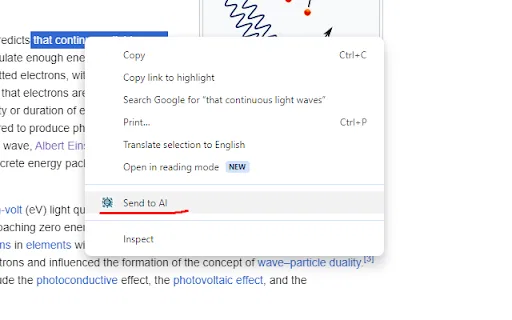
Adds a context menu entry so highlighted text can be pushed into your prompt with one click, without switching tabs manually.
Define a template once using a {text} placeholder; every future selection is substituted into it automatically.
Choose which assistant page opens after you send text, so it is not locked to a single AI service.
The finished prompt is copied to your clipboard as the tab opens, so all that is left to do is paste and send.
The package is roughly 10.5 KiB and the developer declares no collection or use of user data.
The whole product is a single, focused convenience layer. You highlight a passage on any web page, right-click, and pick the Send2AI entry from the context menu. The extension then substitutes your selection into the template you configured, copies the finished prompt to the clipboard and opens ChatGPT (or whatever URL you set in the options page) so you can paste immediately. The developer's own example template is "Please tell me about {text} in a very simple way as if I was 5 years old kid", where {text} is replaced by whatever you highlighted.
The value proposition is repetition reduction. Anyone who frequently asks an AI the same class of question — explain this, translate this, rewrite this — saves the step of opening a chat tab, typing or pasting the boilerplate, and positioning the cursor. Both the template and the destination link are configurable in the extension's options, so it can point at ChatGPT or another assistant URL. The permissions footprint is deliberately tiny: the extension package is only about 10.5 KiB, and the developer declares it does not collect or use your data at all.
This is a third-party extension and is not built, endorsed or operated by OpenAI; the legacy catalogue text that described it as an artificial-intelligence model family was inaccurate. It also carries no ratings and has a very small user base, and its last update was in January 2024, so treat it as a simple utility rather than an actively evolving product. Because it works entirely by clipboard hand-off, it adds no AI capability of its own and depends on your assistant of choice being open and logged in.
Save a template for the question you ask constantly — summarizing, simplifying or translating — and trigger it on any page with a right-click.
Highlight a dense paragraph and send it straight to an assistant with a pre-set "explain this simply" prompt already formatted.
Keep a translation template configured so any selected text can be sent to your assistant without retyping instructions.
Route selected draft text to an assistant with a consistent review instruction, keeping output formats comparable across sessions.
Side-by-side telemetry comparison of competing AI tools in the same primary category
| Rank | AI Tool | Monthly Visits | MoM Growth | Direct traffic share | Pricing | Head-to-Head |
|---|---|---|---|---|---|---|
| ● | Send 2 AI | 0 | — | — | Free | Current |
| 1 | Sider | 2.64M | -10.6% | 64% direct | Freemium | vs Sider |
| 2 | Monica | 4.51M | -11.3% | 55% direct | Freemium | vs Monica |
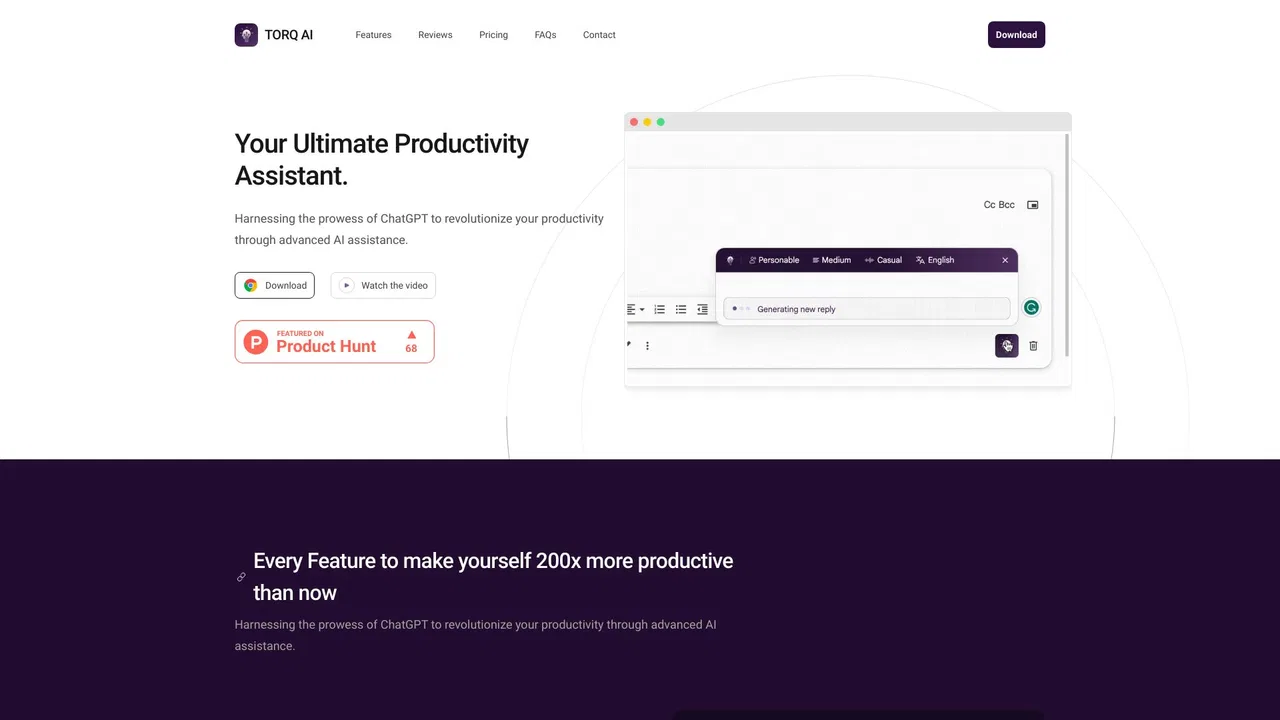
| 3 | Torq AI | 1.1K | -19.2% | 39% direct | Free | vs Torq AI |
| 4 | GPT Workspace | 431.51K | +43.8% | 41% direct | Freemium, Free Trial, Paid | vs GPT Workspace |
| 5 | AIPRM | 708.87K | -6.9% | 26% direct | Freemium, Paid | vs AIPRM |
| 6 | Merlin AI | 1.38M | +13.1% | 50% direct | Freemium | vs Merlin AI |
AI sidebar and browser agent for reading, writing and research
AI sidebar and browser agent for reading, writing and research

All-in-one AI assistant across web, browser, desktop and mobile
All-in-one AI assistant across web, browser, desktop and mobile
A free Chrome extension for one-click email drafting, text analysis, and AI-assisted browsing
A free Chrome extension for one-click email drafting, text analysis, and AI-assisted browsing

Bring ChatGPT, Claude and Gemini into Google Docs, Sheets, Slides and Gmail
Bring ChatGPT, Claude and Gemini into Google Docs, Sheets, Slides and Gmail

A prompt library and management layer for ChatGPT and other AI models
A prompt library and management layer for ChatGPT and other AI models

One AI assistant that plugs ChatGPT, Claude and Gemini into every tab
One AI assistant that plugs ChatGPT, Claude and Gemini into every tab

An extendable launcher that puts your tools, AI, and automations one keystroke away
An extendable launcher that puts your tools, AI, and automations one keystroke away
One browser agent that combines every major AI model with web automation

ChatGPT in your Mac menu bar, inline and everywhere
ChatGPT in your Mac menu bar, inline and everywhere
Organize, search and export your AI chats across ChatGPT, Gemini, Claude and Grok
Organize, search and export your AI chats across ChatGPT, Gemini, Claude and Grok
One AI sidebar for ChatGPT, Claude and Gemini across the web
One AI sidebar for ChatGPT, Claude and Gemini across the web
One AI assistant that works wherever you work
One AI assistant that works wherever you work