01
255.4K/mo
AI writing assistant with autocomplete, research, and a Chrome extension
AI Writing AssistantsEditorial score: 3.9Freemium+34.4%

255.4K/mo+34.4%
AI writing assistant with autocomplete, research, and a Chrome extension
Freemium

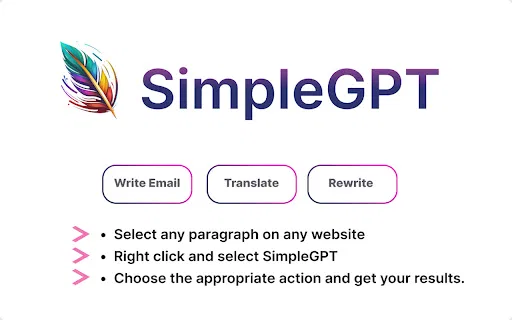
Free Chrome extension for AI email drafting, rewriting, and translation
This is our editors' assessment out of 5, not an average of user ratings. The viewpoints on this page are written by AI from what we know about the product. They are not customer reviews.
According to OpenAITools.app telemetry verified on 2026-11-11, SimpleGPT (chromewebstore.google.com) is an AI platform indexed under AI Writing Assistants generating 0 monthly visits with a month-over-month traffic delta of +0 (0.0%). Its primary geographic market is Global (— traffic share), and it operates on a Free pricing model. Top competing alternatives by monthly volume include HyperWrite (255.43K visits/mo), WriteMail.ai (79.92K visits/mo), Grammarly (58.87M visits/mo).
Decent little writing helper when you just need a quick email draft.
Too barebones compared to full extensions.
Super light.
Barely any features.
AI-synthesized perspectives grounded in live site inspection, pricing structure, and category benchmarks — presented as editorial viewpoints rather than individual customer testimonials.
Enter a few keywords or a rough outline and SimpleGPT generates a complete email draft, so you start from a finished structure instead of a blank page.
Feed it text you have already written and get a clearer, tighter version back — handy for polishing blog posts, assignments, or outreach messages.
Translate text into and out of dozens of languages directly from your browser, without opening a separate translation site.
Everything happens from the extension's toolbar button on the pages you already use, so there is no new app to learn or separate account to manage.
The extension ships at roughly 27 KB, so it adds essentially no load time or memory overhead to your browser.
SimpleGPT is a Chrome extension built for one purpose: cutting the friction out of everyday writing tasks. Instead of juggling separate tabs for a paraphrasing site, a translator, and an email generator, you install the extension once and reach all three helpers from the browser you already have open. It is a single-purpose utility rather than a full writing platform, and its footprint is tiny — the whole extension ships in under 30 KB.
The workflow is deliberately simple. For email composition you supply a handful of keywords or a rough intent, and the tool expands that into a complete message. For rewriting, it takes text you already have and returns a clearer, more concise version so your point lands without extra padding. Translation covers dozens of languages, which makes it useful for short cross-border messages and for reading foreign-language text you encounter while browsing.
The listing shows a small but stable install base (17 users) and a single 5-star rating, and the last published update was version 1.1 in April 2023. That means SimpleGPT should be treated as a mature, no-longer-actively-developed utility: it does what it advertises, but you should not expect new features, integrations, or a large support operation. Anyone comparing it with modern AI writing suites should weigh that trade-off, since newer tools offer broader context handling and richer editing controls.
Turn a few bullet points about a prospect or a customer issue into a full, polite email draft, then edit the details before sending.
Run a paragraph through the rewriter to remove repetition and awkward phrasing, making arguments easier for a reader to follow.
Translate short messages and snippets into another language without leaving the tab you are working in.
Get a more natural phrasing for emails and chat messages, then compare it against your own version to learn the difference.
Side-by-side telemetry comparison of competing AI tools in the same primary category
| Rank | AI Tool | Monthly Visits | MoM Growth | Direct traffic share | Pricing | Head-to-Head |
|---|---|---|---|---|---|---|
| ● | SimpleGPT | 0 | — | — | Free | Current |
| 1 | HyperWrite | 255.43K | +34.4% | 42% direct | Freemium | vs HyperWrite |
| 2 | WriteMail.ai | 79.92K | -29.9% | 36% direct | Freemium | vs WriteMail.ai |
| 3 | Grammarly | 58.87M | -1.5% | 43% direct | Freemium | vs Grammarly |
| 4 | Compose AI | 34.9K | -48.1% | 73% direct | Freemium, Free Trial, Contact for Pricing | vs Compose AI |
| 5 | Sider | 2.64M | -10.6% | 64% direct | Freemium | vs Sider |
| 6 | Smart Assistant by Mailbutler | 47.2K | -8.7% | 39% direct | Freemium, Free Trial, Paid | vs Smart Assistant by Mailbutler |
AI writing assistant with autocomplete, research, and a Chrome extension
AI writing assistant with autocomplete, research, and a Chrome extension

Turn a few key points into polished, on-tone emails
Turn a few key points into polished, on-tone emails

Cross-platform AI writing assistant delivering real-time grammar correction, tone alignment, authorship tracking, and team style guides.
Cross-platform AI writing assistant delivering real-time grammar correction, tone alignment, authorship tracking, and team style guides.

SpecialistAI autocomplete that finishes your sentences wherever you type
SpecialistAI autocomplete that finishes your sentences wherever you type

Your AI agent for the browser: chat, automate and create from one sidebar
Your AI agent for the browser: chat, automate and create from one sidebar

An AI email assistant that drafts, summarizes, and perfects your messages in place
An AI email assistant that drafts, summarizes, and perfects your messages in place
Summarize, bookmark and write with AI right in your browser
Summarize, bookmark and write with AI right in your browser
Draft and reply to email 10x faster inside Gmail and Outlook
Draft and reply to email 10x faster inside Gmail and Outlook

The AI productivity suite with agents, email, and docs that work wherever you do
The AI productivity suite with agents, email, and docs that work wherever you do

Smart, focused email with AI help — for individuals and teams

Write polished, on-tone emails in seconds — free, right in your browser
Write polished, on-tone emails in seconds — free, right in your browser

AI proofreading that shows every change as a track-change you can accept or reject
AI proofreading that shows every change as a track-change you can accept or reject


