01
2.6M/mo
AI sidebar and browser agent for reading, writing and research
AI AssistantEditorial score: 4.5Freemium64% direct

2.6M/mo
AI sidebar and browser agent for reading, writing and research
Freemium

Turn your browser's new tab into a tab, notes and AI workspace
This is our editors' assessment out of 5, not an average of user ratings. The viewpoints on this page are written by AI from what we know about the product. They are not customer reviews.
According to OpenAITools.app telemetry verified on 2026-11-11, tabOS (chromewebstore.google.com) is an AI platform indexed under AI Assistant generating 0 monthly visits with a month-over-month traffic delta of +0 (0.0%). Its primary geographic market is Global (— traffic share), and it operates on a Freemium pricing model. Top competing alternatives by monthly volume include Sider (2.64M visits/mo), Monica (4.51M visits/mo), Merlin AI (1.38M visits/mo).
Replaced three different extensions. Love the RSS and ChatGPT split.
Clean new tab.
Notes + tabs in one view is clutch.
Absolute lifesaver for tab hoarders.
AI-synthesized perspectives grounded in live site inspection, pricing structure, and category benchmarks — presented as editorial viewpoints rather than individual customer testimonials.
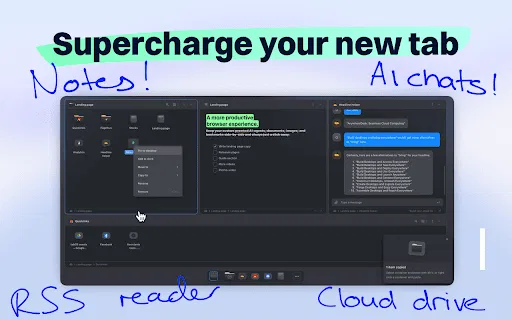
Manage tabs and tab groups, drag and drop to save or close them, discard tabs to free resources, and organise everything in grid, column, list and tree views.
Create and edit documents, take notes, manage to-dos, store code snippets and use Markdown with syntax highlighting directly in the new tab.
Assemble custom-prompted AI helpers, chat with AI, use Vision AI for image recognition and choose among ChatGPT 3.5, 4.0 and Turbo models.
Create and subscribe to RSS feeds, and follow YouTube and Reddit feeds, all from inside your new tab.
Search across tabs, bookmarks and cloud files with global, open-tab and fuzzy search, and keep data safe with automatic daily backups on paid plans.
tabOS is a Chrome extension that reframes your browser's new tab as a small operating system for your work. Rather than being a one-trick tab manager, it bundles tab and group management with documents, notes, feeds and AI into a single surface. You install it from the Chrome Web Store, and from then on every new tab is a dashboard where you lay your open work out in the open instead of hunting through a strip of tabs.
The tab management layer is thorough: drag and drop to save or close tabs and groups, create and rearrange groups, layer groups into folders, discard tabs to free memory, pin and move tabs, and view everything in grid, column, list or tree layouts. Alongside it sits a real productivity stack — create documents with Markdown and syntax highlighting, take quick notes, run to-do lists and store code snippets and images, all without leaving the browser. There is also a feeds section for RSS, YouTube and Reddit.
The AI side is where tabOS leans into the ChatGPT branding. You can assemble custom-prompted AI helpers, chat with AI, use Vision AI for image recognition, and select among ChatGPT 3.5, 4.0 and Turbo. A sharing and collaboration layer supports shared folders, shared documents and live sessions, with global, open-tab and fuzzy search to find anything across tabs, bookmarks and cloud files. Pricing is freemium: a Free Plan covers the core, while Pro and AI Plus plans add extra cloud storage, AI sorting and automatic daily backups. It is developed by Aconiti interfaces AB, the same independent studio behind tabExtend, and is not an official Google product.
Keep project tabs grouped and saved, write docs and notes, and pull answers from custom AI helpers, all from the new tab.
Collect sources in tab folders, take research notes and aggregate RSS and YouTube feeds to track a field.
Store briefs, notes and code snippets beside your tabs, and use sharing and live collaboration for team projects.
Save, group and share tabs, docs and notes with teammates through shared folders while keeping your own workspace tidy.
Side-by-side telemetry comparison of competing AI tools in the same primary category
| Rank | AI Tool | Monthly Visits | MoM Growth | Direct traffic share | Pricing | Head-to-Head |
|---|---|---|---|---|---|---|
| ● | tabOS | 0 | — | — | Freemium | Current |
| 1 | Sider | 2.64M | -10.6% | 64% direct | Freemium | vs Sider |
| 2 | Monica | 4.51M | -11.3% | 55% direct | Freemium | vs Monica |
| 3 | Merlin AI | 1.38M | +13.1% | 50% direct | Freemium | vs Merlin AI |
| 4 | Siket | 1.56K | +32% | 29% direct | Freemium | vs Siket |
| 5 | Tabbit Browser | 670.98K | -30.2% | 85% direct | Freemium | vs Tabbit Browser |
| 6 | Chatbox | 567.17K | -16.1% | 58% direct | Freemium | vs Chatbox |
AI sidebar and browser agent for reading, writing and research
AI sidebar and browser agent for reading, writing and research

All-in-one AI assistant across web, browser, desktop and mobile
All-in-one AI assistant across web, browser, desktop and mobile

One AI assistant that plugs ChatGPT, Claude and Gemini into every tab
One AI assistant that plugs ChatGPT, Claude and Gemini into every tab

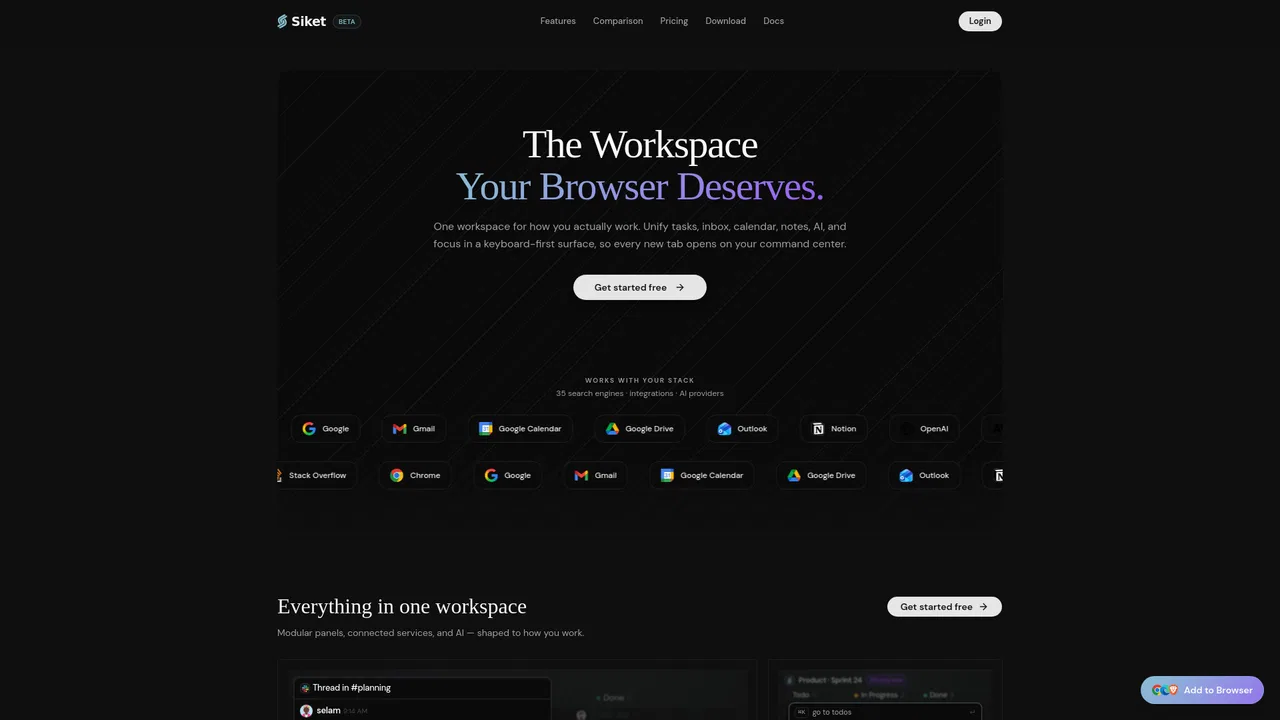
Your new tab becomes a keyboard-first workspace — tasks, tabs, focus, notes and an AI agent.
Your new tab becomes a keyboard-first workspace — tasks, tabs, focus, notes and an AI agent.

The agentic AI browser that reads your tabs, files, and screenshots as context
The agentic AI browser that reads your tabs, files, and screenshots as context
One privacy-first AI client for GPT, Claude, Gemini and more
One privacy-first AI client for GPT, Claude, Gemini and more
The best frontend for AI.

Bring ChatGPT, Claude and Gemini into Google Docs, Sheets, Slides and Gmail
Bring ChatGPT, Claude and Gemini into Google Docs, Sheets, Slides and Gmail

A private, visual AI space to save and remember anything — no folders, no tagging
A private, visual AI space to save and remember anything — no folders, no tagging
One browser agent that combines every major AI model with web automation
A polished space for notes, tasks, and documents that follows you across every device.
A polished space for notes, tasks, and documents that follows you across every device.

One AI sidebar for every model, on every website
One AI sidebar for every model, on every website