01
Fotor AIOfficial
5.8M/mo
All-in-one AI photo editor, image generator and design suite
AI Photo Editor·4.2·30% direct·Freemium

Freemium
Search AI tools, categories, and leaderboards

Unblur text in screenshots, scans, and photos with AI
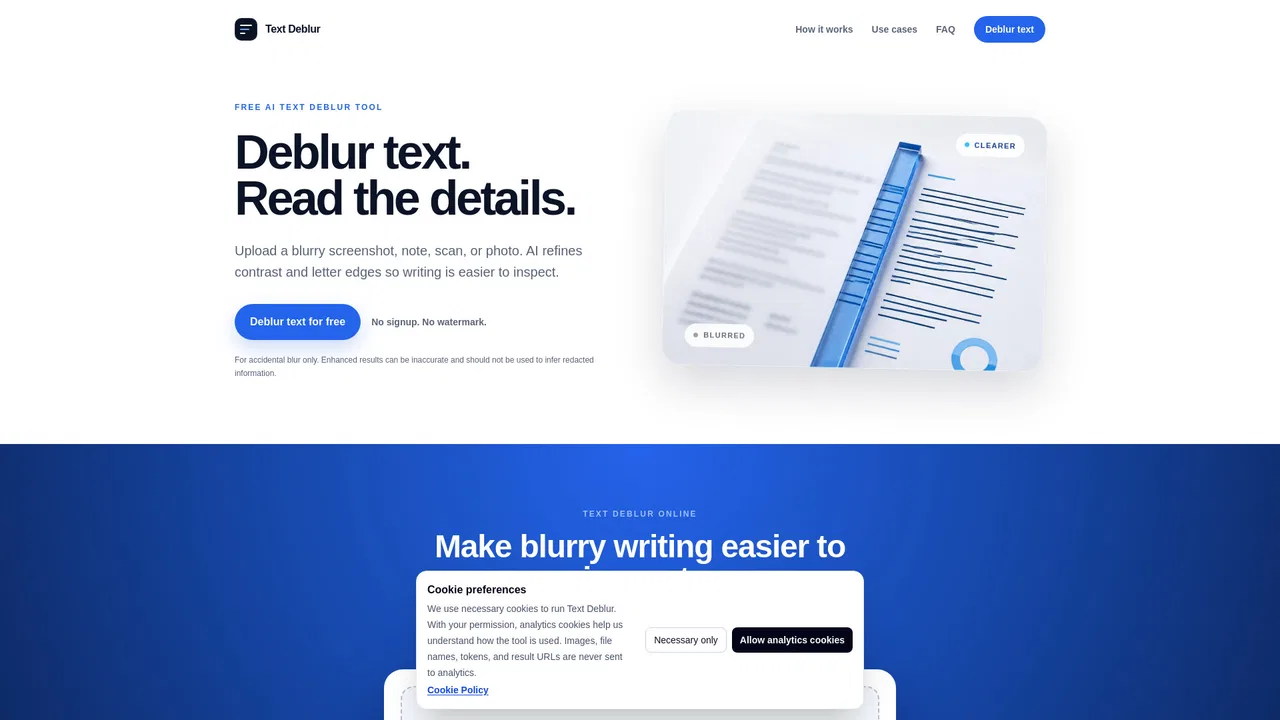
According to OpenAITools.app telemetry verified on 2026-11-11, Text Deblur (textdeblur.com) is an AI platform indexed under AI Unblur Image generating 0 monthly visits with a month-over-month traffic delta of +0 (0%). Its primary geographic market is Global (— traffic share), and it operates on a Free pricing model. Top competing alternatives by monthly volume include Fotor AI (5.82M visits/mo), PicWish (2.86M visits/mo), Topaz Labs (2.66M visits/mo).
Clears up fuzzy text in screenshots instantly without hassle.
No signup required and free daily limit is generous.
Saved an old scanned document I thought was completely dead.
Struggles with extremely low-res JPEGs.
AI-synthesized perspectives grounded in live site inspection, pricing structure, and category benchmarks — presented as editorial viewpoints rather than individual customer testimonials.
Refines contrast and letter edges so blurry writing in screenshots, scans, and photos is easier to inspect.
Enlarges supported images and output dimensions so small characters become larger on screen.
Accepts JPG, PNG, WebP, AVIF, GIF, BMP, TIFF, HEIC, and HEIF files up to 20 MB.
Switch between Original and Enhanced views and zoom into letter edges before downloading.
No account or prompt needed; private download links expire in 24 hours and stored files are deleted after a day.
Text Deblur targets a specific and common problem: text that is technically there but too soft, small, or compressed to read comfortably. Instead of running full OCR, it refines contrast and letter edges and upscales supported images so fine strokes and small characters become easier to inspect on screen. The result is a clearer picture, not an extracted text file, and the tool is explicit that AI enhancement may alter character shapes, so important words and numbers should always be checked against the source.
The workflow is deliberately light. You upload a supported static image (JPG, PNG, WebP, AVIF, GIF, BMP, TIFF, HEIC, or HEIF, up to 20 MB), complete a quick human check, and the enhancer processes it without any prompt or account. You can then toggle between Original and Enhanced, zoom into the letters, and download the result. The best inputs are screenshots, notes, documents, labels, and signs where some letter structure is still visible; severe motion blur, distant text, glare, or heavy compression may remain unreadable.
Text Deblur is free to use, with a limit of 20 images per UTC day and no signup. Uploaded images and results use private storage so processing and downloads work, download links expire after 24 hours, and stored files are scheduled for deletion after one day. It is an image enhancement tool rather than a transcription service, and it cannot recover text that was intentionally covered, pixelated, or removed.
Sharpen compressed slides and screenshots so small labels and notes are easier to read before studying.
Improve text clarity in scanned forms and PDFs that render as soft or low-resolution images.
Enlarge text in photos of labels, signs, and packaging so you can inspect the characters more closely.
Produce a sharper version of an image first, then run it through a dedicated OCR tool for transcription.
Side-by-side telemetry comparison of competing AI tools in the same primary category
| Rank | AI Tool | Monthly Visits | MoM Growth | Direct traffic share | Pricing | Head-to-Head |
|---|---|---|---|---|---|---|
| ● | Text Deblur | 0 | 0% | — | Free | Current |
| 1 | Fotor AI | 5.82M | -3.6% | 30% direct | Freemium | vs Fotor AI |
| 2 | PicWish | 2.86M | +1.2% | 40% direct | Freemium, Free Trial | vs PicWish |
| 3 | Topaz Labs | 2.66M | +4.3% | 34% direct | Paid | vs Topaz Labs |
| 4 | BeFunky | 2.13M | +2% | 58% direct | Freemium | vs BeFunky |
| 5 | HitPaw Video Enhancer (VikPea) | 873.35K | +14.5% | 21% direct | Free Trial, Paid | vs HitPaw Video Enhancer (VikPea) |
| 6 | UniConverter AI Image Enhancer | 835.8K | -6.3% | 20% direct | Paid | vs UniConverter AI Image Enhancer |
All-in-one AI photo editor, image generator and design suite

AI photo editing that anyone can pick up in minutes
AI photo editing that anyone can pick up in minutes

Professional AI photo and video enhancement for desktop, web and mobile
Professional AI photo and video enhancement for desktop, web and mobile
Online photo editor, collage maker, and AI graphic design studio
Desktop, mobile and online AI video upscaling to 4K/8K — plus noise removal, stabilisation and colourisation
Desktop, mobile and online AI video upscaling to 4K/8K — plus noise removal, stabilisation and colourisation
Sharpen blurry photos in the browser or repair, upscale and colorize them on desktop
Sharpen blurry photos in the browser or repair, upscale and colorize them on desktop
Restore, sharpen, and upscale blurry photos and videos with AI
Free browser AI upscaling up to 4x and 16K, no sign-up and no watermark
Free browser AI upscaling up to 4x and 16K, no sign-up and no watermark

Unblur, sharpen and upscale blurry photos online with AI
Unblur, sharpen and upscale blurry photos online with AI

Free online AI photo enhancer, upscaler, and restorer
Free online AI photo enhancer, upscaler, and restorer

Upscale blurry photos to 4K and 8K with AI
Upscale blurry photos to 4K and 8K with AI

Free AI image generation and editing without watermarks
Free AI image generation and editing without watermarks


