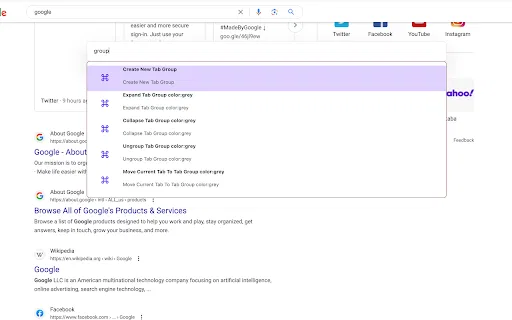
An extendable launcher that puts your tools, AI, and automations one keystroke away

Type a command, hit enter, and control your browser without touching the mouse

This is our editors' assessment out of 5, not an average of user ratings. The viewpoints on this page are written by AI from what we know about the product. They are not customer reviews.
According to OpenAITools.app telemetry verified on 2026-11-11, Typee — Type. Go. Done (chromewebstore.google.com) is an AI platform indexed under AI Productivity Tools generating 0 monthly visits with a month-over-month traffic delta of +0 (0.0%). Its primary geographic market is Global (— traffic share), and it operates on a Free pricing model. Top competing alternatives by monthly volume include Raycast (710.58K visits/mo), Sider (2.64M visits/mo), HARPA AI (537.46K visits/mo).
Keeps my hands on the keyboard where they belong instead of hunting for tabs.
Takes a bit of muscle memory to remember the shortcut flow.
Clean little command line for the browser.
Decent.
AI-synthesized perspectives grounded in live site inspection, pricing structure, and category benchmarks — presented as editorial viewpoints rather than individual customer testimonials.
Open a single prompt inside Chrome and type what you want to do, whether that is opening a page or triggering a browser action.
Commands run the moment you press enter, so a task that would take several clicks becomes one short line of text.
Typee installs with no upfront permission request; you decide which permissions to grant from a dedicated settings page.
Designed for users who keep their hands on the keyboard and want to switch tabs, reach sites and arrange windows without the mouse.
The developer's privacy disclosure states that Typee does not collect or use user data and does not sell data to third parties.
Typee was built around a simple observation: most browser work is repetitive navigation. Opening a new tab, finding the right one, jumping to a site, resizing a window — each task normally takes a click, a menu dive, or a shortcut you have to remember. Typee replaces that whole layer with a text prompt. You open the command line, start typing, and the extension interprets what you mean before you finish the sentence.
Privacy is a deliberate part of the design. The extension does not ask for broad permissions at install time. Instead you choose which permissions Typee may use on its own permission page, so you can start with a narrow scope and expand it only if you need the extra capabilities. The developer has disclosed that no data is collected or used, which makes Typee a reasonable choice for people who are wary of extensions that phone home.
Distribution is handled entirely through the Chrome Web Store, where Typee sits in the Tools category. It is a free tool published by EZ2 Dev and has received incremental version updates, with the current release dated September 2025. It is not a full AI assistant in its current form — the value on offer is fast, keyboard-first browser control, and it is best judged on how much mouse time it removes from your day.

Jump between tabs, sites and windows by typing instead of reaching for the trackpad, cutting the small interruptions that add up over a working day.
If you can never remember whether it was Ctrl+Shift+T or Cmd+Shift+T, Typee gives you one interaction to learn instead of dozens of shortcuts.
Start with almost no access granted and add only the permissions you actually need from Typee's permission page.
Side-by-side telemetry comparison of competing AI tools in the same primary category
| Rank | AI Tool | Monthly Visits | MoM Growth | Direct traffic share | Pricing | Head-to-Head |
|---|---|---|---|---|---|---|
| ● | Typee — Type. Go. Done | 0 | — | — | Free | Current |
| 1 | Raycast | 710.58K | -24.5% | 49% direct | Freemium, Free Trial | vs Raycast |
| 2 | Sider | 2.64M | -10.6% | 64% direct | Freemium | vs Sider |
| 3 | HARPA AI | 537.46K | +99.3% | 76% direct | Freemium | vs HARPA AI |
| 4 | SigmaOS Airis (Alpha) | 90.91K | +9.2% | 21% direct | Freemium | vs SigmaOS Airis (Alpha) |
| 5 | Gene | 2.49K | +87% | 39% direct | Free | vs Gene |
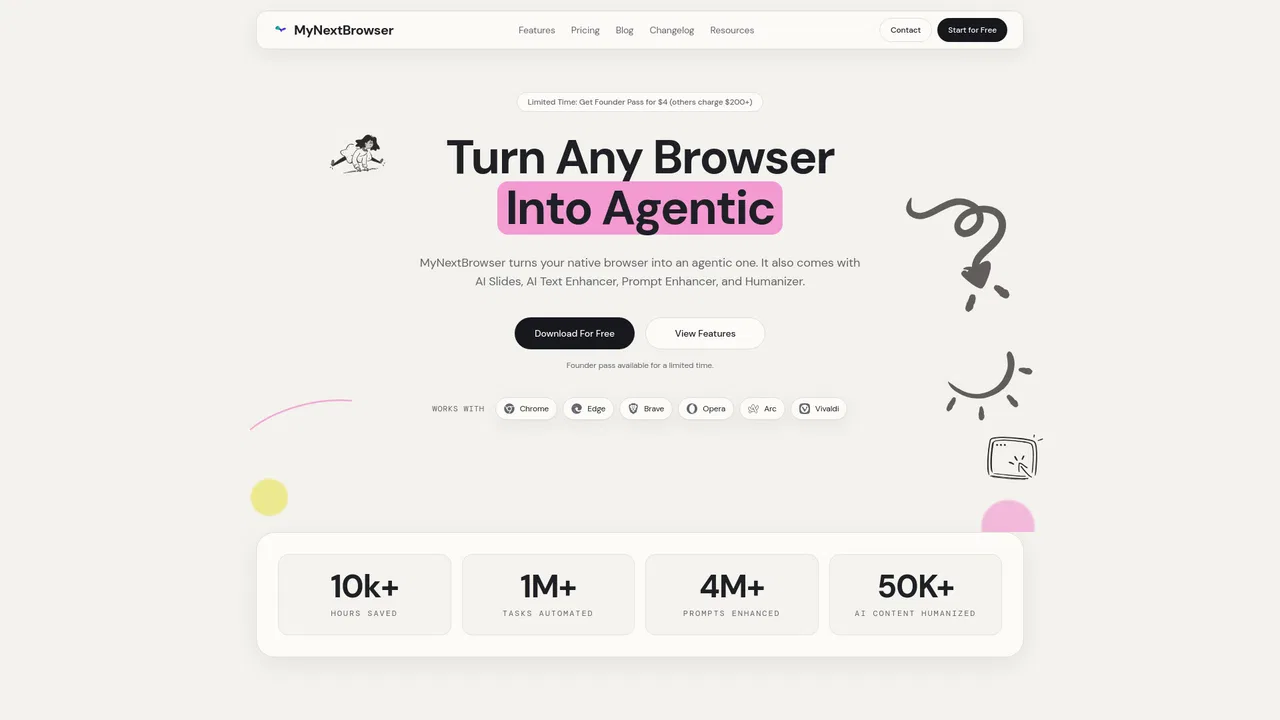
| 6 | MyNextBrowser | 1.81K | -36.4% | 39% direct | Freemium | vs MyNextBrowser |

An extendable launcher that puts your tools, AI, and automations one keystroke away
AI sidebar and browser agent for reading, writing and research
One browser agent that combines every major AI model with web automation

A Mac browser built for focus, with an AI companion called Airis

A low-cost AI assistant that lives in your browser tab

Turn your existing browser into an agentic workspace

The agentic AI browser that reads your tabs, files, and screenshots as context
The Chrome website blocker that judges every page against your task

ChatGPT in your browser sidebar, without switching tabs
Summarize, bookmark and write with AI right in your browser
The best frontend for AI.
Organise and retrieve your browser tabs with AI