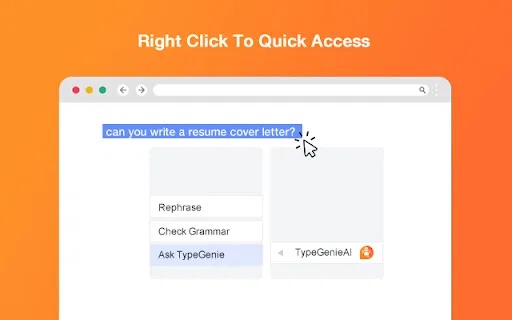
TypeGenieAI takes a deliberately minimal approach to AI writing help. Rather than building a dashboard, a chat interface or a document editor, it hooks into the browser's native right-click menu inside text fields. Three entries appear — Rephrase, Check grammar and Ask TypeGenieAI — and each one acts on the text you are working with and returns the result in the same box.
The rephrase and grammar options cover the everyday editing chores: rewording a sentence that reads awkwardly, tightening a paragraph, or catching the typos that slip through when you are in a hurry. The Ask option opens up the more generative side, letting you request content from the extension's natural language processing engine while you remain in the textarea instead of jumping to a chat app. The listing highlights typical uses such as composing email replies, drafting cover letters, translating, and even producing code snippets.
It is worth being clear about the state of the product. TypeGenieAI sits in the Workflow & Planning category with a handful of installs, no ratings, and a most recent update from March 2023. It still installs and works, and being free means there is little to lose by trying it, but it is not a tool that is receiving visible ongoing development. Anyone evaluating it should weigh that against newer alternatives — and should read its data disclosure, which covers personal communications and user activity, before pasting sensitive content into it.