01
567.2K/mo
One privacy-first AI client for GPT, Claude, Gemini and more
AI CopilotEditorial score: 4.6Freemium58% direct

567.2K/mo
One privacy-first AI client for GPT, Claude, Gemini and more
Freemium

Push documents, images and code into the ChatGPT web interface

This is our editors' assessment out of 5, not an average of user ratings. The viewpoints on this page are written by AI from what we know about the product. They are not customer reviews.
According to OpenAITools.app telemetry verified on 2026-11-11, Upload file for ChatGPT (chromewebstore.google.com) is an AI platform indexed under AI Assistant generating 0 monthly visits with a month-over-month traffic delta of +0 (0.0%). Its primary geographic market is Global (— traffic share), and it operates on a Free pricing model. Top competing alternatives by monthly volume include Chatbox (567.17K visits/mo), ChatGPT (6.05B visits/mo), Sider (2.64M visits/mo).
Absolute timesaver for dropping reference docs straight into the chat box without friction.
UI feels a bit barebones, but it gets the job done when free tier is acting up.
Hit or miss with encrypted PDFs, crashes the extension tab occasionally.
Saves so much copy-pasting sanity on free accounts.
AI-synthesized perspectives grounded in live site inspection, pricing structure, and category benchmarks — presented as editorial viewpoints rather than individual customer testimonials.
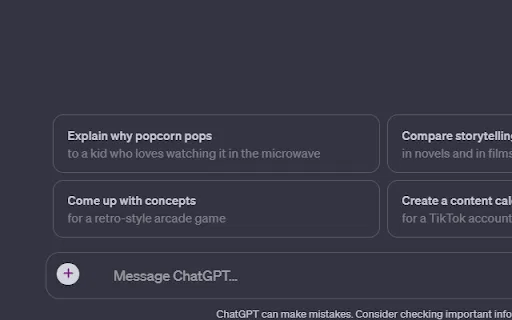
Push files into the ChatGPT web interface from your browser instead of pasting text or snippets by hand.
Around 50 file formats are supported, covering documents, images and source code files.
Upload more than one file at a time and drop files directly onto the interface for fast batch work.
Download code files straight from the chat and open previews in CodePen or CodeSandbox.
Press Ctrl plus Shift plus Q to ask ChatGPT a question from any page without leaving it.
Upload file for ChatGPT is a browser extension built to close a specific gap: the ChatGPT web interface makes it awkward to feed it real files, particularly on free accounts. The extension adds a direct upload path so you can send documents, images and code files into the chat instead of copying and pasting their contents.
The feature list is generous for a small utility. The developer advertises around 50 supported file formats, multi-file uploads, drag-and-drop support, the ability to download code files straight from ChatGPT, and previews for generated code in CodePen or CodeSandbox. A global keyboard shortcut, Ctrl plus Shift plus Q, lets you ask ChatGPT a question from whatever page you are currently reading, which turns the extension into a lightweight research companion as well as an upload tool.
The extension is published by an individual developer and is free to install, with the Chrome Web Store listing noting in-app purchases. Its rating sits in the mixed range, so it is best treated as a convenient helper rather than a mission-critical tool: when a large file or an unusual format fails, retrying or splitting the file is often the quickest fix.
Drop PDFs and text files into ChatGPT to summarise, compare or extract key points without retyping long passages.
Upload source files or paste code, then download or preview results in CodePen and CodeSandbox to test fixes quickly.
Use the extension as an extra upload layer when the standard interface makes sending files difficult.
Side-by-side telemetry comparison of competing AI tools in the same primary category
| Rank | AI Tool | Monthly Visits | MoM Growth | Direct traffic share | Pricing | Head-to-Head |
|---|---|---|---|---|---|---|
| ● | Upload file for ChatGPT | 0 | — | — | Free | Current |
| 1 | Chatbox | 567.17K | -16.1% | 58% direct | Freemium | vs Chatbox |
| 2 | ChatGPT | 6.05B | +2.2% | 73% direct | Freemium | vs ChatGPT |
| 3 | Sider | 2.64M | -10.6% | 64% direct | Freemium | vs Sider |
| 4 | Merlin AI | 1.38M | +13.1% | 50% direct | Freemium | vs Merlin AI |
| 5 | ChatExt - ChatGPT File Uploader | 0 | — | — | Free | vs ChatExt - ChatGPT File Uploader |
| 6 | ChatPDF | 1.04M | -3.7% | 44% direct | Freemium | vs ChatPDF |
One privacy-first AI client for GPT, Claude, Gemini and more
One privacy-first AI client for GPT, Claude, Gemini and more

OpenAI's flagship multimodal assistant powered by GPT-6 and GPT-5.6 for reasoning, coding, and deep research.
OpenAI's flagship multimodal assistant powered by GPT-6 and GPT-5.6 for reasoning, coding, and deep research.

Your AI agent for the browser: chat, automate and create from one sidebar
Your AI agent for the browser: chat, automate and create from one sidebar

One AI assistant that plugs ChatGPT, Claude and Gemini into every tab
One AI assistant that plugs ChatGPT, Claude and Gemini into every tab

Add file upload and download buttons to the ChatGPT chat window
Add file upload and download buttons to the ChatGPT chat window
Chat with any PDF, video, or website and get cited answers in seconds

All-in-one AI assistant across web, browser, desktop and mobile
All-in-one AI assistant across web, browser, desktop and mobile

Compare GPT, Claude, and Gemini answers side by side in one chat
Compare GPT, Claude, and Gemini answers side by side in one chat
A multi-platform AI chat client that connects to any model you choose
A multi-platform AI chat client that connects to any model you choose

Free / Open-sourceSelf-hosted AI workspace for local and cloud models
Free / Open-sourceSelf-hosted AI workspace for local and cloud models
The best frontend for AI.
Scrape any website by chatting with it in plain English
Scrape any website by chatting with it in plain English