Privacy-first AI writing add-ins that plug directly into Word, Excel, Outlook and PowerPoint.

A GPT-powered Word add-in for writing, images, voice and transcription

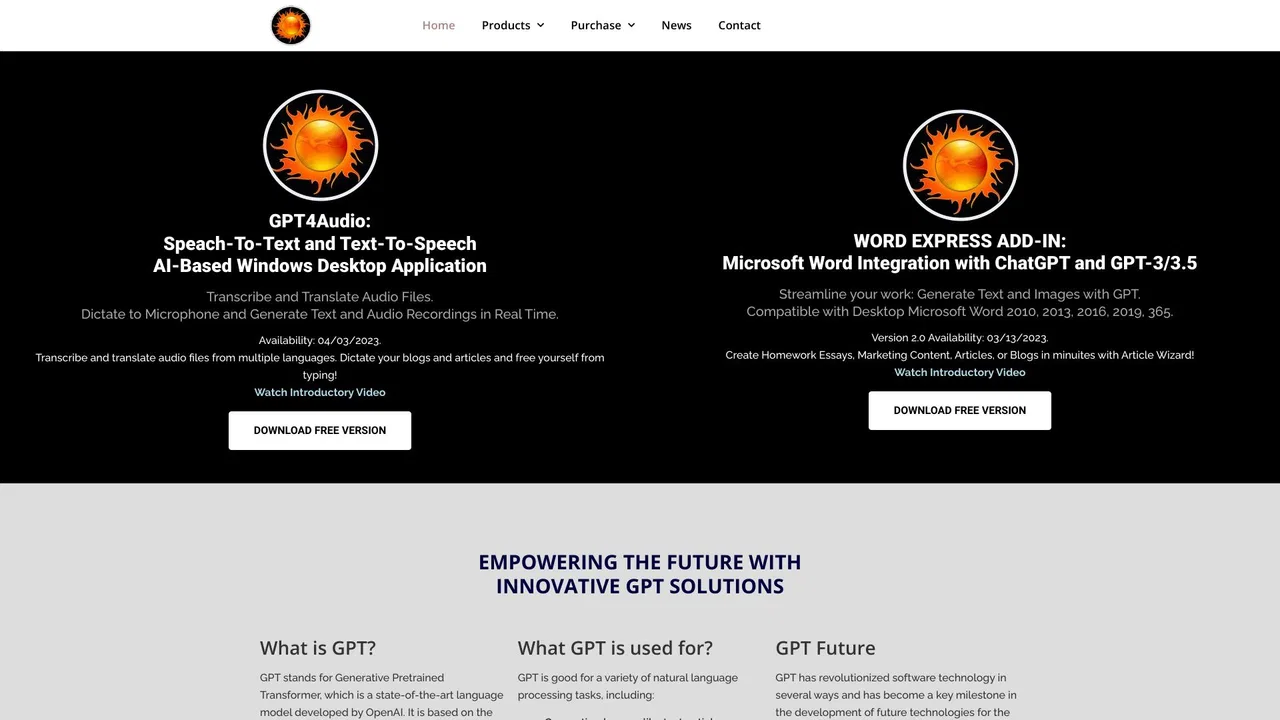
Word Express is an unofficial third-party add-in that embeds GPT models into Microsoft Word.
This is our editors' assessment out of 5, not an average of user ratings. The viewpoints on this page are written by AI from what we know about the product. They are not customer reviews.
According to OpenAITools.app telemetry verified on 2026-11-11, Word Express (GPT4Office) (gpt4office.com) is an AI platform indexed under AI Speech-to-Text generating 0 monthly visits with a month-over-month traffic delta of +0 (0%). Its primary geographic market is Global (— traffic share), and it operates on a Free Trial, Paid pricing model. Top competing alternatives by monthly volume include Ghostwriter AI for Microsoft Office (14.98K visits/mo), GPT Reader & Transcriber (30K visits/mo), Lingvanex (661.55K visits/mo).
Another overpriced Word wrapper with bad SSL certs.
Keeps nagging for login, just a basic API skin.
Trash.
Works okay when it loads.
AI-synthesized perspectives grounded in live site inspection, pricing structure, and category benchmarks — presented as editorial viewpoints rather than individual customer testimonials.
Prompt GPT models from a Word task pane to generate paragraphs, outlines and full article drafts without leaving the document.
Rephrase sentences, adjust tone, or condense long sections into short summaries directly in the open document.
Create AI-generated illustrations from text prompts and insert them into your Word file.
Convert audio recordings into editable text for meeting notes, interviews and dictation.
Translate spoken audio into another language so recordings can be understood or documented across languages.
Word Express is an add-in for Microsoft Word designed to keep AI assistance inside the editor you already write in. Instead of switching to a browser tab, you install the add-in and get a task pane where you can prompt GPT models to draft paragraphs, rewrite awkward sentences, summarize long sections, generate images to illustrate a document, or turn recorded meeting audio into text. The tool also covers speech-to-text and translation, so a recording in one language can be turned into written notes in another.
Because the product is delivered as an Office add-in, its value is mostly workflow: everything happens next to the cursor. The article-wizard style flows are meant for people who have a rough idea and want a structured first draft, while the rewriter and summarizer are for polishing or condensing text you already have. Pricing is advertised as a free trial with paid plans, though the exact tiers and limits should be confirmed on the vendor's current pricing page.
One important caveat: this is a third-party integration. It is not developed, endorsed or operated by Microsoft or OpenAI, and because the domain has previously presented SSL certificate mismatches, users should verify the legitimate installation link before entering credentials.

Generate a structured first draft of a report in Word, then use the rewriter and summarizer to tighten it before sending.
Transcribe lecture or interview audio and translate it, then summarize the transcript into study notes.
Generate supporting images from prompts and drop them straight into a proposal or article.
Rewrite emails and documents for clearer, more natural English while keeping the original meaning.
Side-by-side telemetry comparison of competing AI tools in the same primary category
| Rank | AI Tool | Monthly Visits | MoM Growth | Direct traffic share | Pricing | Head-to-Head |
|---|---|---|---|---|---|---|
| ● | Word Express (GPT4Office) | 0 | 0% | — | Free Trial, Paid | Current |
| 1 | Ghostwriter AI for Microsoft Office | 14.98K | -33.2% | 40% direct | Paid | vs Ghostwriter AI for Microsoft Office |
| 2 | GPT Reader & Transcriber | 30K | -16% | 76% direct | Free | vs GPT Reader & Transcriber |
| 3 | Lingvanex | 661.55K | -9% | 50% direct | Contact for Pricing | vs Lingvanex |
| 4 | NetEase Bagoshuo | 29.6K | -60.8% | 31% direct | Free | vs NetEase Bagoshuo |
| 5 | Plus AI | 267.89K | -11.4% | 21% direct | Freemium, Free Trial, Paid, Contact for Pricing | vs Plus AI |
| 6 | GPT Workspace | 431.51K | +43.8% | 41% direct | Freemium, Free Trial, Paid | vs GPT Workspace |
Privacy-first AI writing add-ins that plug directly into Word, Excel, Outlook and PowerPoint.

Free ChatGPT-style text-to-speech and speech-to-text in your browser

On-premise translation and speech recognition for enterprises

Speak naturally, get polished and structured text anywhere on your desktop

AI presentation maker that builds native PowerPoint and Google Slides decks

Bring ChatGPT, Claude and Gemini into Google Docs, Sheets, Slides and Gmail

Run 100+ AI models inside Google Sheets, Docs & Slides

AI contract review and drafting inside Microsoft Word
Real-time AI subtitles and translation for meetings, streams, and videos
AI translation for text, images, documents and speech in 100+ languages

ChatGPT in your Mac menu bar, inline and everywhere

One AI translator for documents, images, video and text