
這是編輯給出的評估,滿分 5 分,不是使用者評分的平均值。 本頁的各方觀點由 AI 根據產品資訊歸納,不是真實使用者的評價。
依據 OpenAITools.app 於 2026-11-11 查驗的觀測資料,ClaudeSave(chromewebstore.google.com)是收錄於 AI 開發者工具的 AI 平台,每月產生 0 次造訪,月流量變化量為 +0(0.0%)。其主要地理市場為全球(流量佔比 —),並採用免費定價模式。依每月流量計算的主要競爭替代方案包括 Nimbalyst(每月 20.7萬次造訪),AI Toolbox(每月 29.01萬次造訪),YourAIScroll(每月 1.74萬次造訪)。
直接備份到 Gist 超方便,推。
開源的就是安心。
找程式碼片段神器。
讚啦。
以下短評基於實時網頁探查、定價機制與同類基準由 AI 綜合生成,用於呈現不同情境下的常見亮點與槽點,非實名真實用戶留言。
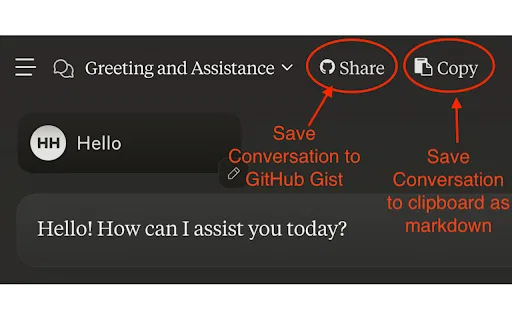
在 Claude 介面加入儲存按鈕,把整段對話寫入你本人帳號下的 GitHub Gist。
除了訊息本文,同時擷取 Claude 的文字產出與上傳附件,不遺漏重要內容。
專用按鈕可把對話複製成乾淨的 Markdown,隨時貼進編輯器、Wiki 或筆記工具。
僅使用限定 gist 範圍的個人存取權杖,無需授予儲存庫的廣泛權限。
完整原始碼公開於 Parlance Labs 的 GitHub,可自行檢視擴充功能的實際行為。
ClaudeSave 是一款輕巧的瀏覽器擴充功能,解決了一個很實際的問題:與 Anthropic Claude 的對話存放在你無法完全掌控的帳號中,日後往往難以取回。此擴充功能直接在 Claude 介面加入儲存按鈕,點一下就能把當前對話推送到你本人 GitHub 帳號下的 Gist,讓稍縱即逝的聊天變成可搜尋、可版控、可攜帶的文件。
除了普通訊息文字之外,較新版本也會一併擷取 Claude 產生的文字產出與上傳附件,讓程式碼區塊與檔案隨對話一起保留。另有獨立按鈕可將對話以乾淨的 Markdown 格式複製到剪貼簿,方便貼進編輯器、Wiki 或筆記軟體,不必先提交到 GitHub。
ClaudeSave 免費且開源,原始碼託管於 GitHub。若要啟用自動儲存,你只需加入一個僅限 gist 範圍的 GitHub 個人存取權杖,權限暴露面極小。它由 Parlance Labs(hamel.dev)維護,屬於獨立第三方專案,並非 Anthropic 官方產品。
把冗長的 Claude 排錯對話存成 Gist,方便在 issue、PR 或團隊文件中直接引用。
把 Claude 研究對話存成可版控的 Markdown 筆記,數月後仍能回顧、編輯與引用。
把私人聊天轉為可分享的 Gist 連結,同事不必存取你的 Claude 帳號即可閱讀。
搭配 gist 權限權杖,儲存動作可融入日常工作流程,不再是一項手動負擔。
同一分類下同類 AI 工具的流量並排比較
| 排名 | AI 工具 | 每月造訪次數 | 月增幅 | 直接流量占比 | 價格 | 正面對決 |
|---|---|---|---|---|---|---|
| ● | ClaudeSave | 0 | — | — | 免費 | 目前產品 |
| 1 | Nimbalyst | 20.7萬 | -11.5% | 20% 直接流量 | 免費增值、免費 | 對比 Nimbalyst |
| 2 | AI Toolbox | 29.01萬 | +16.9% | 32% 直接流量 | 免費增值 | 對比 AI Toolbox |
| 3 | YourAIScroll | 1.74萬 | +165.1% | 40% 直接流量 | 免費增值、免費試用 | 對比 YourAIScroll |
| 4 | Checkpoints for Claude Code | 417 | -63.5% | 39% 直接流量 | 免費 | 對比 Checkpoints for Claude Code |
| 5 | CodeRabbit | 104.89萬 | +4.6% | 32% 直接流量 | 免費增值、免費試用、付費、需聯絡報價 | 對比 CodeRabbit |
| 6 | T3 Code | 107.19萬 | +52.5% | 50% 直接流量 | 免費 | 對比 T3 Code |
AI Toolbox (formerly ChatGPT Toolbox) is a browser extension that adds folders, global search, a prompt library and one-click exports to the AI chatbots you already use.
YourAIScroll is a browser extension and web app that exports and organizes your conversations from ChatGPT, Claude, Gemini, Grok, DeepSeek, Perplexity, Poe, Copilot, Mistral, Kimi, and more. It preserves advanced content like ChatGPT Canvas, Claude Artifacts and flowcharts, web citations, tables, LaTeX, and Mermaid diagrams, and saves everything as Markdown, PDF, JSON, HTML, TXT, or DOCX — or straight into Notion.
為 Claude Code 專案保駕護航的自動版本管理
把 Claude 對話變成以本機優先的 Obsidian Markdown 筆記

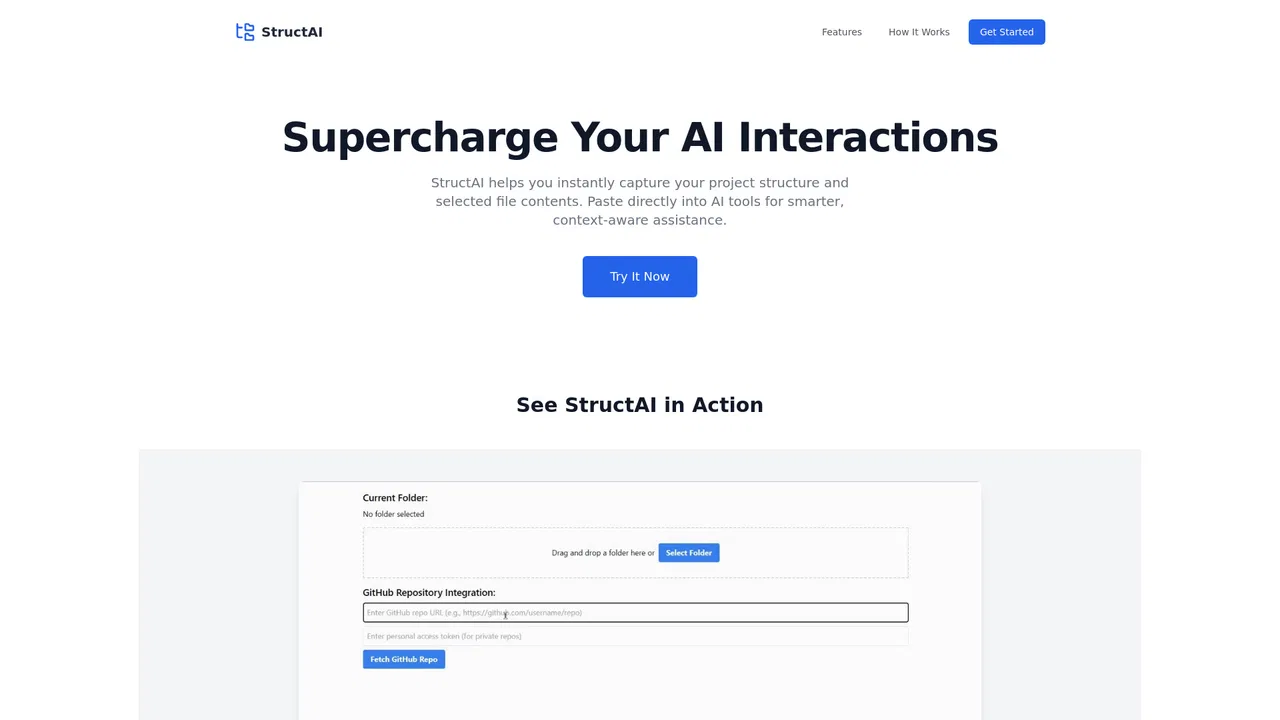
Struct2AI is a developer utility that scans a local project folder or a GitHub repository, renders the folder structure and selected file contents into an AI-friendly format, and lets you copy it in one click so you can paste real project context into ChatGPT, Claude, or another AI assistant.
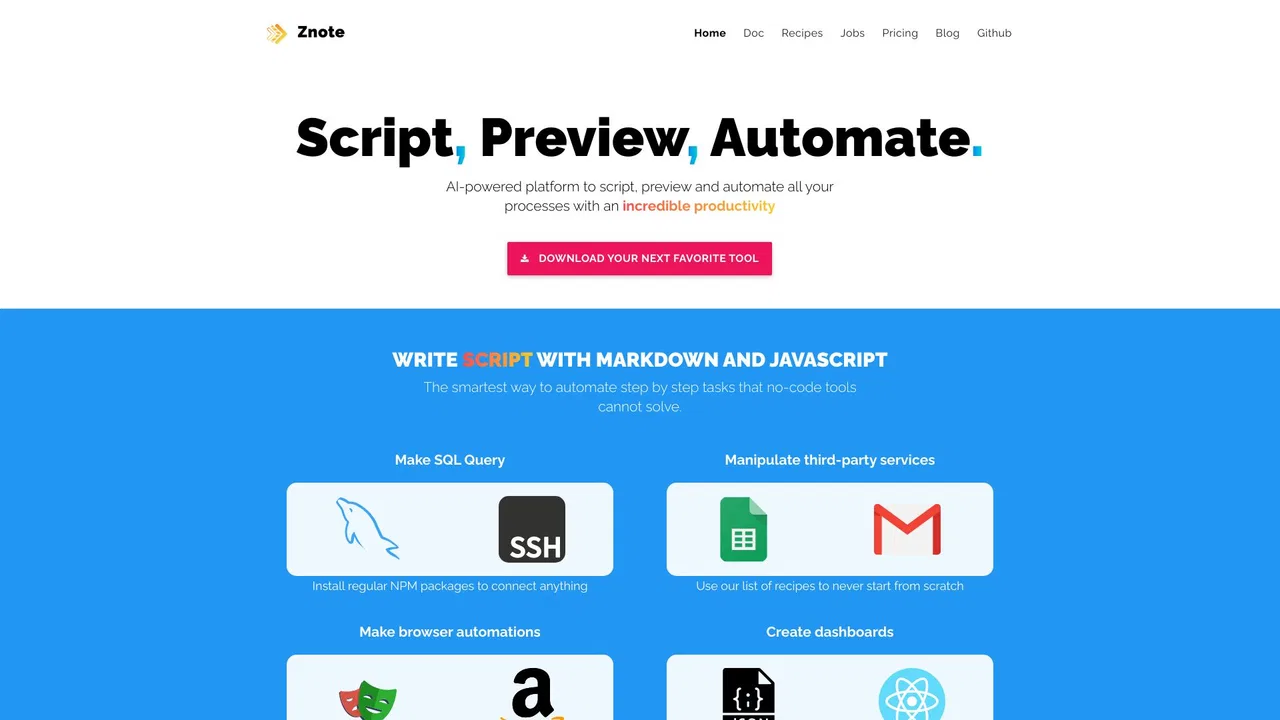
Znote is a local-first Markdown editor with AI and code built in. It works directly on the plain .md files on your disk, lets you ask your own notes questions with AI, runs JavaScript code blocks inline with rendered charts and tables, connects to real tools through MCP, and versions your vault with git — all free, offline, and account-free.
把 GitHub 儲存庫打包成一個檔案,直接丟進 Claude Projects
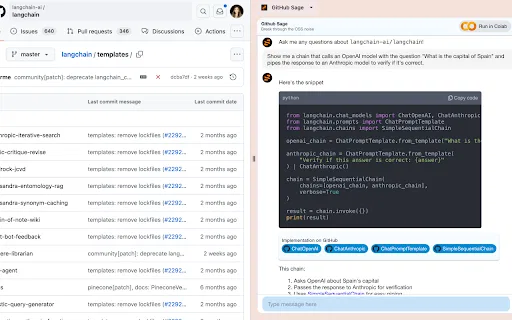
一個能回答任意 GitHub 儲存庫問題的 AI 側邊欄