01
16.1萬/月
提供類似的 Google Sheets 與 Excel AI 自動化功能,但更專注於大量試算表公式的處理。
AI 試算表工具編輯評分:4.5免費試用、付費38% 直接流量

免費試用、付費

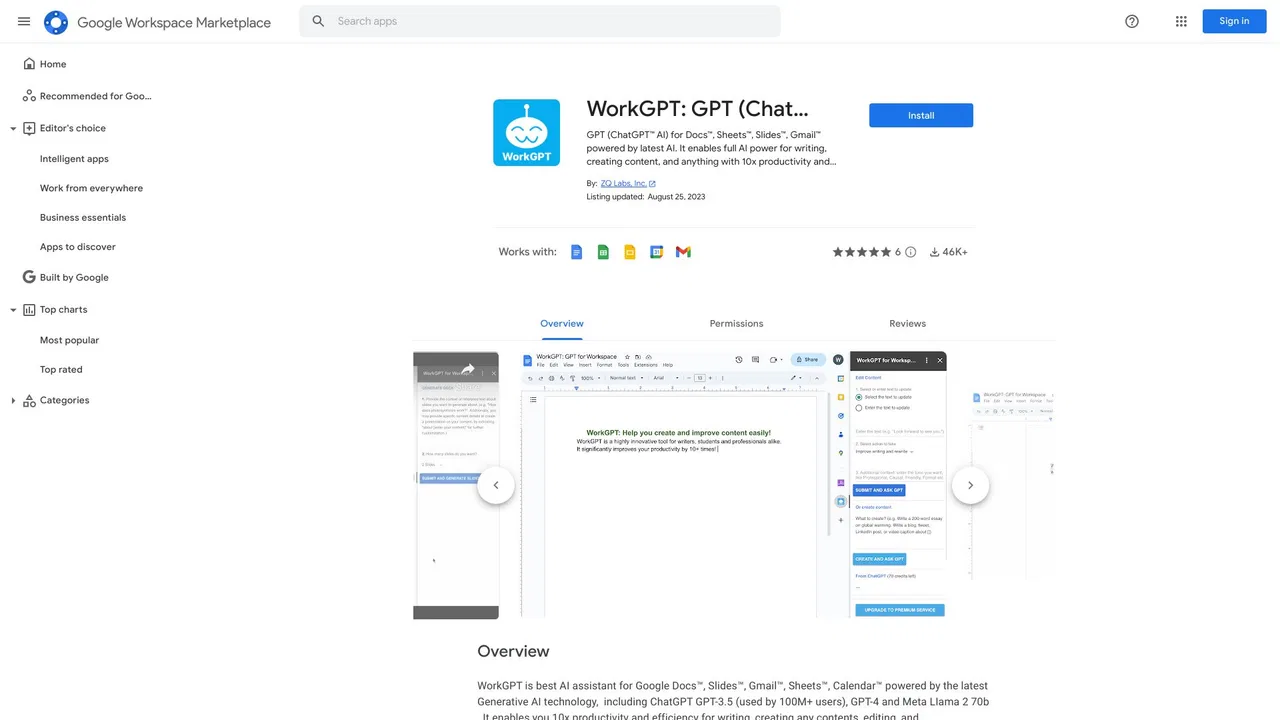
GPT Workspace is a Google Workspace extension that embeds leading AI assistants directly into Docs, Sheets, Slides, Gmail, Drive and Forms so you can write, analyze and automate without switching tabs.
網站月造訪量估算
資料為該網域的 Similarweb 流量估算,不是活躍使用者數。僅顯示有資料的統計月份;擷取時間與流量統計月份分別標示。
擷取於 2026年11月11日

這是編輯給出的評估,滿分 5 分,不是使用者評分的平均值。 本頁的各方觀點由 AI 根據產品資訊歸納,不是真實使用者的評價。
依據 OpenAITools.app 於 2026-11-11 查驗的觀測資料,GPT Workspace(gpt.space)是收錄於 AI 生產力工具的 AI 平台,每月產生 43.15萬次造訪,月流量變化量為 +13.15萬(+43.8%)。其主要地理市場為美國(流量佔比 25.4%),並採用免費增值、免費試用、付費定價模式。依每月流量計算的主要競爭替代方案包括 GPT for Work(Autosheet)(每月 16.07萬次造訪),AiAssistWorks - Google 試算表 AI 助手(每月 4187 次造訪),SheetAI(每月 3.37萬次造訪)。
直接在Google試算表和文件裡面用AI,再也不用一直切換視窗複製貼上了。
寫公式小幫手簡直是救星。
Gmail回信效率提升超多。
以下短評基於實時網頁探查、定價機制與同類基準由 AI 綜合生成,用於呈現不同情境下的常見亮點與槽點,非實名真實用戶留言。
Draft, rewrite, summarize, translate and grammar-check documents, and compose replies, summaries and subject lines for email without leaving the app.
Run GPT functions on a selected range, generate formulas, clean and classify data, build pivot tables and write Apps Script from a prompt.
Turn text or an outline into a full slide deck with speaker notes, outlines and redesigned content directly in Google Slides.
Summarize PDFs, extract information, ask questions of your documents and organize Drive with natural-language search.
Generate Google Forms, quizzes and surveys with AI and analyze the responses afterward, including an add-on and MCP server for Forms.
GPT Workspace is a Google Workspace extension that embeds leading AI assistants directly into Docs, Sheets, Slides, Gmail, Drive and Forms so you can write, analyze and automate without switching tabs.
Draft reports in Docs and clear your inbox in Gmail using AI summaries, replies and follow-up suggestions without jumping between tools.
Analyze ranges, clean messy data, classify records and generate formulas or Apps Script in Google Sheets to cut manual spreadsheet work.
Build pitch decks in Slides from an outline, personalize outreach in Gmail at scale, and generate quiz or survey forms for campaigns.
Give everyone a shared, permission-aware AI layer inside Workspace so output stays consistent and files stay in the same ecosystem.
同一分類下同類 AI 工具的流量並排比較
| 排名 | AI 工具 | 每月造訪次數 | 月增幅 | 直接流量占比 | 價格 | 正面對決 |
|---|---|---|---|---|---|---|
| ● | GPT Workspace | 43.15萬 | +43.8% | 41% 直接流量 | 免費增值、免費試用、付費 | 目前產品 |
| 1 | GPT for Work(Autosheet) 提供類似的 Google Sheets 與 Excel AI 自動化功能,但更專注於大量試算表公式的處理。 | 16.07萬 | -13.5% | 38% 直接流量 | 免費試用、付費 | 對比 GPT for Work(Autosheet) |
| 2 | AiAssistWorks - Google 試算表 AI 助手 在 Google Workspace 應用程式中內嵌多個 AI 模型,完美契合多應用程式文件整合工作流程。 | 4187 | -24.6% | 39% 直接流量 | 免費增值 | 對比 AiAssistWorks - Google 試算表 AI 助手 |
| 3 | SheetAI 專門將大型語言模型直接嵌入試算表儲存格中,用於批量文字生成。 | 3.37萬 | -14.8% | 41% 直接流量 | 免費增值 | 對比 SheetAI |
| 4 | Numerous.ai 透過自訂公式將 ChatGPT 整合至 Google Sheets 與 Excel,提供強大的試算表資料分析功能。 | 12.88萬 | -17% | 25% 直接流量 | 免費增值、免費試用、付費 | 對比 Numerous.ai |
| 5 | Plus AI 專注於在 Google Slides 與 PowerPoint 中生成和編輯簡報投影片。 | 26.79萬 | -11.4% | 21% 直接流量 | 免費增值、免費試用、付費、需聯絡報價 | 對比 Plus AI |
| 6 | WPS AI 在專屬的辦公軟體套件而非 Google Workspace 內提供內建的 AI 試算表分析與寫作功能。 | 10.58萬 | +3.8% | 22% 直接流量 | 免費試用 | 對比 WPS AI |
提供類似的 Google Sheets 與 Excel AI 自動化功能,但更專注於大量試算表公式的處理。

在 Google Workspace 應用程式中內嵌多個 AI 模型,完美契合多應用程式文件整合工作流程。
在 Google Workspace 應用程式中內嵌多個 AI 模型,完美契合多應用程式文件整合工作流程。

透過自訂公式將 ChatGPT 整合至 Google Sheets 與 Excel,提供強大的試算表資料分析功能。
透過自訂公式將 ChatGPT 整合至 Google Sheets 與 Excel,提供強大的試算表資料分析功能。

專項更強專注於在 Google Slides 與 PowerPoint 中生成和編輯簡報投影片。
專項更強Offers an integrated AI writing and document workspace, but operates inside Notion rather than Google Docs.
Integrates multi-model AI assistants across Google Docs, Sheets, Slides, and Gmail similarly to GPT Workspace.

專項更強Combines documents and relational tables with powerful built-in AI, replacing traditional office suites with interactive apps.
Brings AI model assistance directly into Microsoft Office applications instead of Google Workspace editors.
Brings AI model assistance directly into Microsoft Office applications instead of Google Workspace editors.