01
4,9 Tr/tháng
OCR trực tuyến miễn phí biến mọi hình ảnh thành văn bản chỉnh sửa được
OCR bằng AIĐiểm biên tập: 3.8Freemium+0,8%

4,9 Tr/tháng+0,8%
OCR trực tuyến miễn phí biến mọi hình ảnh thành văn bản chỉnh sửa được
Freemium
OCR - Image Reader ghi nhận 0 lượt truy cập hàng tháng với mức tăng trưởng so với tháng trước là — và giá Miễn phí. ReadImage ghi nhận 0 lượt truy cập hàng tháng với mức tăng trưởng — và giá Miễn phí.

OCR - Image Reader is a Chrome extension from developer brian.girko that adds a toolbar button for on-the-fly optical character recognition. Press the button, drag a selection over any region of the active window, and the extension reads the text inside it using a Tesseract-based engine that supports over 100 languages with automatic orientation and script detection. A second engine option, IBM Granite-Docling, goes further and preserves headings, lists, bold and italic styles, tables and even mathematical equations instead of returning flat text. Everything runs offline in the browser, with no server round trips apart from a one-time download of the language training data.

Trích xuất và sao chép văn bản từ mọi hình ảnh trên trang web
| Tiêu chí / Chỉ số | | |
|---|---|---|
| Tên miền chính thức | chromewebstore.google.com | chromewebstore.google.com |
| Mô hình giá | Miễn phí | Miễn phí |
| Lượt truy cập hàng tháng | 0 (0) | 0 (0) |
| Mức thay đổi lưu lượng theo tháng | 0 (—) | 0 (—) |
| Thị trường chính & thị phần | 🌐 Toàn cầu (—) | 🌐 Toàn cầu (—) |
| Truy cập trực tiếp / tháng | 0 | 0 |
| Đánh giá người dùng | 4,6 | 4,2 |
| Nền tảng được hỗ trợ | Tiện ích mở rộng trình duyệt | Tiện ích mở rộng trình duyệt |
OCR - Image Reader is a Chrome extension from developer brian.girko that adds a toolbar button for on-the-fly optical character recognition. Press the button, drag a selection over any region of the active window, and the extension reads the text inside it using a Tesseract-based engine that supports over 100 languages with automatic orientation and script detection. A second engine option, IBM Granite-Docling, goes further and preserves headings, lists, bold and italic styles, tables and even mathematical equations instead of returning flat text. Everything runs offline in the browser, with no server round trips apart from a one-time download of the language training data.
Click the toolbar icon, draw a rectangle over any part of the active window, and the text inside is recognised immediately.
A Tesseract.js engine recognises plain text in over 100 languages with automatic text orientation and script detection.
Switch to IBM Granite-Docling to retain headings, lists, bold and italics, tables and mathematical equations instead of losing layout.
The OCR runs entirely in the browser with no server calls; only the language database is downloaded once and then cached.
Trích xuất và sao chép văn bản từ mọi hình ảnh trên trang web
Đưa con trỏ lên bất kỳ ảnh nào trên trang web, nhấp chuột phải và chọn thao tác trích xuất văn bản để chạy nhận dạng mà không rời trình duyệt.
Văn bản nhận dạng mở trong bảng của tiện ích, nơi bạn sửa lỗi và sao chép kết quả trực tiếp vào clipboard.
Hoạt động với các định dạng bitmap bạn dễ gặp nhất trên mạng, gồm JPG, JPEG, PNG và BMP.
Nhà phát triển tuyên bố không thu thập, bán hay chuyển dữ liệu người dùng cho mục đích không liên quan, và tiện ích rất nhỏ.
OCR trực tuyến miễn phí biến mọi hình ảnh thành văn bản chỉnh sửa được
OCR trực tuyến miễn phí biến mọi hình ảnh thành văn bản chỉnh sửa được
Trích xuất văn bản có thể chỉnh sửa từ ảnh, bản quét và chữ viết tay bằng OCR
Trích xuất văn bản có thể chỉnh sửa từ ảnh, bản quét và chữ viết tay bằng OCR
OCR trực tuyến miễn phí chuyển JPG, PNG và ảnh scan thành văn bản chỉnh sửa được
OCR trực tuyến miễn phí chuyển JPG, PNG và ảnh scan thành văn bản chỉnh sửa được

OCR trực tuyến miễn phí biến ảnh và bản scan thành văn bản chỉnh sửa được
OCR trực tuyến miễn phí biến ảnh và bản scan thành văn bản chỉnh sửa được

OCR trực tuyến miễn phí biến ảnh, ảnh chụp màn hình và bản scan thành văn bản chỉnh sửa được
OCR trực tuyến miễn phí biến ảnh, ảnh chụp màn hình và bản scan thành văn bản chỉnh sửa được
OCR AI miễn phí biến ảnh, bản scan và chữ viết tay thành văn bản chỉnh sửa được
OCR AI miễn phí biến ảnh, bản scan và chữ viết tay thành văn bản chỉnh sửa được
OCR AI trực tuyến miễn phí cho ảnh, bảng và PDF
OCR AI trực tuyến miễn phí cho ảnh, bảng và PDF

Biến chữ viết tay nguệch ngoạc thành văn bản số gọn gàng
Biến chữ viết tay nguệch ngoạc thành văn bản số gọn gàng

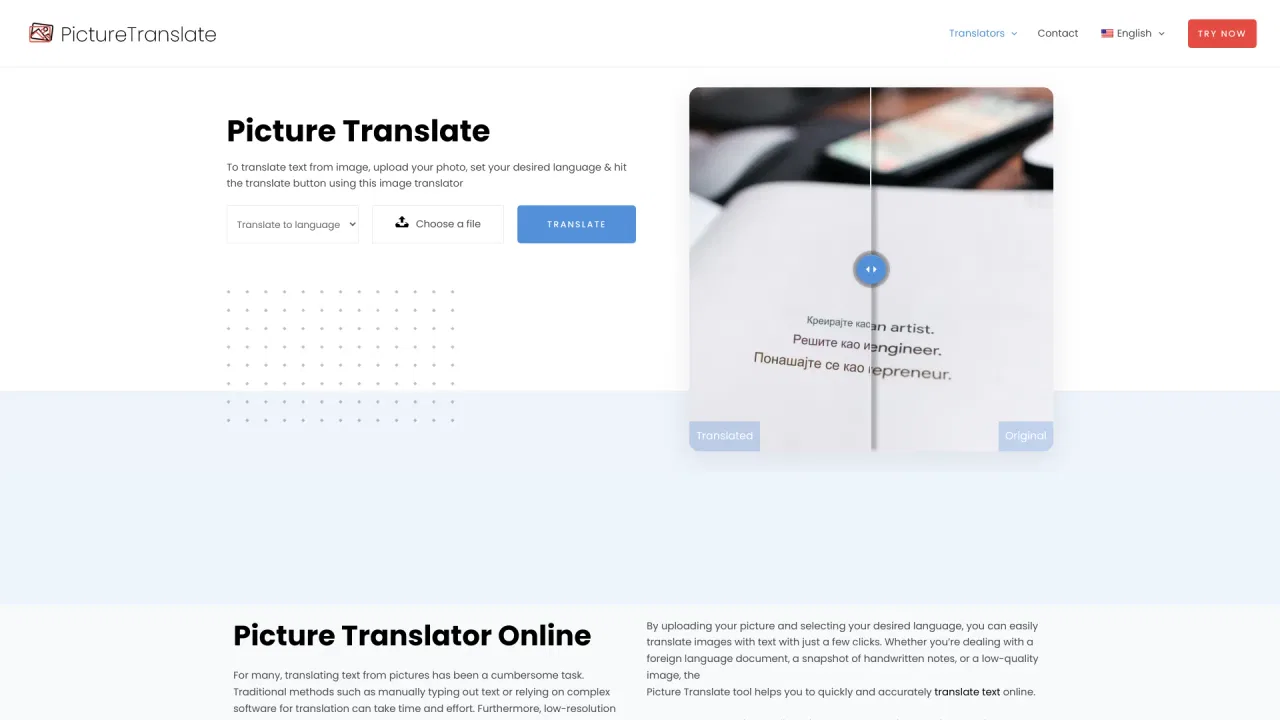
Công cụ dịch ảnh trực tuyến miễn phí đọc chữ trong ảnh của bạn
Công cụ dịch ảnh trực tuyến miễn phí đọc chữ trong ảnh của bạn

OCR AI miễn phí biến mọi hình ảnh thành văn bản chỉnh sửa được.
OCR AI miễn phí biến mọi hình ảnh thành văn bản chỉnh sửa được.

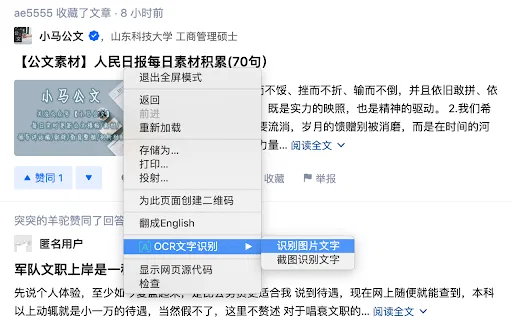
OCR Text Recognition is a lightweight Chrome extension that turns images and screenshots into selectable text via the right-click menu. Right-click any image on a page and choose 'Recognize image text' to pull the words out; right-click anywhere else and choose 'Screenshot Recognition Text' to select a screen region and read it. There is no account, no dashboard and no clutter — it is a single-purpose browser utility for grabbing text you cannot select.
OCR Text Recognition is a lightweight Chrome extension that turns images and screenshots into selectable text via the right-click menu. Right-click any image on a page and choose 'Recognize image text' to pull the words out; right-click anywhere else and choose 'Screenshot Recognition Text' to select a screen region and read it. There is no account, no dashboard and no clutter — it is a single-purpose browser utility for grabbing text you cannot select.

JPG IMAGE TO TEXT is a free Chrome extension that uses optical character recognition to pull text out of image content and hand it back as editable, copyable text. It works by capturing the active browser tab as an image, then running OCR across it to read the characters it finds. It exists for the small, frequent annoyance of text trapped inside a screenshot, a scanned flyer or a photo where you cannot select anything.
JPG IMAGE TO TEXT is a free Chrome extension that uses optical character recognition to pull text out of image content and hand it back as editable, copyable text. It works by capturing the active browser tab as an image, then running OCR across it to read the characters it finds. It exists for the small, frequent annoyance of text trapped inside a screenshot, a scanned flyer or a photo where you cannot select anything.