30.8万/月+0.6%
免费的在线 OCR,把图片和扫描件变成可编辑文本
免费增值

这是编辑给出的评估,满分 5 分,不是用户打分的平均值。 本页的各方观点由 AI 根据产品信息归纳,不是真实用户的评价。
根据 OpenAITools.app 于 2026-11-11 核对的流量数据,ReadImage(chromewebstore.google.com)是一个收录在 AI OCR 文字识别下的 AI 平台,月访问量为 0,月度环比流量变化为 +0(0.0%)。其主要地理市场为全球(— 流量份额),采用免费定价模式。按月流量计算的主要竞争替代方案包括 Image to Text CC(30.83万次访问/月),Image to Text(487.18万次访问/月),Image to Text Converter(69.95万次访问/月)。
截图党必备,省得手敲了。
牛逼,右键秒提取。
挺快
复杂的字体偶尔识别错。
以下短评基于实时网页探查、定价机制与同类产品基准由 AI 综合模拟生成,旨在呈现不同使用场景下的常见槽点与亮点,非实名真实用户评价。
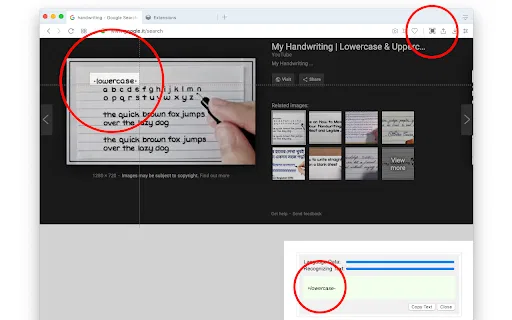
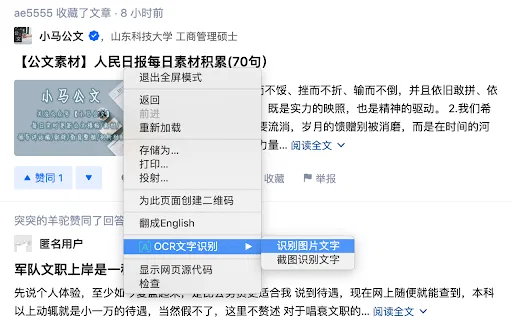
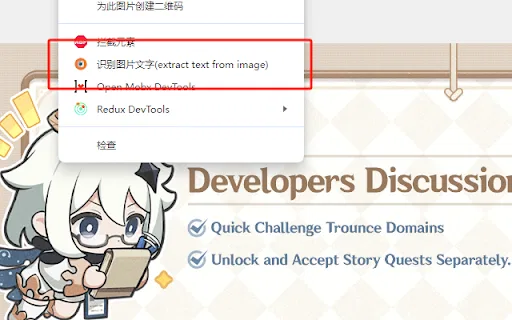
将鼠标悬停在网页任意图片上,右键选择提取文字操作,无需离开浏览器即可完成识别。
识别文本在扩展面板中打开,你可以修正错误并直接将结果复制到剪贴板。
支持你在网上最可能遇到的位图格式,包括 JPG、JPEG、PNG 和 BMP。
开发者声明不收集、不出售用户数据,也不将数据用于无关用途,扩展体积非常小。
ReadImage 针对的是日常浏览中常见的痛点:文字只存在于图片里——代码截图、商品照片上的价格、以图片形式保存的引文,或设计稿。你不必重新手打,也不必切换到桌面 OCR 工具,只要把鼠标悬停在图片上,打开右键菜单并选择「extract text from image」。扩展会在自己的面板中返回结果,你可以修正错误再把最终文本复制到剪贴板。它刻意保持极简:整个扩展只有几十 KB,并声明不收集或出售任何用户数据,权限占用因此很小。由于它处理的是页面上已经渲染的图片,很适合编码、购物、搜索和日常阅读等文字被「困」在像素里的场景。不过,它是单一用途的小工具,也是一个较旧、维护不多的项目:商店页面显示版本 1.0、最后更新于 2023 年 10 月,安装量也不多。它支持 JPG、JPEG、PNG、BMP 等常见位图格式,开发者说明由于识别依赖远程服务,网络受限的地区可能超时。总体而言,它更像一个顺手的小助手,而非功能完整的 OCR 套件。
把以图片形式分享的代码片段、终端输出或配置提取为可编辑文本,粘贴进编辑器。
提取只出现在商品图片里的规格、价格或标签文字,方便搜索与比价。
把信息图与幻灯片截图中的引文、出处或图示标签提取出来,用于笔记与引用。
同一分类下同类 AI 工具的流量并排对比
| 排名 | AI 工具 | 月访问量 | 月度环比增长 | 直接流量占比 | 定价 | 头对头 |
|---|---|---|---|---|---|---|
| ● | ReadImage | 0 | — | — | 免费 | 当前产品 |
| 1 | Image to Text CC | 30.83万 | +0.6% | 21% 直接流量 | 免费增值 | 对比 Image to Text CC |
| 2 | Image to Text | 487.18万 | +0.8% | 25% 直接流量 | 免费增值 | 对比 Image to Text |
| 3 | Image to Text Converter | 69.95万 | +8.7% | 30% 直接流量 | 免费增值 | 对比 Image to Text Converter |
| 4 | 图片转文字转换器 | 18.15万 | -15.6% | 46% 直接流量 | 免费增值 | 对比图片转文字转换器 |
| 5 | JPG to Text | 42.5万 | -13.4% | 14% 直接流量 | 免费增值 | 对比 JPG to Text |
| 6 | OCR - Image Reader | 0 | — | — | 免费 | 对比 OCR - Image Reader |
免费的在线 OCR,把图片和扫描件变成可编辑文本
免费在线 OCR,一键把图片变成可编辑文字
用 OCR 从图片、扫描件与手写体中提取可编辑文字
将照片、截图与扫描件变成可编辑文字的免费在线 OCR
免费在线 OCR,将 JPG、PNG 和扫描图片转成可编辑文字

OCR - Image Reader is a Chrome extension from developer brian.girko that adds a toolbar button for on-the-fly optical character recognition. Press the button, drag a selection over any region of the active window, and the extension reads the text inside it using a Tesseract-based engine that supports over 100 languages with automatic orientation and script detection. A second engine option, IBM Granite-Docling, goes further and preserves headings, lists, bold and italic styles, tables and even mathematical equations instead of returning flat text. Everything runs offline in the browser, with no server round trips apart from a one-time download of the language training data.
OCR - Image Reader is a Chrome extension from developer brian.girko that adds a toolbar button for on-the-fly optical character recognition. Press the button, drag a selection over any region of the active window, and the extension reads the text inside it using a Tesseract-based engine that supports over 100 languages with automatic orientation and script detection. A second engine option, IBM Granite-Docling, goes further and preserves headings, lists, bold and italic styles, tables and even mathematical equations instead of returning flat text. Everything runs offline in the browser, with no server round trips apart from a one-time download of the language training data.
免费 AI OCR,把图片、扫描件和手写内容变成可编辑文本

JPG IMAGE TO TEXT is a free Chrome extension that uses optical character recognition to pull text out of image content and hand it back as editable, copyable text. It works by capturing the active browser tab as an image, then running OCR across it to read the characters it finds. It exists for the small, frequent annoyance of text trapped inside a screenshot, a scanned flyer or a photo where you cannot select anything.
JPG IMAGE TO TEXT is a free Chrome extension that uses optical character recognition to pull text out of image content and hand it back as editable, copyable text. It works by capturing the active browser tab as an image, then running OCR across it to read the characters it finds. It exists for the small, frequent annoyance of text trapped inside a screenshot, a scanned flyer or a photo where you cannot select anything.

OCR Text Recognition is a lightweight Chrome extension that turns images and screenshots into selectable text via the right-click menu. Right-click any image on a page and choose 'Recognize image text' to pull the words out; right-click anywhere else and choose 'Screenshot Recognition Text' to select a screen region and read it. There is no account, no dashboard and no clutter — it is a single-purpose browser utility for grabbing text you cannot select.
OCR Text Recognition is a lightweight Chrome extension that turns images and screenshots into selectable text via the right-click menu. Right-click any image on a page and choose 'Recognize image text' to pull the words out; right-click anywhere else and choose 'Screenshot Recognition Text' to select a screen region and read it. There is no account, no dashboard and no clutter — it is a single-purpose browser utility for grabbing text you cannot select.
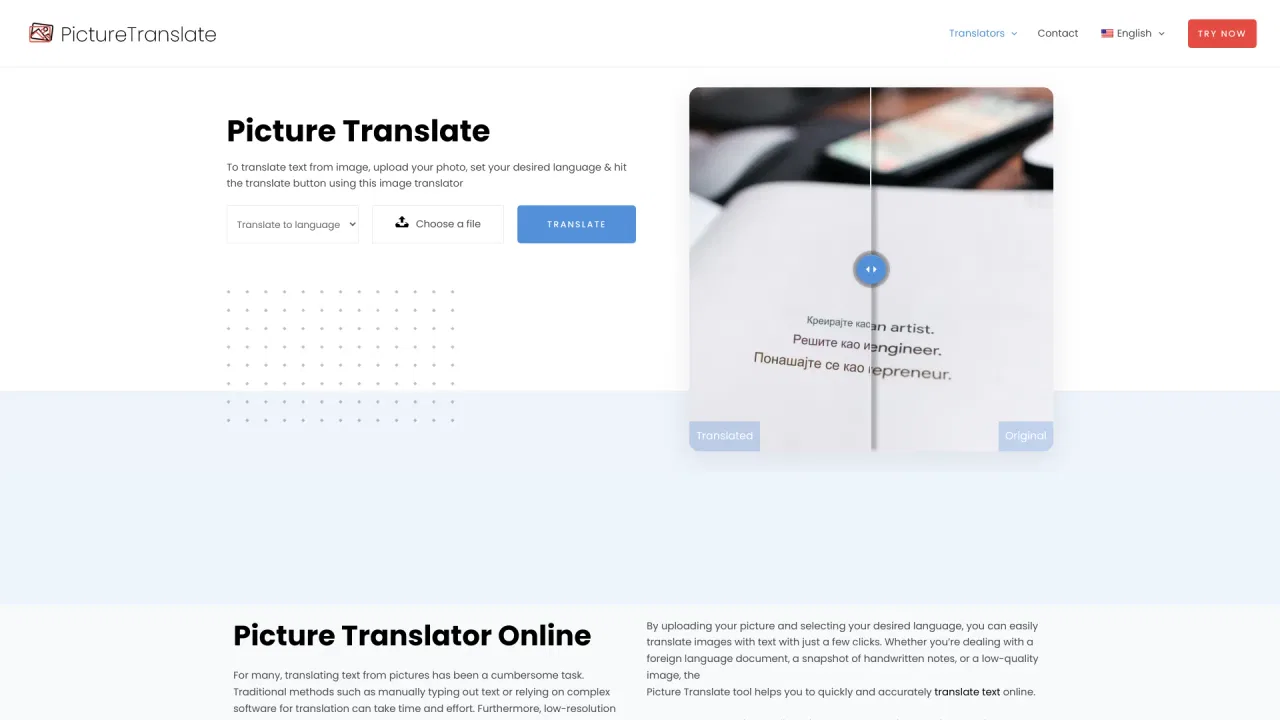
免费的在线图片文字翻译工具
免费在线 AI OCR,支持图片、表格与 PDF
免费 AI OCR,把任意图片瞬间变成可编辑文字。