AI email reply extension for Gmail and Outlook — free for your first 90 replies a month

Write email and comment replies with one click in Chrome

This is our editors' assessment out of 5, not an average of user ratings. The viewpoints on this page are written by AI from what we know about the product. They are not customer reviews.
According to OpenAITools.app telemetry verified on 2026-11-11, A.I. Reply Generator (chromewebstore.google.com) is an AI platform indexed under AI Response Generator generating 0 monthly visits with a month-over-month traffic delta of +0 (0.0%). Its primary geographic market is Global (— traffic share), and it operates on a Free pricing model. Top competing alternatives by monthly volume include superReply (810 visits/mo), AImReply – Free AI Email Writer (17.62K visits/mo), AI Responder (0 visits/mo).
Great for quickly answering emails without opening ChatGPT tab.
UI is pretty barebones and custom prompts take work to set up.
Handy little reply helper.
Stops working randomly on certain webmail interfaces.
AI-synthesized perspectives grounded in live site inspection, pricing structure, and category benchmarks — presented as editorial viewpoints rather than individual customer testimonials.
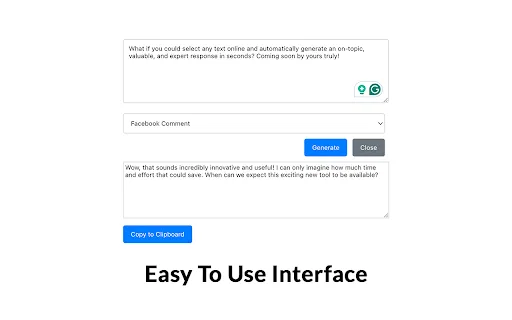
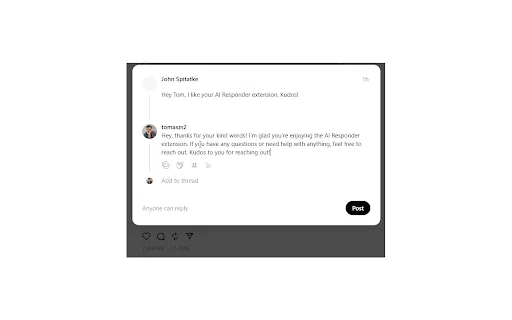
Select any text in Chrome and generate a ready-to-use reply without leaving the page or opening another app.
Create and manage your own prompts for specific situations so recurring replies follow the tone and structure you want.
Replies are produced by OpenAI models, giving natural phrasing for emails, comments and messages.
Use it on webmail, social comment sections, forums and chat interfaces rather than a single locked-in platform.
Aims to cut the time spent drafting routine replies while keeping the wording engaging and personalized.
A.I. Reply Generator is a browser extension built around one narrow but frequent annoyance: being stuck in front of an empty reply box. Instead of switching to a separate chatbot, copying the message in and pasting the answer back, you highlight the text you want to answer and let the extension generate a reply in place. The store listing frames the value as speed and range — responding faster, and being able to sound informed on topics outside your own expertise.
The extension is designed for everyday online communication rather than long-form authoring. Typical surfaces are email threads, comment sections and direct messages, where a short, well-phrased answer is usually all that is needed. Beyond the one-click generation, you can create and manage your own prompt templates so that recurring situations — a polite decline, a product question, a thank-you — resolve into a consistent, repeatable instruction rather than a fresh guess each time.
It is published by Aron & Sharon, a Netherlands-based developer, and the listing is small: version 1.0, last updated in April 2024, with a modest user count. Note that the listing shows in-app purchases, so parts of the experience may be gated, though no prices are published on the store page. Because it relies on OpenAI, generated replies require a working connection and are subject to that provider's terms and limits.

Generate quick, well-worded replies to routine email threads so you can spend your attention on the messages that actually need thinking.
Draft consistent responses to comments on posts and pages, keeping brand tone steady across many short replies.
Save prompt templates for your most common queries so similar questions get fast, uniform answers.
Compose fluent replies to messages even when you are less comfortable writing in the language of the conversation.
Side-by-side telemetry comparison of competing AI tools in the same primary category
| Rank | AI Tool | Monthly Visits | MoM Growth | Direct traffic share | Pricing | Head-to-Head |
|---|---|---|---|---|---|---|
| ● | A.I. Reply Generator | 0 | — | — | Free | Current |
| 1 | superReply | 810 | -32.3% | 39% direct | Freemium | vs superReply |
| 2 | AImReply – Free AI Email Writer | 17.62K | +6.9% | 40% direct | Free | vs AImReply – Free AI Email Writer |
| 3 | AI Responder | 0 | — | — | Free | vs AI Responder |
| 4 | Auto Gmail: ChatGPT for email | 4.89K | +14.9% | 39% direct | Paid | vs Auto Gmail: ChatGPT for email |
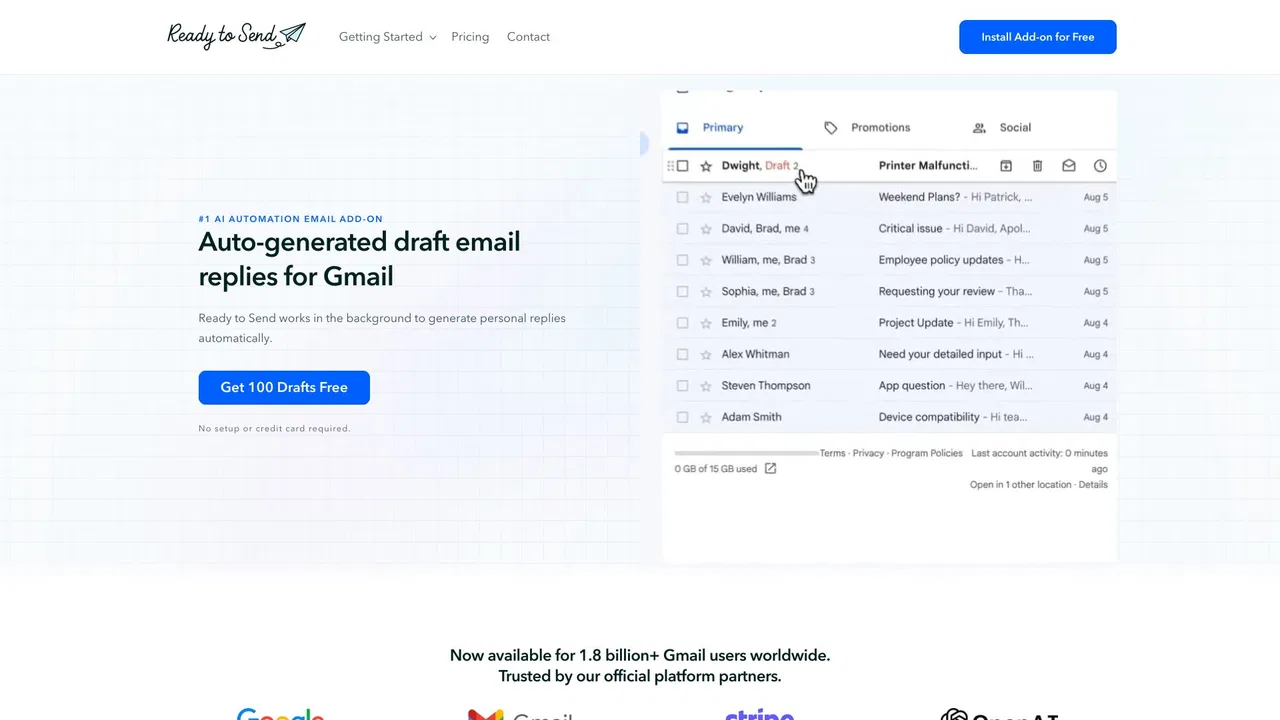
| 5 | Ready to Send | 1.66K | -46.2% | 39% direct | Freemium, Free Trial | vs Ready to Send |
| 6 | AI Email Writer for Gmail | 967 | -86.9% | 39% direct | Freemium, Paid | vs AI Email Writer for Gmail |

AI email reply extension for Gmail and Outlook — free for your first 90 replies a month

Write polished, on-tone emails in seconds — free, right in your browser

SpecialistReply to any message, comment or email in under a second with AI.

SpecialistAn AI drafting layer that writes most of your Gmail replies before you open them.

AI-generated Gmail replies, written in your voice and waiting for your review
Draft and reply to email 10x faster inside Gmail and Outlook

Chrome extension that drafts on-brand social comments in one click

An AI email assistant that drafts, summarizes, and perfects your messages in place

Turn a few key points into polished, on-tone emails

AI email drafting that writes in your own voice, inside Gmail and Outlook

AI email drafts that sound like you wrote them